
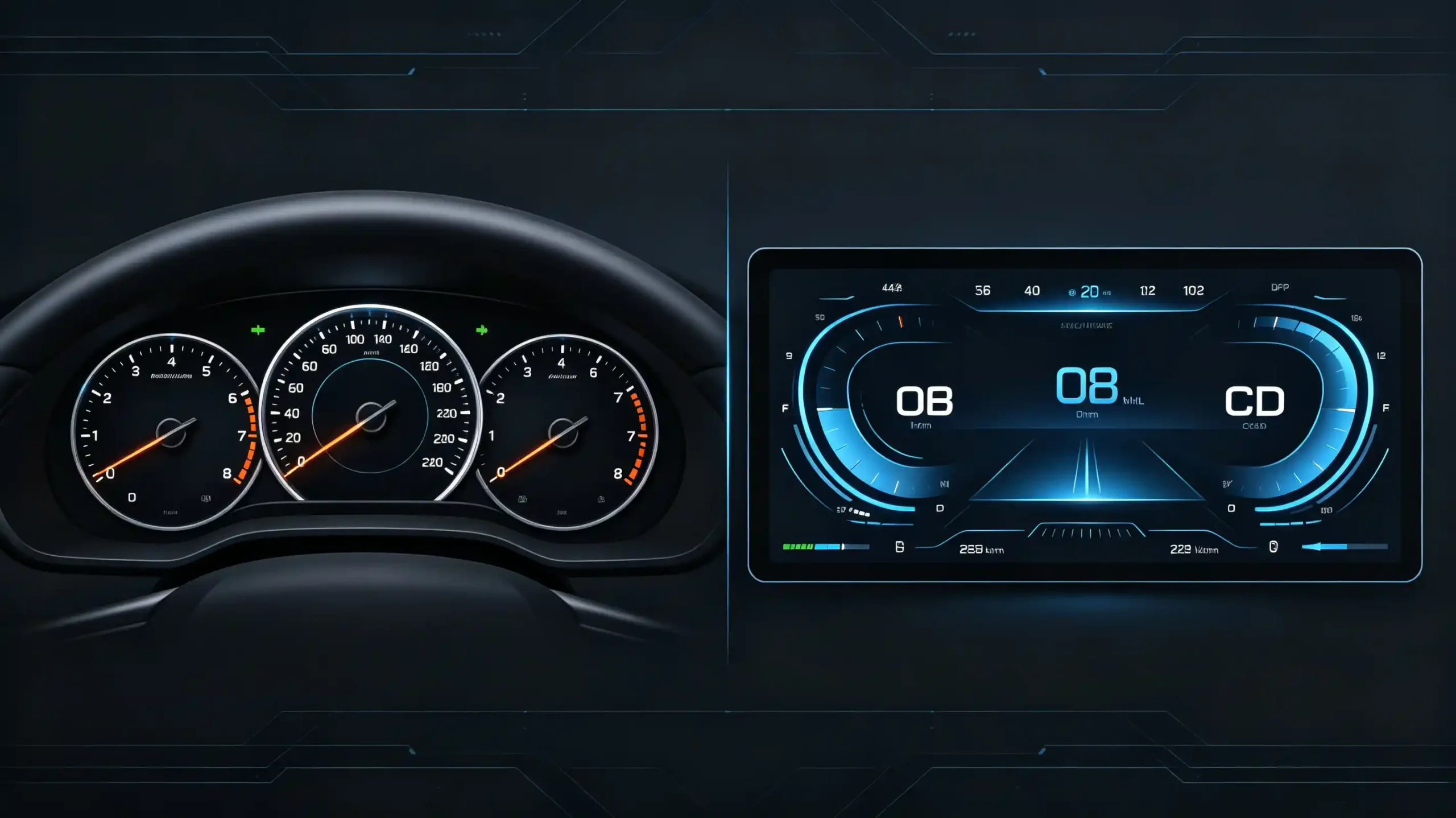
The instrument panel used to be the least negotiable part of a vehicle’s interior. It was a fixed set of needles behind glass, unchanged for the life of the car. That is no longer true. Digital gauge clusters have turned the instrument panel into another display to configure, integrate, and — for B2B buyers — source correctly the first time.
This guide covers what a digital gauge cluster actually is. It covers its core functions. It explains how navigation gets integrated into it. It covers what lane-level positioning adds on top of that. It details the hardware behind it all. It also covers how to evaluate one before placing a bulk order.
What Is a Digital Gauge Cluster? Core Definition & System Architecture
Core Definition
A digital gauge cluster — sometimes called a digital dashboard or digital instrument cluster — is an electronic display panel. It uses LCD or QLED technology. It replaces traditional analog gauges. It presents vehicle information — speed, RPM, fuel, temperature, navigation, safety alerts — in a format that is configurable rather than fixed.
The Fundamental Difference from Analog
The difference from analog is fundamental, not cosmetic. Analog gauges use physical needles sweeping across fixed dials. They have one layout, permanently. Digital clusters run on configurable displays. They support multiple views, color coding, and layered information. A driver can actually change what they see depending on what matters to them at the moment.
System Architecture
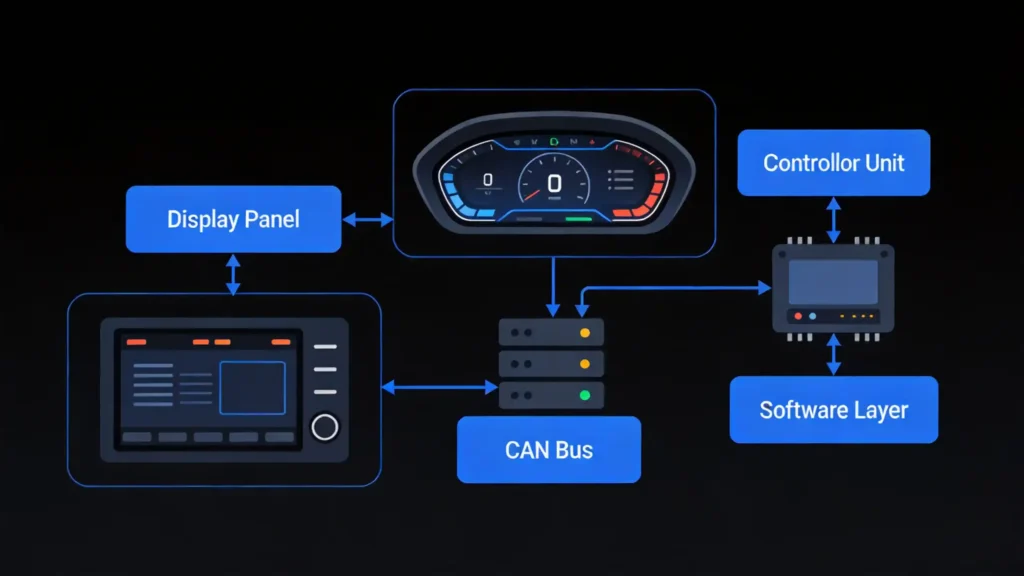
Underneath, the architecture runs in a clear chain. The display panel (LCD or QLED) renders the visual output. A display controller (GPU or processor) handles the graphics. A CAN Bus connection pulls in vehicle data. System software handles UI rendering and data processing.
Panel Type Options
On panel type specifically:
- LCD — covers entry-level applications
- QLED — adds higher brightness and better outdoor visibility
- OLED — sits at the premium end with genuinely perfect blacks at a correspondingly higher cost
Market Demand
Commercially, digital clusters are displacing analog gauges quickly. This is happening in new vehicles and in aftermarket upgrades. There is real, growing demand in 4S dealership upgrade programs and fleet applications specifically.
Digital Cluster in Car: Core Functions & Display Capabilities
Base Functions
At the base level, a digital cluster covers the same functions analog gauges always did. These include speedometer, tachometer, fuel level, temperature, odometer, and trip computer. They are just rendered digitally instead of mechanically.
What Digital Adds
What digital adds on top is where it earns the upgrade.
Customizable display modes — let drivers switch between standard, sport, eco, and navigation-focused views. They can choose depending on what they actually need at the moment.
Color coding — reinforces that at a glance. Green for eco driving, red for sport mode, blue for cruise. This cuts down on the time it takes to register what a screen is actually telling you.
Expanded Information Categories
Information categories go well beyond the traditional four:
- Navigation with turn-by-turn guidance
- ADAS alerts (lane departure, collision warnings)
- Vehicle status (door and trunk state, tire pressure)
- Media information like the current track or radio station
All of these are available on the same display.
Driver Personalization
Driver personalization lets each user choose what actually shows and how. This improves the experience. It also cuts down on distraction from information nobody asked to see. That personalization is also the safety case in miniature. Clearer, driver-chosen information presentation reduces reading time. It shortens the length of a glance away from the road.
Commercial Value
Commercially, this has become a real differentiator. Digital clusters are a meaningful selling point for premium vehicles. They are also a genuine upsell opportunity in 4S dealership upgrade programs.
Digital Dashboard with Navigation Display: Integration & User Experience
What Navigation Integration Means
Navigation integration means turn-by-turn directions appear directly on the instrument cluster. Lane guidance arrows, distance to the next turn, ETA, and street names all show there too. The driver does not need to glance sideways to the center console screen.
How the Connection Works
That connection happens through CAN Bus or a dedicated video link from the central head unit. The cluster display stays synchronized to whatever the head unit’s navigation system is actually doing.
Display Modes
Buyers evaluating this feature will typically see three display modes:
- Full-screen map view — replaces the gauges entirely
- Split-screen — shows gauges alongside a navigation mini-map
- Turn-by-turn overlay — adds arrows and distance directly onto the existing gauge layout
User Experience Benefits
The user experience case is straightforward. Navigation information sits directly in a driver’s natural field of view. This cuts down on how often they glance away toward the center console. That is a real safety and convenience improvement. It is not just a nicer-looking dashboard.
Commercial Value and Compatibility
Commercially, navigation display on the cluster reads as a premium feature. It is highly valued specifically in 4S dealership upgrades and premium vehicle segments.
One thing worth confirming before ordering: this requires a compatible head unit. An Android-based IVI system is typically needed. A proper CAN Bus data connection is also required. Not every digital cluster on the market actually supports navigation display out of the box.
Lane-Level Positioning: Precision Navigation & Digital Cluster Fusion
What Is Lane-Level Positioning?
Lane-level positioning is a high-precision GPS/GNSS capability. It identifies which specific lane a vehicle is traveling in, not just which road. This is a meaningfully harder problem than standard navigation.
Technical Requirements
It requires multi-constellation GNSS support. This includes GPS, GLONASS, BeiDou, and Galileo. It must be paired with high-resolution map data.
How It Works
The mechanism combines three elements:
- A high-precision GNSS module
- Lane-level map data
- Vehicle sensors — steering angle, speed
It calculates lane position with accuracy typically within 1 to 2 meters.
Display on the Cluster
On the digital cluster itself, this shows up as:
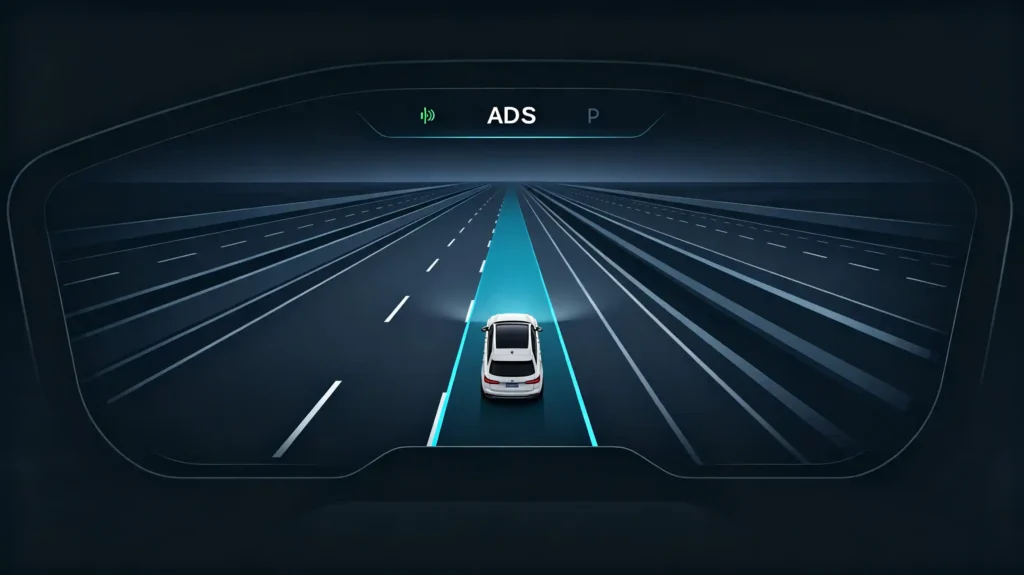
- Lane guidance arrows overlaid on a road view
- Lane change recommendations
- Specific exit or merge guidance
This is much more precise than a generic “turn ahead” prompt.
Safety Value
The safety value is concentrated exactly where it matters most: multi-lane highways and complex intersections. Standard navigation’s road-level accuracy is simply not precise enough there. It cannot prevent a last-second lane change.
Commercial Value and Market Trends
Commercially, this remains a premium differentiator. It is growing in demand specifically in mature markets. Customers there have come to expect this level of navigation precision as standard rather than exceptional.
Market maturity is trending in buyers’ favor too. Lane-level positioning is becoming more accessible in both premium vehicles and aftermarket systems. GNSS hardware and map data quality continue improving.
Digital Gauge Cluster Hardware & Vehicle Integration Requirements
Four Hardware Components
Four hardware components make up a digital gauge cluster.
1. Display Panel
The display panel uses LCD, QLED, or OLED technology. It is typically 7 to 12.3 inches. It carries its own resolution (HD or FHD) and brightness spec. 400 to 600-plus cd/m² is needed for genuine daylight visibility.
2. Display Controller
The display controller is a GPU or processor. It handles graphics rendering. It needs to support real-time updates, smooth animation, and high frame rates. A static, sluggish display is not acceptable.
3. CAN Bus Interface
The CAN Bus interface connects the cluster to the vehicle’s data bus. It pulls in speed, RPM, fuel, temperature, door status, and navigation data.
4. Automotive-Grade Power Supply
Automotive-grade power supply rounds this out. It requires proper voltage regulation for a 12V vehicle system.
Vehicle Integration Requirements
Vehicle integration brings its own requirements worth confirming before ordering.
CAN Bus Data Connection
CAN Bus data connection must match the specific vehicle’s protocol. Not every vehicle uses the same CAN message formats. Compatibility is not universal by default.
Required Data Points
Data requirements span:
- Vehicle speed signal
- Engine RPM
- Fuel level
- Coolant temperature
- Odometer
- Door and trunk status
- Reverse gear signal
- Steering angle
Installation
Installation typically needs proper dashboard mounting. This is often in a 2-DIN or custom-fit configuration depending on the vehicle.
Software Requirements
On the software side, firmware needs to support the specific vehicle’s CAN Bus protocol. OTA update capability keeps that compatibility current as new vehicle models come to market.
Commercial Requirement
The practical commercial requirement across all of this: suppliers should provide a genuine vehicle compatibility list. Samples should be tested on your actual target vehicles before bulk production.
B2B Sourcing Guide: Evaluation Standards & Procurement Risk Avoidance
Five Evaluation Dimensions
Five evaluation dimensions cover what actually matters when sourcing digital gauge clusters in bulk.
1. Display Quality
Check brightness (400 to 600-plus cd/m²), resolution (HD or FHD), viewing angles, and outdoor visibility directly. Test under a range of lighting conditions. Do not rely on one indoor demo.
2. CAN Bus Compatibility
Verify an actual vehicle compatibility list. Test on your target vehicle models. Confirm whether a supplier develops CAN Bus protocols in-house or relies on third parties.
3. Navigation Integration
Test specifically rather than assuming. Verify the display actually shows turn-by-turn guidance, lane guidance, and ETA correctly when paired with your head unit.
4. Hardware Reliability
Hardware reliability comes down to automotive-grade component verification. Request 48-hour aging test results. Request high-temperature testing at 60°C documentation. Request vibration test documentation.
5. Customization Capability
UI themes, boot animation, and language support are important. 30-plus languages is a reasonable benchmark for global markets.
Common Risks
The common risks worth watching for:
- CAN Bus data mismatches that cause lost functions
- Display lag from a poor refresh rate
- Weak outdoor visibility from insufficient brightness
- Integration failures where navigation data simply does not display correctly
Practical Sourcing Advice
Order samples. Test them on your target vehicle models. Verify CAN Bus compatibility directly. Request full QC documentation before committing to volume.
FAQ
What is the core difference between a digital gauge cluster and a traditional analog instrument panel?
Analog panels use fixed physical needles and dials. They have one layout, unchangeable. Digital gauge clusters run on configurable electronic displays. They support multiple driver-selectable views, color coding, and layered information categories. Navigation and ADAS alerts are examples that analog gauges simply cannot show. The practical result is a display that adapts to what a driver actually needs. It does not present the same fixed layout regardless of context.
Can a digital dashboard with navigation display work independently without a separate head unit?
No. Navigation display on a digital cluster depends on a compatible head unit. Typically this is an Android-based IVI system. The head unit feeds navigation data through CAN Bus or a dedicated video link. The cluster itself does not generate navigation data independently. It displays and stays synchronized with whatever the connected head unit’s navigation system is calculating.
What vehicle data does a digital gauge cluster need to access via CAN Bus for full functionality?
Full functionality typically requires vehicle speed signal, engine RPM, fuel level, coolant temperature, odometer reading, door and trunk status, reverse gear signal, and steering angle, at minimum. Navigation-integrated clusters need additional data from the head unit as well. Missing any of these CAN Bus data points usually shows up as a specific gauge or feature simply not displaying correctly.
What is the minimum display resolution and refresh rate required for a commercial-grade digital gauge cluster?
HD resolution is a reasonable minimum for commercial-grade applications. FHD is increasingly expected for premium positioning, particularly on larger displays. Refresh rate matters just as much as resolution. The display controller needs to support smooth, real-time updates without visible lag. A stuttering speedometer or delayed navigation arrow undermines trust in the display faster than a slightly lower resolution would.
What are the most common compatibility issues when retrofitting digital gauge clusters in bulk orders?
CAN Bus protocol mismatches with specific target vehicle models cause the most damage. They typically show up as missing gauges, incorrect readings, or lost navigation integration after installation. Display lag from underpowered controllers is another recurring issue. Integration failures between the cluster and head unit are also common. All three are largely preventable through sample testing on actual target vehicles before a bulk order ships.
Conclusion
A digital gauge cluster is a genuine platform, not just a screen replacing needles. Its value for B2B buyers comes down to how well it integrates with a head unit’s navigation. It also depends on how reliably it reads vehicle data over CAN Bus. The hardware must actually hold up to automotive-grade demands. Verifying compatibility, testing samples on real vehicles, and requesting documented QC before a bulk order is what keeps that value from turning into an after-sales problem.


