
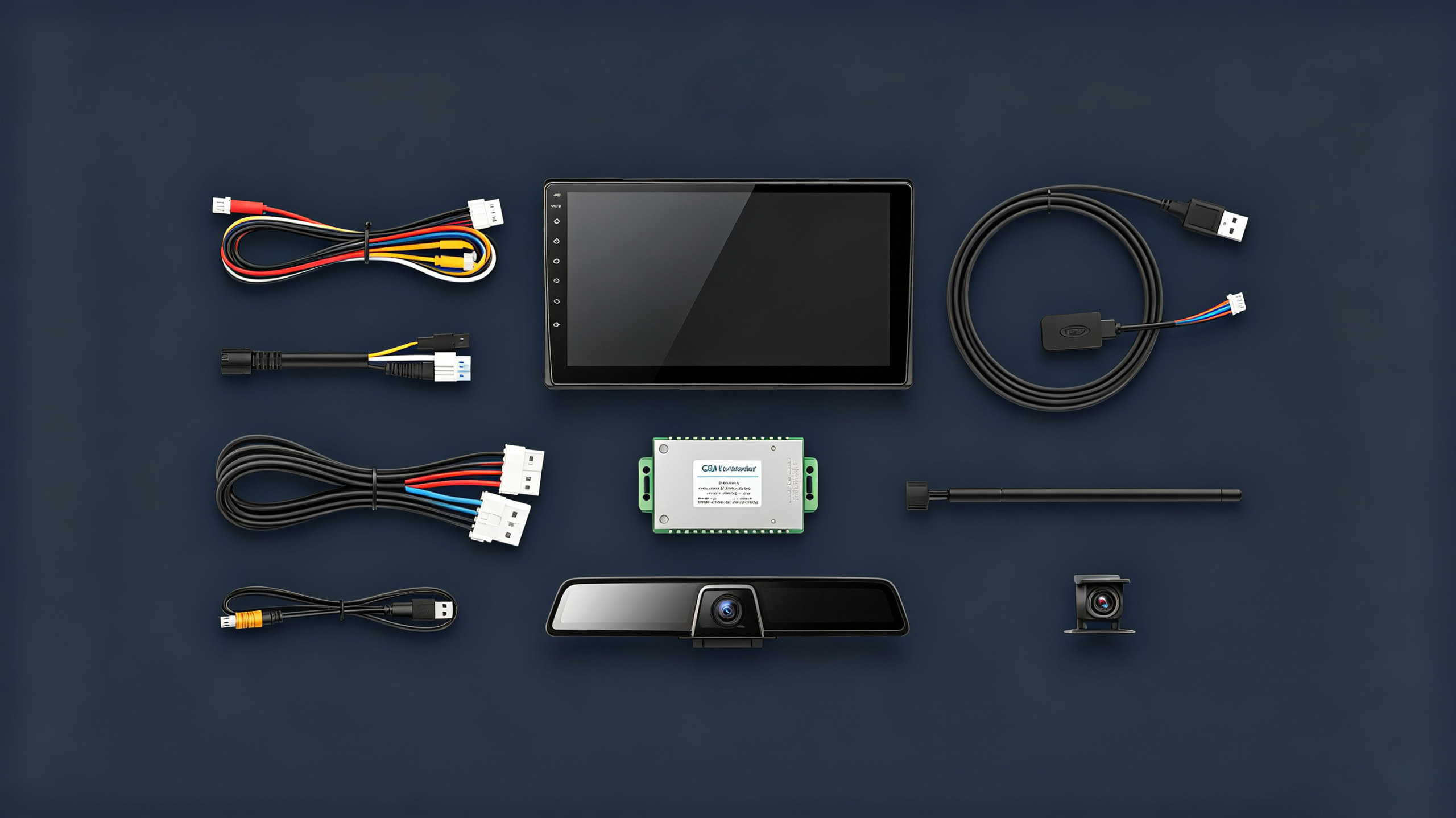
Swapping a head unit into a dash is straightforward. Getting that unit to talk to the vehicle’s data network is not. Responding correctly to steering wheel buttons, triggering the reverse camera at the right moment, and running stable software from day one — that is automotive infotainment system integration. It is a different level of work entirely.
For dealers, wholesalers, importers, and automakers sourcing IVI hardware in volume, understanding what full integration involves is the difference between a smooth rollout and a stream of after-sales complaints.
This guide covers the definition and scope of IVI integration. It covers the hardware and software components involved. It covers how the system connects to the vehicle network and peripherals. It also covers what to look for when evaluating a supplier’s integration capability.
Automotive Infotainment System Integration: Definition & Project Scope
What Is IVI Integration?
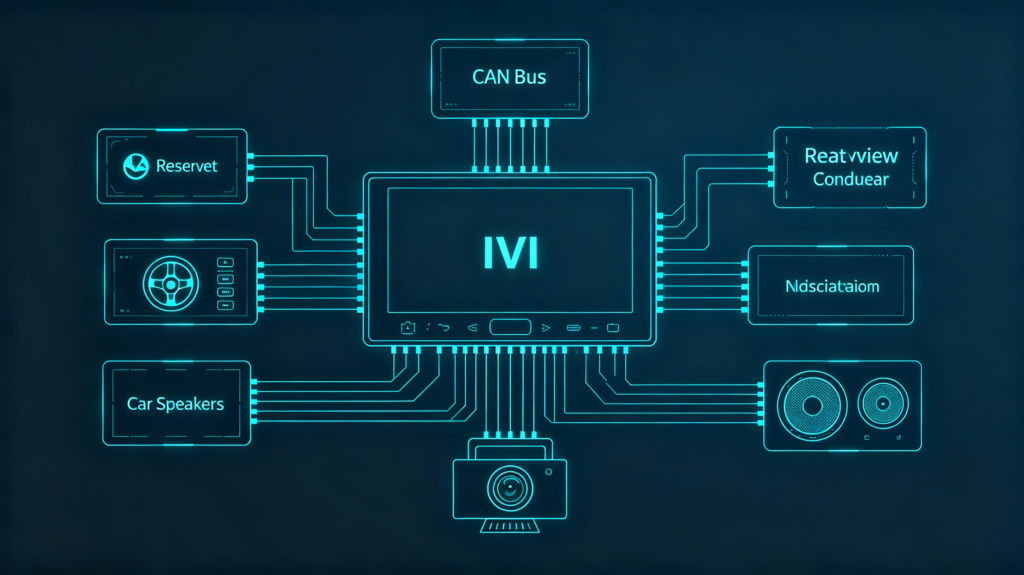
Automotive infotainment system integration is the process of connecting, configuring, and synchronizing the IVI head unit with the vehicle’s systems. This includes CAN Bus, power, and speakers. It also includes peripherals and software. The goal is for everything to function together as one system. It should not be a collection of separately installed parts.
The Five Layers of Integration
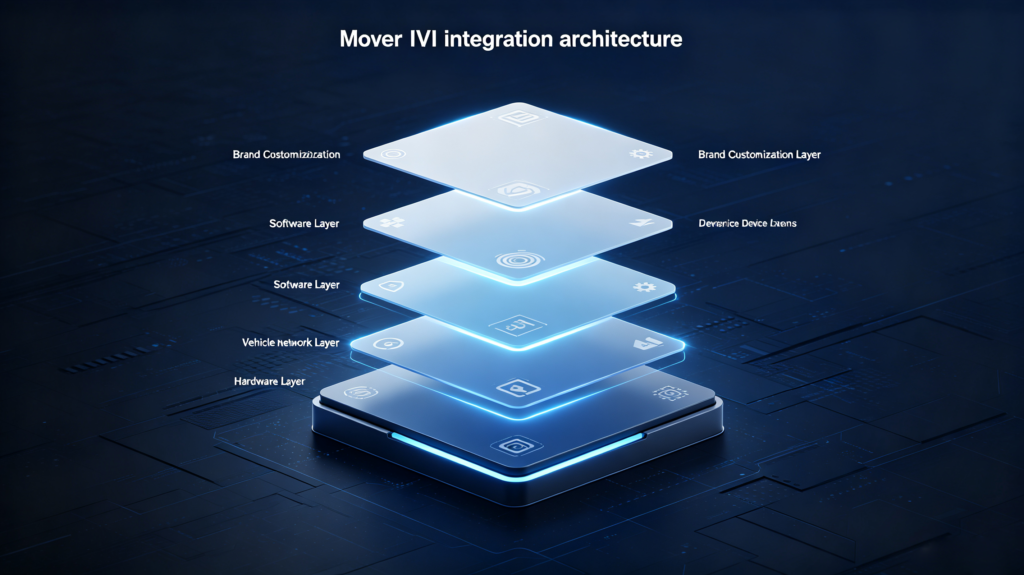
The scope typically spans five layers:
- Hardware-level — physical installation, wiring harness connection, dash fitment
- Vehicle network-level — CAN Bus integration for data exchange, covering speed, reverse, and steering signals
- Peripheral-level — cameras, audio, steering wheel controls, microphone
- Software-level — OS configuration, app compatibility, vehicle data display
- Customization-level — UI branding and vehicle-specific adaptations
Full Integration vs Simple Replacement
It is worth separating this from a simple head-unit replacement. A replacement is usually just a physical install with no vehicle data connection. Full integration pulls in CAN Bus communication. It also includes every peripheral the vehicle supports.
Why Integration Quality Matters
For B2B buyers, integration quality directly determines which features actually work. It determines how stable the system is day to day. It determines how much after-sales support burden lands on your team later. Supplier integration capability deserves its own line item in supplier evaluation. It should be separate from hardware specs.
Major Hardware and Software Components for IVI Integration
Hardware Components
Every integration project pulls together a set of hardware pieces. They all have to work in sync.
On the hardware side:
- The head unit itself (Android or Linux-based)
- The wiring harness that connects it to vehicle power, speakers, and CAN Bus
- A CAN Bus decoder for vehicle data communication
- A GPS antenna for positioning
- The display (if separate from the unit)
- Audio components including speakers, amplifier, and microphone
- One or more cameras
- A steering wheel control interface
Software Components
On the software side:
- The operating system (Android or Linux as the core platform)
- Firmware controlling the hardware at a low level
- Navigation software for maps and routing
- Vehicle data display software that interprets CAN Bus data for the screen
- The app ecosystem running on top
- A UI layer that is typically customizable for branding
The Integration Workflow
None of these pieces work in isolation. The integration workflow is what makes them function as a single system. They should not be a stack of independently installed parts.
Component Compatibility
For buyers, component compatibility matters most here. A head unit that is technically compatible with a CAN Bus decoder from a different supplier does not guarantee the two will integrate cleanly. Confirming a supplier can deliver components designed to work together saves a lot of troubleshooting later.
Vehicle Network and Communication Interface Integration
The Role of CAN Bus
CAN Bus is the primary network carrying vehicle data. This includes speed, RPM, reverse signal, steering angle, door status, and climate data. It is the backbone of most integration work beyond a basic install.
Key Integration Points
A few integration points come up in nearly every project. Steering wheel controls send CAN Bus messages that the IVI has to interpret correctly. The reverse camera trigger relies on a reverse gear signal. This is delivered either through CAN Bus or the reverse light circuit. It activates the camera display at the right moment. The speed signal feeds into navigation accuracy and automatic volume adjustment. Climate display, where supported, pulls climate control status onto the IVI screen. Door or trunk status can be shown the same way.
Integration Methods
Integration methods vary by signal type. A CAN Bus decoder translates vehicle CAN messages into data the IVI can read. Direct wiring handles simpler signals like a reverse light or parking brake. An OBD-II connection occasionally comes into play for diagnostic data. That is less common for infotainment purposes specifically.
The Protocol Complexity Challenge
The real complication is that different vehicle brands use different CAN Bus protocols. A decoder built for one manufacturer will not necessarily work on another. Buyers sourcing for a specific vehicle range need to confirm CAN Bus compatibility for those exact models before ordering.
Peripheral Device Integration: Display, Audio, Camera, and Steering-Wheel Controls
Display Integration
Each peripheral connected to an IVI system brings its own integration requirements. The more peripherals involved, the more testing the finished install needs.
Display integration covers video signal compatibility — RCA, AHD, or LVDS, depending on the camera feed. It also covers touchscreen calibration. Display settings like brightness and color are also included.
Audio System Integration
Audio system integration involves correctly wiring left/right and front/rear speaker channels. It involves integrating an external amplifier where one is used. Sound is tuned through DSP settings and equalization. Microphone performance needs to be right for hands-free calling, including noise cancellation.
Camera Integration
Camera integration differs by camera type. A backup camera needs both a video signal and a reverse trigger connection. A dash cam needs video recording and a stable power source. A 360-degree setup, where supported, requires synchronizing multiple camera feeds.
Steering Wheel Control Integration
Steering wheel control integration means mapping each physical button to the correct function. This works through either a CAN Bus signal or an analog signal depending on the vehicle. In some cases, buttons need manual programming to match the customer’s expected behavior.
Testing Each Peripheral
Every peripheral added to a project should be tested after installation. Do not assume it works because it is technically connected. Complexity scales with the number of peripherals involved. Buyers running bulk orders across varied vehicle configurations should confirm which peripherals a supplier has actually integrated before. Do not just rely on which ones they claim to support.
Operating-System, Software, and Application-Layer Integration
OS-Level Integration
Hardware integration gets the system physically connected. Software integration is what makes it actually usable.
At the OS level, this means adapting Android or Linux to the specific hardware platform. It means integrating drivers for the display, touch input, GPS, Bluetooth, Wi-Fi, and CAN Bus. It means tuning system performance for that hardware configuration.
Application-Layer Integration
At the application layer, pre-installed apps for navigation, media, and vehicle settings need to be in place. Popular third-party apps need to run correctly. Vehicle data display apps need to interpret CAN Bus data properly. In some cases, custom apps are built for fleet management or OEM-specific features.
Feature Interconnection
Feature interconnection is where a lot of the practical value shows up. Navigation uses the speed signal for better position accuracy. Media playback ties into steering wheel controls for volume and track skipping. Phone-based audio routing needs to work cleanly with the vehicle’s audio system during calls made through smartphone mirroring.
OTA Update Capability
OTA update capability is worth calling out separately. It determines how firmware, apps, and vehicle protocols get updated once the vehicle is already in the field. Software integration quality has a direct effect on user experience. It also affects how much after-sales support a supplier’s product generates once it is out with customers.
OEM Vehicle Compatibility and Customization Requirements for IVI Integration
Compatibility Requirements
OEM-grade integration work carries a different set of requirements than aftermarket projects. These mostly revolve around exact vehicle matching and preserving what is already there.
Compatibility requirements include matching CAN Bus protocols to the exact vehicle model and year. They include fitting the dashboard geometry precisely. They include matching the vehicle’s 12V electrical system. They also include preserving every original vehicle function rather than replacing them.
Customization Requirements
Customization requirements layer on top. UI branding and vehicle-specific themes are common. Custom gauge layouts and data display are often requested. Function additions like off-road modes or performance displays may be relevant. Automotive-grade compliance standards must be met throughout.
Documentation Requirements
Integration documentation matters more here too. Wiring diagrams, installation manuals, and CAN Bus protocol documentation should be part of what a supplier delivers. These should not be things buyers request after the fact.
Timeline and Cost Implications
OEM integration generally takes more development and testing time than aftermarket work. This shows up in longer lead times and higher cost. Buyers planning OEM programs should factor that in from the start. Do not treat it as a scaled-up aftermarket order.
Integration-Oriented Testing and B2B Supplier Evaluation Factors
Testing Requirements
Once integration work is done, testing confirms it actually holds up. It also gives buyers a concrete way to evaluate a supplier before committing to volume.
Testing should cover:
- Bench testing of all functions before the unit goes into a vehicle
- Full vehicle testing once installed
- Peripheral testing — camera, audio, steering controls — individually
- CAN Bus testing to verify data communication and confirm original functions are retained
- Software testing to check app compatibility and system stability
Supplier Evaluation Criteria
When evaluating a supplier’s integration capability, look at:
- CAN Bus protocol development — is it done in-house or outsourced to a third party?
- Vehicle compatibility coverage — how many models does the supplier actually support?
- Customization capability across UI, vehicle data display, and feature additions
- Test documentation — can they provide actual test reports and integration records?
- Technical support availability during and after integration
The Most Reliable Approach
Ordering samples and verifying integration on your target vehicle models remains the most reliable way to confirm a supplier can deliver before placing a bulk order.
FAQ
What is the core difference between simple head-unit replacement and full automotive infotainment system integration?
A head-unit replacement is a physical install. The new unit goes in the dash, gets power and speaker connections, and that is it. Full integration goes further. It connects the CAN Bus for data exchange. It wires up every relevant peripheral — camera, steering controls, microphone. It configures the software to display vehicle data correctly. A replaced unit might power on and play music. But without full integration, it likely will not retain steering wheel controls or show accurate reverse camera triggers.
Which vehicle-network-related risks commonly appear during aftermarket IVI integration projects?
The most frequent issue is CAN Bus protocol mismatch. A decoder built for one vehicle brand’s protocol often will not correctly interpret signals from a different brand. It may not even work for a different model year within the same brand. This can cause steering wheel controls to stop working. It can cause reverse camera triggers to misfire. It can cause vehicle data displays to show incorrect information. Confirming decoder compatibility against the exact target vehicle list before ordering in volume is the most reliable way to avoid this.
How does peripheral-device variety increase overall IVI integration workload for bulk-order projects?
Each additional peripheral adds its own wiring, configuration, and testing requirements. A second camera, an external amplifier, or a different steering wheel control layout all add complexity. On a bulk order spanning multiple vehicle models, that workload multiplies quickly. A configuration that works for one model may need adjustment for another. Buyers running large or varied fleets should map out peripheral requirements per vehicle model upfront.
What integration-related deliverables should B2B buyers expect from an OEM-grade IVI supplier?
At minimum, expect wiring diagrams, an installation manual, and CAN Bus protocol documentation specific to the target vehicle. Beyond documentation, an OEM-grade supplier should demonstrate original function retention — no loss of factory features. They should provide test reports covering bench and vehicle-level testing. They should offer technical support during the integration process itself, not just after delivery.
Conclusion
Integration quality is what separates a system that works reliably from one that generates a steady stream of support tickets. Use the components, network integration points, and evaluation criteria above as a working checklist when screening suppliers for your next order.


