
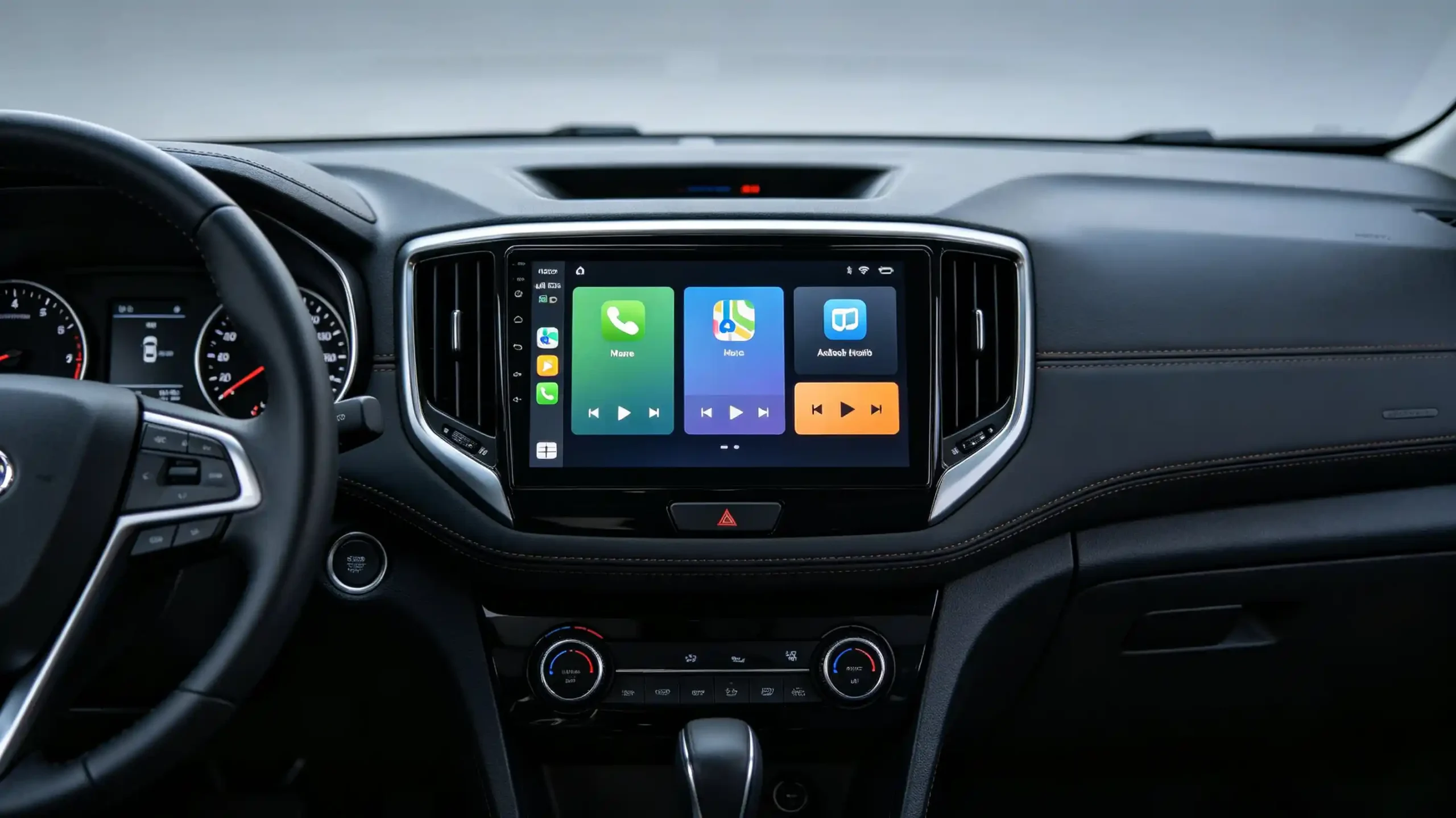
For B2B buyers sourcing in-vehicle infotainment solutions, the Android system has become the dominant platform for aftermarket head units and increasingly for OEM deployments. Unlike consumer Android on smartphones, automotive Android is purpose-built for vehicle environments—handling CAN Bus integration, hardware customization, and extended temperature ranges.
This guide provides a comprehensive framework for understanding automotive Android systems, covering architecture, performance evaluation, app support, upgrade mechanisms, and OEM/ODM customization. For a technical overview of the hardware platform, see our What Is an Android Head Unit guide.Whether you are a wholesaler, importer, or 4S dealership, this will help you evaluate Android-based infotainment products for bulk orders.
Android System Fundamentals for Automotive Infotainment
An automotive Android system is a full-stack Android operating system installed on an in-vehicle head unit that runs Android OS independently. It includes navigation, multimedia, vehicle data display, and app-based functionality.
Core Differences from Consumer Android
Automotive Android is not a separate branch of Android—it shares the same codebase as mobile Android. However, it extends the platform with vehicle-specific features and capabilities :
- Vehicle environment optimization: Designed for temperature ranges, vibration, and 12V power systems found in vehicles
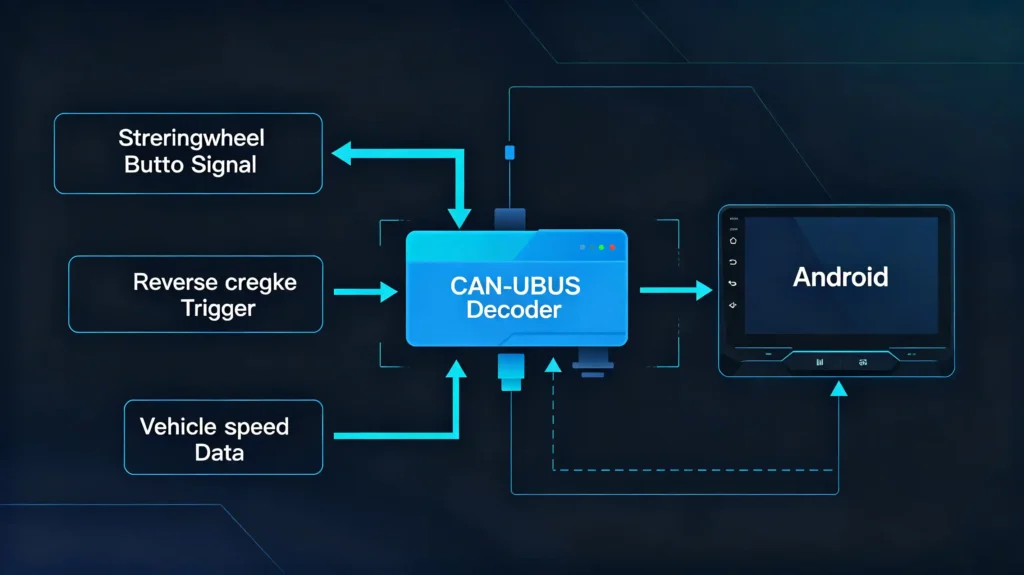
- CAN Bus integration: Interfaces with vehicle networks for steering wheel controls, reverse camera trigger, speed signal, and climate display. For foundational context on CAN Bus, see our what is CAN BUS guide.
- Hardware customization: Supports various screen sizes, resolutions, RAM/ROM configurations, and peripheral integrations
- Vehicle-specific UI: Customizable themes, boot animations, and menu layouts for brand differentiation
Commercial Relevance
Automotive Android systems are the dominant platform for aftermarket infotainment and increasingly for OEM solutions. Understanding the system helps buyers evaluate product quality, feature coverage, and long-term support capability.
Automotive Android System Architecture & Vehicle Hardware Compatibility
Understanding the architecture helps buyers assess compatibility requirements and potential integration challenges.
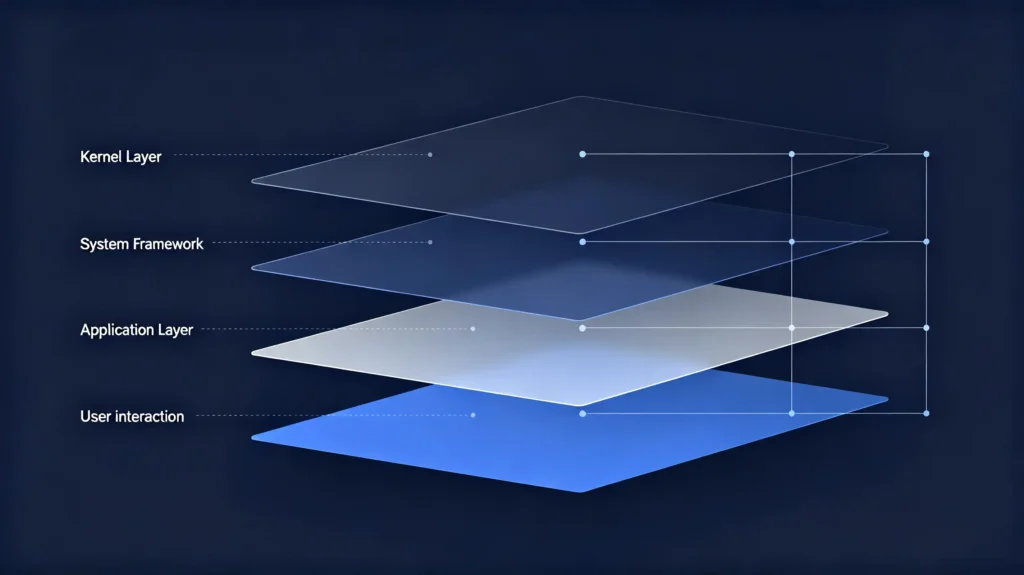
Core Architecture Layers
The automotive Android system follows a layered architecture:
- Kernel layer: Linux kernel with hardware drivers for display, touch, GPS, Bluetooth, Wi-Fi, and CAN Bus
- System layer: Android framework, system services, and Hardware Abstraction Layer (HAL)
- Application layer: Navigation apps, media apps, vehicle settings, and phone projection apps
- Interaction layer: Touchscreen UI, voice control, and steering wheel controls
The Vehicle HAL (VHAL) provides a consistent interface between the Android framework and vehicle-specific hardware. It connects platform HAL interfaces (like HVAC controls) with technical network interfaces like CAN Bus.
Hardware Compatibility Requirements
Key compatibility considerations include:
- SoC/Processor: Must support the target Android version (Snapdragon, MediaTek, or other platforms)
- RAM/ROM: 4GB+ RAM and 64GB+ ROM recommended for smooth operation
- Display: Compatible resolution and touch panel; automotive-grade for temperature and durability
- Peripherals: GPS module, CAN Bus decoder, Bluetooth/Wi-Fi, camera inputs
Mismatched hardware-software combinations result in poor performance or non-functional features. Buyers should verify compatibility before bulk ordering. For guidance on hardware specifications, see our RAM and storage guide for Android car stereos.
Auto Android System Boot Speed & Overall Runtime Performance
Boot speed and runtime performance directly affect user satisfaction and product returns.
Boot Speed Factors
The boot process in automotive Android involves a chain of actions from boot ROM through bootloader, kernel, init, Zygote, and system server . Key factors affecting boot speed:
- Processor speed: Faster SoCs reduce boot time
- Storage speed: eMMC or UFS storage improves boot performance
- OS optimization: Optimized software loads fewer services at boot
- Number of apps/services: More startup services increase boot time
Boot Speed Benchmarks
Acceptable boot time for automotive systems is typically under 15–20 seconds from ignition-on to home screen. The processor driving this performance is covered in our best car stereo processor guide. Advanced optimization can achieve approximately 8 seconds . Some services—like rearview cameras and Vehicle HAL—must start even earlier, during kernel boot .
Runtime Performance Factors
- RAM availability: 4GB+ RAM ensures smooth multitasking
- Processor capability: Sufficient processing power for simultaneous navigation, media, and phone projection
- Software optimization: Well-optimized software reduces lag and stutter
Commercial Implication
Slow boot and laggy performance are top sources of customer complaints and returns. Sample testing should include boot speed measurement and multitasking stress tests.
Car Android System App Support & Software Compatibility
App support is a key differentiator for Android-based infotainment systems.
App Installation Options
Automotive Android systems can install apps directly from APK files (not limited to Google Play). Supported app categories include:
- Navigation: Google Maps, Waze, and other navigation apps
- Media: Music streaming, video playback, and audio apps
- Communication: Messaging and calling apps
- Custom business applications: Fleet management, logistics, or branded apps
Software Compatibility Considerations
Common compatibility issues include app crashes, slow performance, or features not working due to:
- Android version: Newer Android versions support more apps; verify the specific version
- App optimization: Not all apps are optimized for automotive touchscreen interfaces (larger touch targets, simplified UI)
- Resource requirements: Some apps require more RAM/processing power than hardware provides
- Hardware-specific requirements: Some apps require GPS, camera, or other peripherals
Commercial Implication
Buyers should verify app support for the most common apps in their target market. The app ecosystem is a primary reason Android has captured a significant share of the new vehicle infotainment market.
Car Android System Upgrade Guide: Update Mechanisms & Considerations
System upgrade capability affects product lifecycle and after-sales costs.
Upgrade Methods
OTA (Over-The-Air) Updates
- Firmware, system UI, and CAN Bus protocol updates pushed remotely over Wi-Fi or cellular
- Most convenient for end users and reduces after-sales support costs
- Requires connectivity (Wi-Fi or 4G/5G), sufficient storage, and manufacturer OTA support
USB/SD Manual Updates
- Updates installed via USB drive or SD card
- Requires physical access to the unit
- Suitable for vehicles without OTA capability or for recovery scenarios
OTA Requirements
For reliable OTA implementation:
- Vehicle must remain powered during update (typically 10–30 minutes)
- Sufficient battery charge or engine running
- Signal strength ≥3 bars for Wi-Fi or cellular
- Compatible OTA framework integrated by the manufacturer
Upgrade Constraints
- Older Android versions may not support upgrading to newer versions due to hardware limitations
- OTA update failures can render units inoperable if recovery mechanisms are not robust
- Vehicle-specific adaptations (CAN Bus protocols) must be preserved during updates
Commercial Implication
OTA capability is a key differentiator. It reduces after-sales support costs, extends product lifecycle, and enables continuous feature improvements .
Automotive Android System Customization & OEM / ODM Integration
Customization enables brand differentiation and premium positioning for B2B buyers.
UI Customization
- Custom desktop themes (wallpaper, icons, color schemes)
- Boot animation with brand logo
- Custom menu layouts, system fonts, and styles
System Function Customization
- Add dedicated vehicle protocols
- Modify system functions
- Optimize system fluency
- Adapt regional radio frequency
Brand Integration
- Logo on front panel (silk-screen)
- Custom packaging (branded boxes, labels, documentation)
- System UI reflecting brand identity
Hardware Customization
- Screen resolution selection
- RAM/ROM configuration
- Processor platform selection
- Power module configuration for different voltage standards
Vehicle Adaptation
- CAN Bus protocol development for specific vehicle models
- Steering wheel control mapping
- Reverse camera trigger
- Climate display integration
OEM vs ODM Scope
- OEM (standard): UI themes, boot animation, logo, packaging
- ODM (paid development): Hardware configuration, system function modifications, CAN Bus protocol development
Commercial Implication
Customization enables brand differentiation and premium pricing. Buyers should assess the manufacturer’s customization capability before committing to bulk orders.
B2B Selection Considerations for Vehicle-Mounted Android Systems
Use this evaluation checklist when qualifying Android-based infotainment suppliers.
Evaluation Dimensions
- Hardware specifications
- Processor (Snapdragon/MediaTek)
- RAM (4GB+ recommended)
- ROM (64GB+ recommended)
- Screen resolution (HD/FHD)
- Display technology (IPS/QLED)
- Android version
- Newer versions (Android 12+) offer better performance, security, and app support
- Verify the specific version in the product
- CAN Bus compatibility
- Verify vehicle model coverage (200+ is a benchmark)
- In-house protocol development capability
- App support
- Verify support for the most common navigation and media apps in your target market
- Test APK installation and compatibility
- OTA update capability
- Confirm OTA is supported
- Verify update frequency and manufacturer commitment to ongoing support
- Customization support
- UI, boot animation, logo, packaging
- Assess manufacturer capability and development timeline
Sourcing Advice
Order samples, test boot speed, app compatibility, and OTA functionality. Verify CAN Bus compatibility with target vehicle models before placing bulk orders.
Frequently Asked Questions
What hardware-spec thresholds directly affect automotive-Android boot-speed in aftermarket head-units?
Processor speed and storage type are the primary factors. A faster SoC and eMMC/UFS storage reduce boot time significantly. RAM also affects boot speed—4GB+ ensures smoother initialization. OS optimization matters too: systems that load fewer startup services boot faster.
Can general-purpose Android mobile-phone APKs run normally on car-mounted Android systems without modification?
Most Android APKs will install and run on automotive Android systems, but not all are optimized for in-vehicle use. Apps designed for mobile phones may have small touch targets, poor readability in sunlight, or consume excessive resources. Navigation and media apps generally work well, but specialized apps may require testing.
What prerequisites must be met to implement reliable OTA remote-upgrades on bulk-order Android head-units?
Reliable OTA requires stable connectivity (Wi-Fi or 4G/5G), sufficient free storage for update packages, robust update framework integration by the manufacturer, and fail-safe recovery mechanisms to prevent bricking. The manufacturer must provide ongoing update packages and support after-sales.
What custom-items belong to standard OEM versus paid ODM-development for automotive-Android systems?
Standard OEM includes UI themes, boot animation, logo customization, and packaging. Paid ODM includes hardware configuration (RAM/ROM, screen, processor), system function modifications, and CAN Bus protocol development for specific vehicle models.
Choose the Right Android System for Your Automotive Project
Whether you need standard Android head units with UI customization or full ODM development with custom hardware and CAN Bus protocols, the right solution depends on your specific requirements. A qualified manufacturer should provide comprehensive support from sample evaluation to bulk production.
Contact our team to discuss your customized Android infotainment requirements. Our OEM/ODM solutions support full hardware and software customization, with OTA capability and CAN Bus compatibility for 200+ vehicle models.


