
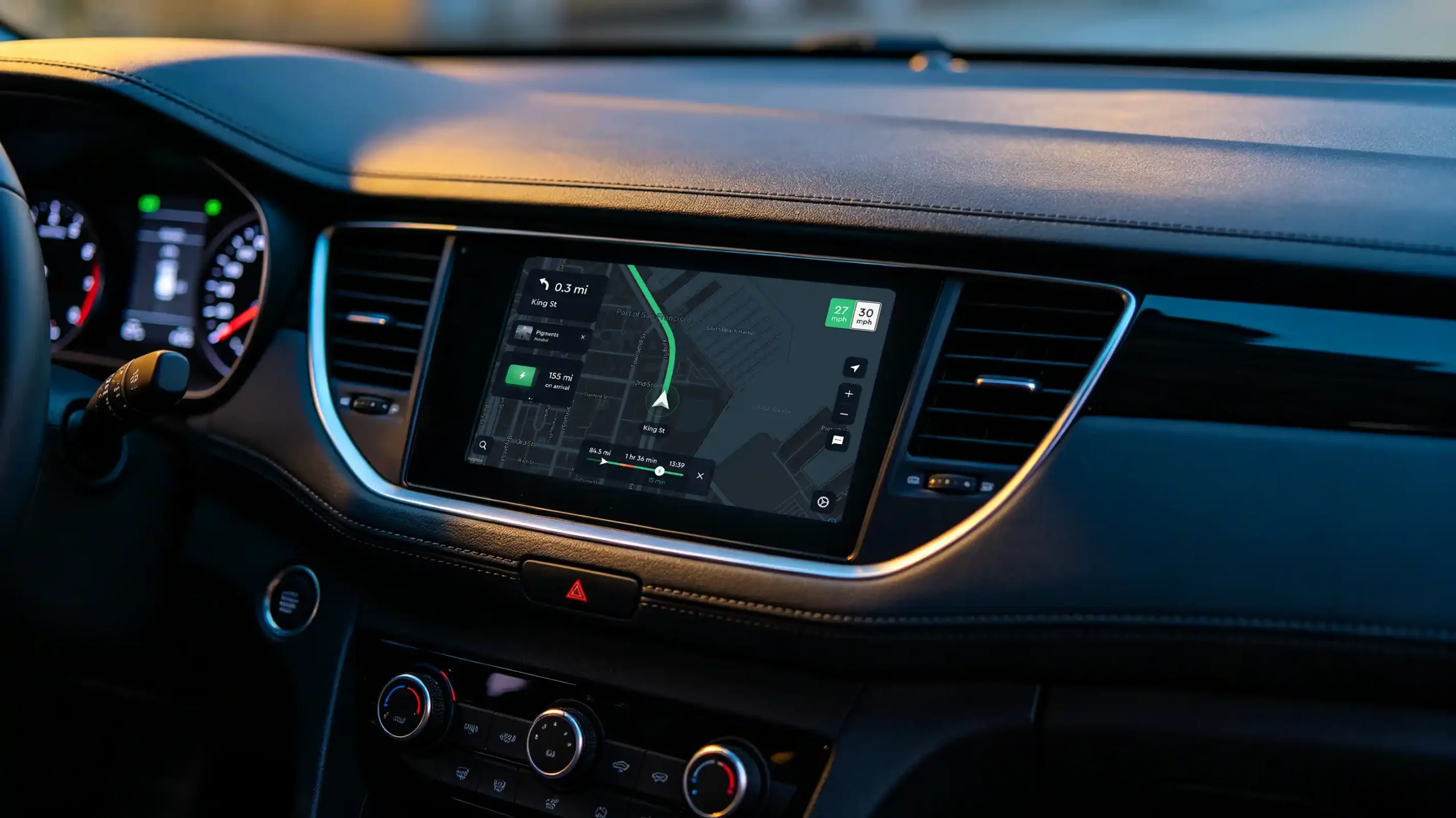
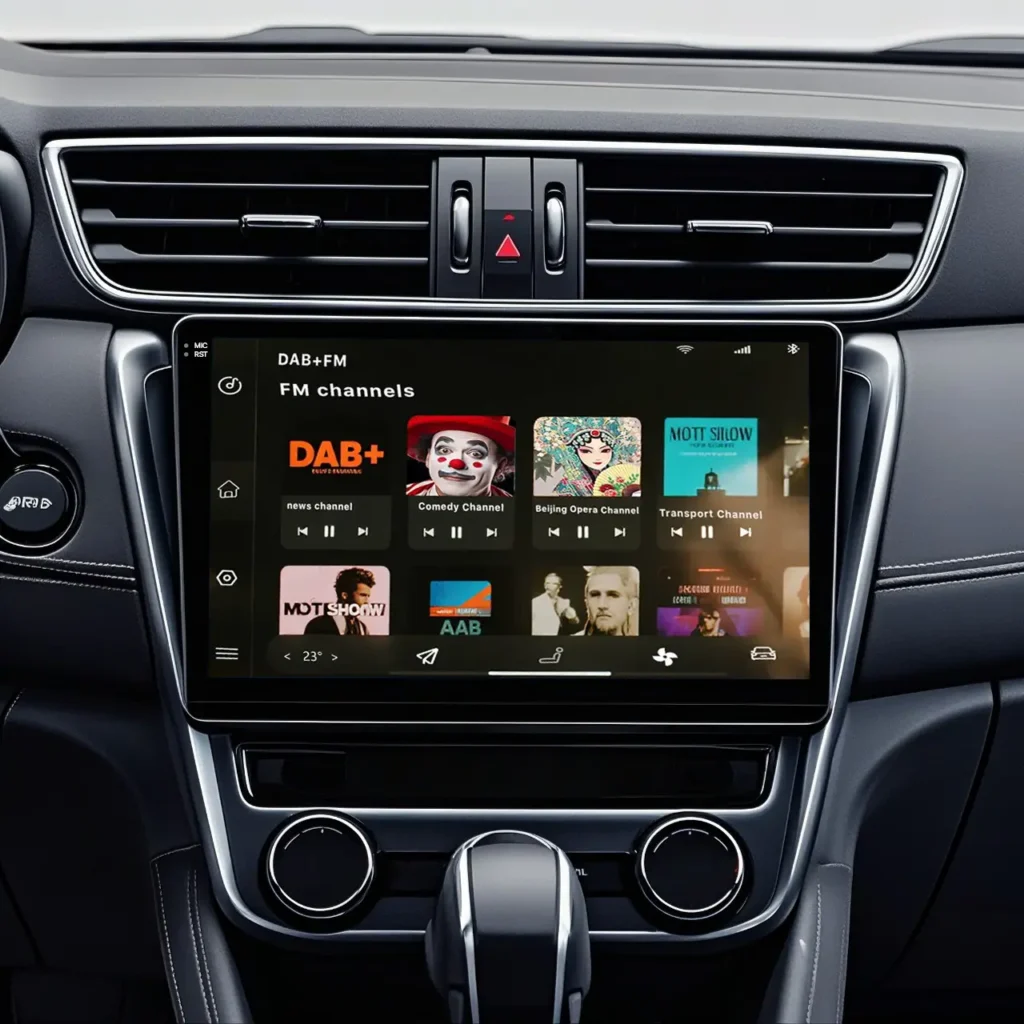
Ask a room full of importers what an Android head unit is, and you will get a handful of different answers. Some will describe a big touchscreen that runs Google Maps. Others will talk about a replacement radio that mirrors a phone. A few might mention CAN bus decoders and steering wheel controls.
The problem is, most of them are describing different products—or at least, different ways of using the same underlying hardware.
If you are sourcing these for wholesale, dealership programmes, or cross-border distribution, you need a clear, technically grounded definition. Not marketing fluff. Not feature checklists copied from Alibaba listings. A real explanation of what the hardware does, how it integrates with a vehicle, and what separates a reliable unit from a returns nightmare.
This guide is that explanation. We will walk through the core definition, the hardware variants you will encounter in the B2B market, the working logic from boot-up to navigation, the commercial angles that actually matter, and a sourcing checklist that saves you from the most common mistakes.
Let us start with the basics.
1. The Core Definition: Standalone, Phone-Free, Full Android
An Android head unit is a complete infotainment computer that replaces the factory radio or display assembly in a vehicle’s dashboard. It runs a full version of the Android operating system directly on its own processor, using its own RAM, internal storage, and graphics hardware. No phone is required for any core function—navigation, media playback, app installation, or system settings. The operating system is the foundation of head unit performance. Read our Android head unit operating system guide for a complete breakdown.
This is the single most important distinction to get straight.
A unit that requires a phone to do anything useful is not a native Android head unit. It is a display accessory. The native unit boots up, loads its launcher, acquires GPS satellites, plays music from a USB drive, and runs offline navigation all by itself. The phone only comes into play when you want to make a hands-free call, sync contacts, or use certain phone-specific services.
In wholesale conversations, when a buyer says “Android navigation system,” they are almost always referring to a native unit. When a supplier sends a quotation for an “Android car stereo,” same thing. The hardware category is consistent; the terminology is just sloppy.
1.1 Why the Confusion Persists
A lot of the confusion comes from how these products are marketed at the retail level. sometimes without understanding what each term actually means. The customer sees a screen that shows Google Maps and assumes it is all the same thing.
For a B2B buyer, this creates a real risk. If you order a batch of units thinking they are standalone navigation devices, but they turn out to be projection-dependent, your customers will be furious. And returns on automotive electronics are expensive—shipping, restocking, lost installation labour.
So the first question you ask any supplier: Does this unit work fully without a phone connected? If the answer is anything other than a clear “yes,” walk away.
Once you’ve confirmed it’s a native unit, the next question is usually how it compares to the factory stereo it replaces — for a detailed comparison, read our guide: Android Head Unit vs Factory Car Stereo.
2. Hardware Formats You Will Actually See in the Market
The Android head unit category is not one single product. There are three main hardware configurations that dominate the aftermarket and wholesale channels. Each serves a different installation scenario and buyer profile.
2.1 Universal 2-DIN Units
This is the default. The chassis follows the standard double-DIN size, which fits most vehicles made in the last twenty years that have a rectangular dash opening. For a complete guide to DIN sizing standards — including installation and compatibility considerations — read our guide on What is Double DIN. Screen sizes typically range from 7 inches to 10.1 inches.
Who buys these: Cross-border wholesalers, online retailers, and general installers who want one SKU that covers a wide range of vehicles.
The catch: Universal does not mean plug-and-play. You still need a CAN bus decoder and a wiring harness specific to the vehicle model. Some suppliers include a generic decoder that claims to support “most cars.” In practice, that decoder works well on popular models and poorly on everything else.
What to check: Ask for the decoder compatibility list before you commit. If the supplier cannot produce one, they are using a third-party decoder they do not fully understand.
2.2 Vehicle-Specific Fit Kits
These are designed for one particular model—a 2019–2022 Honda CR-V, for example, or a Mercedes-Benz W205 C-Class. The faceplate matches the factory dash contour. The wiring harness is pre-terminated. The CAN bus decoder is pre-configured for that car’s specific protocol.
Who buys these: 4S dealerships, premium installers, and fleet programme managers. The higher price per unit is justified by lower installation labour and a cleaner finish.
The catch: Inventory management is harder. You are not stocking one SKU; you are stocking fifty, each for a different model. Forecasting becomes more detailed, and slow movers tie up capital.
What to check: Confirm that the supplier updates their CAN bus library regularly. Car manufacturers tweak their protocols with model-year changes. A decoder that works on a 2020 model might fail on a 2022 facelift.
2.3 Large-Format Vertical Displays (Tesla-Style)
These are the flashy ones—portrait-oriented screens that replace not just the radio but often the entire centre console panel, including the climate control buttons. Screen sizes go from 12.3 inches up to 15.6 inches.
Who buys these: Retailers targeting the luxury upgrade segment. Also some executive fleet programmes where the vehicle itself is a premium model.
The catch: These units run hotter because of the larger, higher-resolution display. Thermal management is a real engineering challenge. Cheap units overheat and throttle the processor, causing stutter and random reboots.
What to check: Ask about the thermal design—heat sink size, fan presence, operating temperature range. Then ask for high-temperature test reports.
2.4 The Accessory Bundle
Almost every Android head unit sale includes accessories. Reverse cameras are the most common add-on. DVR dash cams, TPMS sensors, and external microphones follow.
For a B2B buyer, the accessory bundling strategy matters more than you might think. A head unit by itself has thin margin. Add a camera and a dash cam, and the total invoice value increases by 40–60% without a proportional increase in procurement complexity. This is how dealers build profitable upgrade packages.
Before deciding on the final configuration, it’s worth understanding how screen size affects both installation compatibility and retail pricing — for a detailed guide on 9-inch versus 10.1-inch options, read our guide on Android head unit display sizes.
3. How These Things Actually Work
You do not need to be an embedded systems engineer to source Android head units. But you do need a working mental model of what happens inside the unit, from the moment the ignition turns on to the moment the driver sees a navigation route.
3.1 The Processor and Memory Architecture
Every unit has a system-on-chip—basically a processor with integrated graphics and I/O controllers. Common vendors include Qualcomm, MediaTek, and Allwinner. Clock speeds range from 1.8GHz to 2.4GHz. More cores and higher clock speeds generally mean smoother operation, but the software optimisation matters just as much.
For a detailed comparison of Snapdragon and MediaTek platforms and how to choose between them, read our guide: Android Head Unit Processor Guide — Snapdragon vs MediaTek.
RAM is where the unit keeps active apps and background processes. 4GB is the minimum acceptable in 2026. 6GB is comfortable. 8GB is generous, usually reserved for high-end vertical-screen units.
ROM is the internal storage for the operating system, pre-installed apps, and user data. 64GB is the baseline. 128GB is common. 256GB is overkill for most use cases unless you are storing large offline map libraries for multiple regions.
One thing to watch: Some suppliers advertise “8GB RAM” but the unit actually has 4GB physical RAM and 4GB of virtual memory allocated from storage. This is a deceptive practice. Ask for a screenshot of the system settings showing the actual RAM configuration.
For a detailed breakdown of RAM and ROM configurations and how to spot fake specs, read our guide: RAM and Storage Guide for Android Car Stereos.
3.2 CAN Bus Decoder: The Integration Secret
This is where good units separate from bad ones.
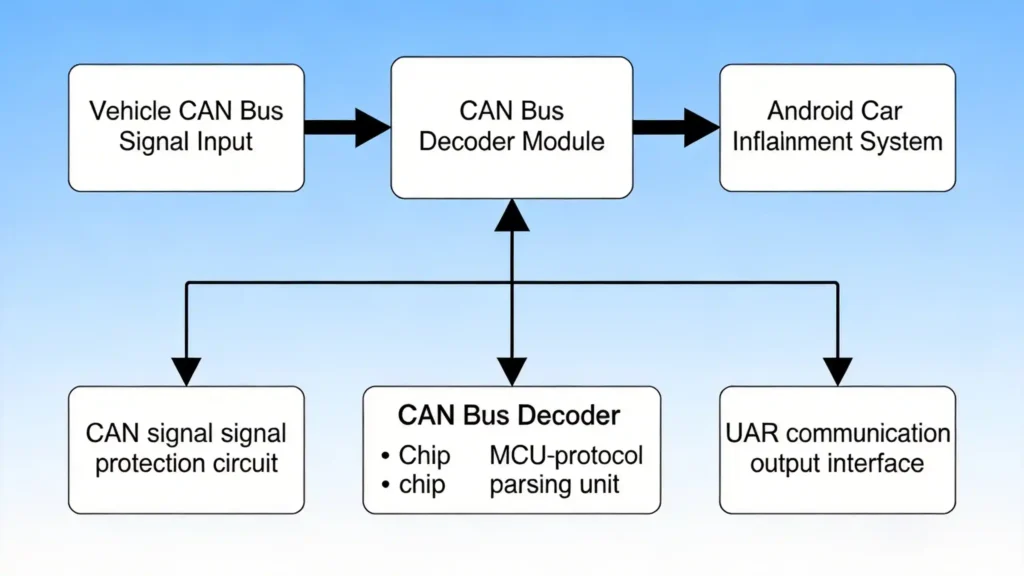
Modern vehicles use a Controller Area Network to communicate between electronic control units—the engine ECU, transmission, body control module, instrument cluster, and infotainment system. When you press a button on the steering wheel, that button sends a CAN message. The head unit needs to understand that message.
The CAN bus decoder’s job is to translate those vehicle-specific messages into Android-readable inputs. A volume-up button becomes a keycode that the Android system recognises. A reverse gear engagement triggers the camera input. A door-open signal shows an icon on the display.
The complexity here is immense. Different automakers use different CAN protocols. Different models from the same automaker use different message IDs. And the same model with a different trim level might send slightly different messages.
This is why supplier engineering matters. A supplier with in-house CAN bus development will have a broader compatibility library, faster updates for new models, and better troubleshooting support. A supplier who buys decoders from a third party will struggle with edge cases. For a deeper look at CAN bus technology — how it works, why it matters, and what to look for in a decoder — read our guide on What Is CAN BUS.
Before placing a bulk order, ask: Do you develop your own CAN bus protocols, or do you source them externally? And follow up with: How long does it take to add support for a new model?
3.3 GPS and Navigation Offline
Every native Android head unit includes a GNSS receiver. It locks onto GPS satellites and often GLONASS, Galileo, or BeiDou depending on the chipset and regional configuration. The position data feeds into the Android location services, which then route to navigation apps.
Offline navigation is a major selling point. With maps downloaded over Wi-Fi, the unit can provide turn-by-turn guidance without any internet connection. This is genuinely useful in tunnels, remote areas, and countries with expensive cellular data.
Sourcing note: Some units come with pre-installed offline maps for a specific region. Others expect the user to download maps themselves. If your target market has limited home Wi-Fi penetration, pre-installed maps reduce friction for the end customer.
3.4 Connectivity Options
Bluetooth handles hands-free calling and audio streaming. Wi-Fi supports online app updates, map downloads, and screen mirroring. Cellular connectivity comes as an optional 4G or 5G module—usually sold as an add-on rather than integrated by default.
USB ports are standard, typically Type-A and increasingly Type-C. HDMI input is less common but appears on higher-end units, useful for external video sources.
3.5 OTA Updates and Why They Matter
Over-the-air updates are not just a convenience feature. They are a business tool.
With OTA, the supplier can push firmware fixes, CAN bus protocol updates, and UI improvements without the end user needing to visit an installer or return the unit. This reduces warranty costs, improves customer satisfaction, and allows the distributor to maintain product relevance over a longer period.
What to verify: Does the supplier operate their own OTA server, or are they using a third-party white-label service? Proprietary OTA gives them—and by extension, you—more control over update scheduling, release notes, and rollback capabilities.
4. Commercial Realities for B2B Buyers
Let us step away from the hardware for a moment and talk about business.
Android head units dominate the aftermarket for structural reasons, not just because of feature lists. Here is what actually drives commercial value.
4.1 The Cost Gap vs. Factory OEM
Factory infotainment systems, especially from European and Japanese brands, are expensive. A replacement unit from the dealership can cost thousands. An aftermarket Android unit with a larger screen, faster processor, and more features costs a fraction of that.
This gap creates margin. A dealer can buy a unit for $150, sell it for $400, and the customer is still happy because the dealership alternative was $2,500. That is not a value proposition; that is a value canyon.
4.2 Branding and Customisation
For distributors building their own brand, Android offers flexibility that traditional radio platforms never could.
You can change the boot animation. The launcher UI. The icon set. The default application layout. The language pack. The radio frequency band for different regions. Even the packaging.
A supplier with proper in-house engineering can take a standard hardware platform and make it look like a completely different product for each of your target markets. This is how you differentiate when the hardware itself is commoditised.
4.3 The Accessory Upsell
We touched on this earlier, but it is worth repeating. A head unit is a hub. Once the customer is buying a hub, they will also buy a reverse camera, a dash cam, and maybe a TPMS sensor.
These accessories have high margins and low return rates. Bundling them with the head unit increases your average order value and reduces the customer’s incentive to shop around for separate components.
4.4 OTA Reduces Support Costs
Traditional aftermarket radios required physical returns for software issues. That is expensive—shipping, handling, bench time, customer frustration.
With OTA, many issues are resolved remotely. A CAN bus glitch for a specific model can be patched across all installed units without a single return. The distributor saves money. The end user saves time. Everyone wins.
For a complete framework on matching Android head unit specs to your business scenario — including 4S dealerships, cross-border wholesale, fleet operators, and OEM projects — read our guide: How to Choose an Android Head Unit for Your Vehicle
5. Who Is Buying These? Common Buyer Profiles
Different buyers have different priorities. Matching the product to the buyer’s business model saves everyone time.
5.1 4S Dealerships
These are franchise dealerships selling new and used cars. They want a premium upgrade package to offer at the time of sale. The head unit needs custom UI with the dealership’s branding, bundled accessories, and plug-and-play installation that does not tie up service bay time.
They care about: Fit and finish, reliability, and warranty support. Price is secondary.
5.2 Cross-Border Wholesalers
Exporters serving multiple regions. They need multi-language support, regional radio frequency tuning, and export certifications—CE, FCC, RoHS, E-mark.
They care about: Compliance, consistent quality, and MOQ flexibility.
5.3 Fleet Operators
Companies managing commercial vehicles. They want GPS tracking, DVR integration, and CAN bus data for driver behaviour monitoring. They often want the launcher locked down to a specific set of applications to prevent drivers from wasting time with entertainment apps.
They care about: Telemetry, custom app pre-loading, and administrative controls.
5.4 Independent Dealers and Installers
The bread and butter of the aftermarket. They want volume, competitive pricing, and low return rates. A unit that fails in the first month creates angry customers and costs the installer labour time to replace.
They care about: Reliability, ease of installation, and supplier responsiveness.
6. Sourcing Checklist: What to Verify Before Ordering
Do not skip this section. These are the questions that separate informed buyers from those who end up with a warehouse full of unsellable stock.
6.1 Operating System and Software
- What Android version is this unit running? Android 12 or 13 is the current safe baseline. Android 10 or below should be treated as legacy.
- Can the unit access the Google Play Store, or is it restricted to a proprietary app store?
- Does the supplier control the OTA infrastructure? Get a demo of the update process.
- Is the firmware developed in-house, or is it a reference build from the SoC vendor?
6.2 Hardware Specifications
- What is the actual, physical RAM and ROM configuration? Request a screenshot.
- What display panel type? IPS is standard. QLED or OLED for premium units.
- What is the screen brightness? 400 nits is acceptable; 600+ is better for bright daylight visibility.
- What audio processing does the unit have? Built-in DSP? Pre-out voltage?
6.3 CAN Bus and Vehicle Compatibility
- Request the complete vehicle compatibility matrix. Model by model, year by year.
- Ask if the decoder library is developed in-house or sourced externally.
- Ask how long it takes to add support for a new vehicle model or a model-year update.
6.4 Quality Control
- What testing does each unit undergo before shipping?
- Confirm 48-hour aging test under electrical load.
- Confirm high-temperature test—60°C chamber for at least 4 hours.
- Ask for the QC failure rate in the last three shipments.
6.5 Customisation Support
- What software customisation is available? Boot animation, UI theme, launcher layout, default apps.
- What hardware customisation is available? Front panel logo, housing colour, connector orientation.
- What is the MOQ for each level of customisation?
- Is there a dedicated engineering contact for custom projects?
6.6 Certifications
- CE for Europe. FCC for US. RoHS for material compliance. E-mark for automotive use in Europe.
- Request copies of valid certificates. Verify the certificate numbers if possible.
- Do not accept “we are working on it.” Only buy from suppliers with current, valid certifications for your target markets.
7. Frequently Asked Questions from B2B Buyers
7.1 Does a native Android head unit need a phone to navigate?
No. It has its own GPS receiver and offline map capability. The phone is only needed for calls or personal app syncing.
7.2 Are these compatible with every car?
No. Compatibility depends on the physical dash size and the CAN bus decoder library. Universal units fit most standard dashes but need proper decoder support. Vehicle-specific units fit only the target model. Always check the compatibility matrix.
7.3 Can I put my own brand on the unit?
Yes, if the supplier supports custom software and hardware branding. The depth of customisation varies by supplier engineering capability.
7.4 What is a reasonable MOQ?
For standard universal configurations, 10–100 units for trial orders, 100–500 for wholesale. For custom software, 100–300 units. For full hardware customisation, 300–1,000 units.
7.5 How do I know if a supplier is reliable?
Start with the CAN bus decoder. If they develop it in-house, that is a strong signal of engineering depth. Then look at quality control—ask for test reports, not just promises. Finally, check certifications. A supplier with valid CE/FCC/RoHS for their product line has invested in compliance.
8. Final Thoughts
Sourcing Android head units for wholesale or dealership programmes is not complicated, but it requires discipline. The market is crowded with suppliers of varying capability. Some are genuine manufacturers with engineering teams, CAN bus expertise, and quality control processes. Others are trading companies assembling generic parts and relying on third-party software.
The difference shows up in return rates, customer complaints, and your own operational headaches. It is worth the effort to vet suppliers properly before committing to volume.
A good starting point is the CAN bus decoder. If the supplier understands vehicle integration at that level, they probably understand the rest of the product too. If they cannot tell you which models their decoder supports, that tells you everything you need to know.
This guide was compiled by the technical procurement and engineering teams at Rungrace. We develop our own CAN bus protocols, operate our own OTA infrastructure, and support custom software development for wholesale and dealership programmes across Europe, Southeast Asia, the Middle East, and the Americas. If you are evaluating Android head unit suppliers, contact us for model-specific compatibility data, reference configurations, and customisation options tailored to your market. Explore our Android Car Navigation Systems product lineup to see available hardware configurations.


