
Spec sheets for IVI systems tend to lead with the headline numbers — screen size, RAM, processor name — and leave the rest as a vague “full-featured” claim. That’s not enough when you’re placing a bulk order, because compatibility problems and after-sales complaints almost always trace back to one specific component, not the system as a whole.
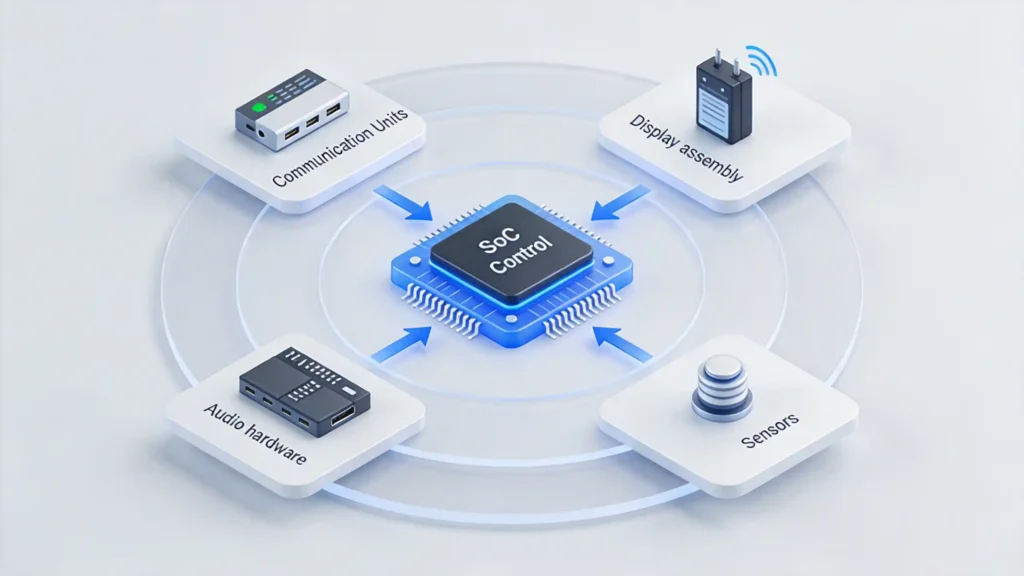
This guide breaks the IVI system down into its actual parts — control modules, communication units, display assemblies, audio hardware, and sensors — and covers what to check at the component level before committing to volume. Before diving into component-level evaluation, make sure you understand the overall system architecture — read our complete guide: What Is an In-Vehicle Infotainment System?
What Are the Core Components of an IVI System? Overall Architecture & Module Division
An IVI system is a comprehensive in-vehicle platform that integrates computing, communication, display, audio, and sensor capabilities into one unified unit — not a single component, but five distinct module groups working together.
The layered architecture runs hardware (processors, memory, sensors, displays) through the system layer (Android or Linux OS, firmware, drivers), up to the application layer (navigation, media, vehicle settings), and finally the interaction layer (touchscreen, voice, steering wheel controls). For this guide specifically, we’re breaking things down by five core modules: control modules for processing, communication units for connectivity, display assemblies for visual interaction, audio hardware for sound, and sensor parts for environmental awareness.
Understanding this at the component level matters for B2B buyers because each piece directly affects performance, compatibility, and reliability on its own — a weak component doesn’t stay contained to its corner of the system, it tends to show up as a system-level failure. The processor coordinates everything else through data buses and communication protocols, which means every module has to actually be compatible with the others for the whole thing to run stably, not just individually functional.
IVI Core Control Modules: The Brain of the Infotainment System
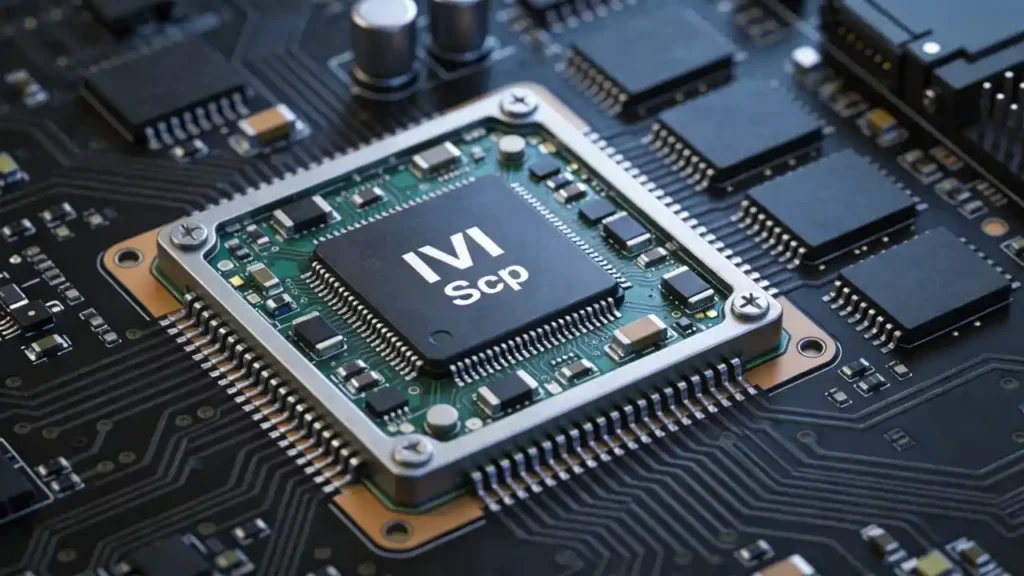
The core control module — the SoC, or System on Chip — is the central processing unit of the whole system. Every computing task runs through it: system operation, app processing, navigation, media, and whatever’s running simultaneously.
Specifically, it controls boot speed, how responsive the system feels, map rendering speed, video decoding, audio processing, and overall stability. The performance indicators worth checking are processor architecture (core count, clock speed), GPU capability, thermal management, and whether the chip carries AEC-Q100 automotive-grade certification.
Two platforms dominate this space: Qualcomm Snapdragon, known for strong single-core performance and a mature software ecosystem, and MediaTek, competitive on multi-core performance and generally more cost-effective. Automotive-grade processors are built for a genuinely different operating envelope than consumer chips — rated for -40°C to +105°C operation and real vibration resistance, with long-term reliability baked into the design rather than added on. Consumer-grade processors, borrowed from phones or tablets, simply aren’t built for that environment, whatever their benchmark scores suggest. Rungrace offers both Snapdragon and MediaTek configurations across its IVI systems, with custom processor selection available for OEM/ODM clients targeting different markets.
IVI Onboard Communication Units: Vehicle Connectivity & Data Interaction
Four communication technologies handle how an IVI system talks to the vehicle and the outside world, and each one covers a distinct job.
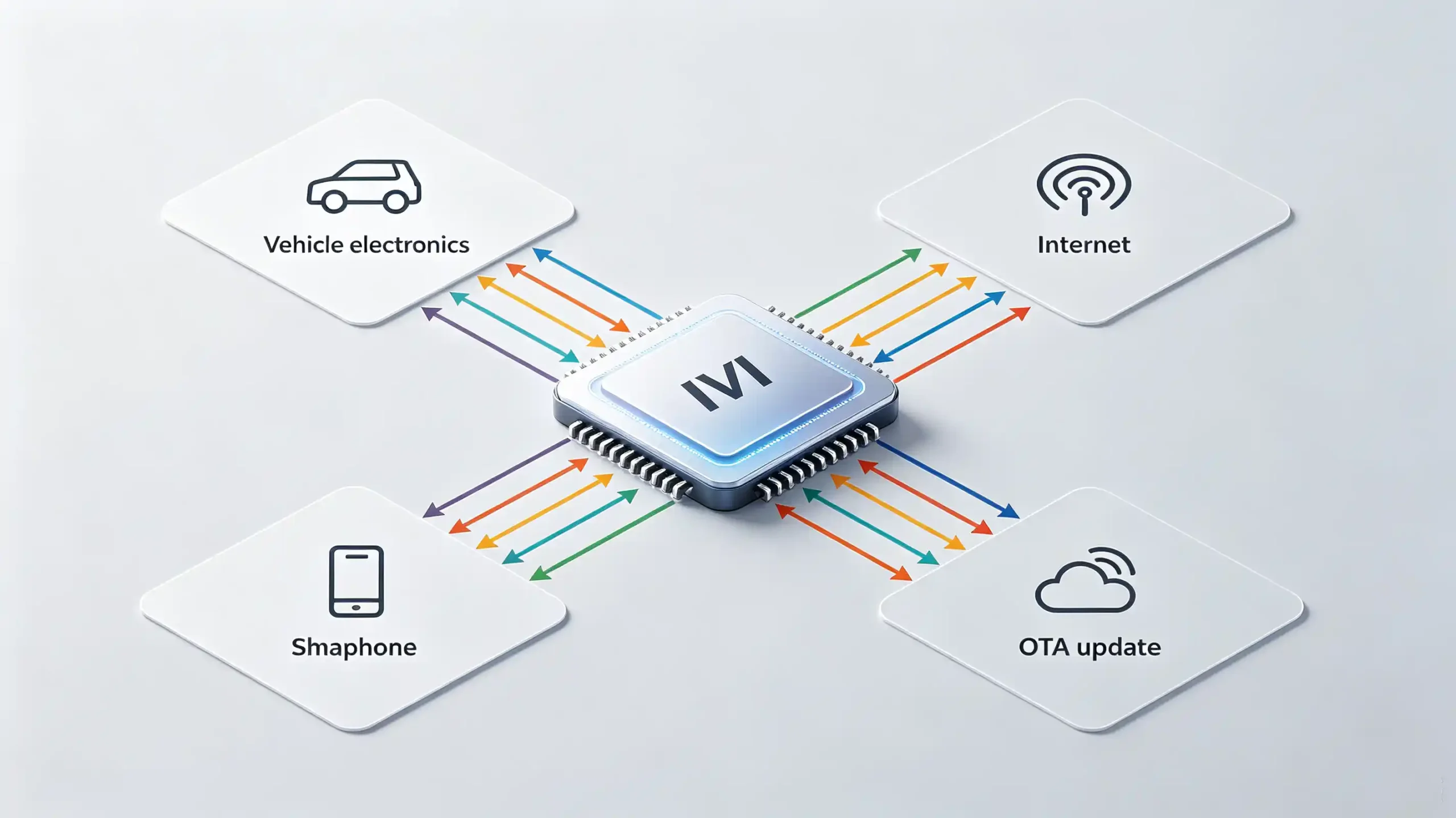
- CAN Bus is the primary protocol connecting the system to the vehicle’s own electronics — steering wheel controls, the reverse camera trigger, speed signal, climate display, door and trunk status all run through it.
- Bluetooth handles hands-free calling, wireless audio streaming, and phone projection; commercial-grade units need Bluetooth 5.0 or newer for genuinely stable connections rather than intermittent dropouts.
- Wi-Fi enables OTA updates for firmware, maps, and CAN Bus protocols, alongside wireless phone projection and general internet connectivity.
- 4G/5G, where included, provides always-on connectivity for real-time traffic, cloud services, and remote vehicle monitoring — increasingly relevant for connected vehicle applications specifically.
Weakness in any one of these shows up as a specific, recognizable complaint: poor CAN Bus integration means lost vehicle functions, weak Bluetooth means dropped calls, unreliable Wi-Fi means broken OTA updates. All three end up as after-sales tickets regardless of how good the rest of the system is. In-house CAN Bus decoder development covering 200-plus vehicle models — rather than licensing from a third party — is what lets a manufacturer adapt faster when a new vehicle brand or protocol comes up.
IVI Touch Display Assemblies: Human-Computer Interaction Core Hardware
A display assembly isn’t just “the screen” — it’s a stack of components: the LCD or QLED panel, a capacitive touch sensor, a driver board (T-con board), a backlight unit, and cover glass on top, all working as one unit.
A few technical indicators are worth prioritizing directly in bulk procurement:
- Resolution — HD (1280×720) is entry-level; FHD (1920×1080) is premium, with sharper text and images across the board.
- Brightness — automotive-grade displays generally need 400 to 600-plus cd/m² for real daylight visibility; higher brightness translates directly to better sunlight readability.
- Panel technology — IPS offers wide viewing angles at a cost-effective price point; QLED adds higher brightness and a wider color gamut at a premium.
- Touch technology — capacitive multi-touch is the standard for commercial-grade systems today; resistive touch is genuinely outdated at this point.
Durability matters as much as the visual specs: automotive-grade displays need to pass high-temperature (60°C), low-temperature, vibration, and anti-glare testing before they’re ready for a vehicle interior. Rungrace’s IVI systems ship with IPS and QLED panel options, HD and FHD resolutions, and capacitive touch as standard, covering different market segments and price points.
Infotainment Audio Hardware Kit: Sound System Composition & Performance Standards
The audio side of an IVI system runs through its own set of components: an audio processor (DSP chip), an amplifier IC, speaker outputs, preamp outputs (RCA), and often an optional optical audio interface.
The DSP is what actually separates premium audio from basic audio — it processes signals in real time, handling equalization, time alignment, crossover routing, and phase correction, none of which a plain amplifier can do on its own. Amplifier power output matters too: higher wattage produces louder, cleaner sound with less distortion, and commercial-grade units typically run 4×50W or higher.
On outputs, RCA is the standard analog connection, universally compatible across amplifier and speaker setups. Optical output is digital, delivers higher signal purity, and is worth prioritizing specifically for premium Hi-Fi configurations. One thing worth testing directly rather than assuming: DSP tuning quality varies meaningfully by supplier, and a poorly tuned DSP produces mediocre sound even on genuinely good hardware — this is worth checking during sample evaluation, not after a bulk order ships. Rungrace’s IVI systems include DSP audio processing as standard, with both RCA and optical outputs available depending on the target audio configuration.
Vehicle Infotainment Sensor Parts: Perception & Environment Interaction Modules
A handful of sensors give the IVI system awareness of both the vehicle and its surroundings, and weak performance in any one of them shows up as a specific, easily diagnosed complaint.
The GPS/GNSS module is the primary positioning sensor, receiving satellite signals to determine location — multi-constellation support (GPS, GLONASS, BeiDou, Galileo) improves accuracy meaningfully over single-constellation setups. The microphone enables voice control and hands-free calling, and array microphones — two or more working together — noticeably improve noise cancellation in a vehicle’s inherently noisy cabin. Camera inputs cover rear-view assist, 360-degree systems, and dash cam (DVR) integration, and the video input needs to support proper analog or digital signal quality to be genuinely usable.
Vehicle status sensors, read through CAN Bus, round this out: speed signal for navigation, reverse gear signal to trigger the camera, door and trunk status for display, and steering angle for dynamic guidance where supported. Sensor quality has real consequences — a low-sensitivity GPS module loses signal in urban environments, a poor microphone makes voice control effectively unusable, and delayed camera signals become a genuine safety issue rather than a minor inconvenience. Rungrace’s IVI systems integrate multi-constellation GPS modules, microphone arrays, and CAN Bus vehicle status sensors as part of the standard hardware package.
B2B Sourcing Guide: Component-Level Evaluation & Risk Avoidance
Four evaluation dimensions cover most of what actually matters when sourcing at the component level, rather than trusting a system-level spec sheet.
Component quality and certification comes first — request AEC-Q100 certification for processors, automotive-grade ratings for displays and sensors, and IQC (incoming component inspection) documentation rather than a general quality claim. Compatibility verification means confirming CAN Bus coverage for your target vehicle models and checking that display and audio interfaces actually match your system requirements, backed by a real compatibility list. Supplier capability comes down to in-house R&D and CAN Bus development — a supplier with genuine in-house capability adapts components for new vehicle models faster than one relying on third-party protocol libraries. QC and testing standards should include a 48-hour aging test, high-temperature testing around 60°C, and vibration testing on finished systems, confirming component reliability rather than assuming it.
The recurring risks worth watching for: non-automotive-grade components that fail in high heat, incompatible CAN Bus protocols causing function loss, and inflated specifications on processors, RAM, or resolution. Request samples, test components in your actual target vehicle models, and verify QC documentation directly before committing to bulk production.
FAQ
What is the core component that determines the long-term stability of an IVI system?
The SoC processor and its thermal management have the biggest single impact on long-term stability, since it handles every computing task and is the most common source of system-wide slowdowns or crashes when underspecced. That said, stability is genuinely a system-level outcome — a strong processor paired with poor CAN Bus integration or weak QC on other components can still fail, so no single part guarantees reliability on its own.
How to verify the compatibility of IVI system components with the original vehicle before bulk ordering?
Request the supplier’s actual CAN Bus vehicle compatibility list and confirm your specific target models and years are covered, not just the general brand. Beyond that, test samples directly on real vehicles from your target lineup to verify steering wheel controls, reverse camera triggers, and other CAN Bus-dependent functions work correctly before committing to volume.
What is the core difference between automotive-grade and consumer-grade IVI components?
Automotive-grade components — processors, displays, sensors — are built and certified for a much wider operating temperature range, generally -40°C to +105°C for processors, plus vibration resistance that consumer-grade parts aren’t designed to handle. Consumer-grade components borrowed from phones or tablets may work initially but carry a meaningfully higher risk of failure under real vehicle conditions.
What components are most prone to failure in IVI systems in commercial vehicle applications?
Display assemblies and communication modules tend to see the most failures in commercial use, given the combination of heavy daily use, temperature extremes, and constant vibration. Non-automotive-grade touch sensors and CAN Bus decoders with weak protocol coverage are the specific culprits worth scrutinizing most closely during supplier evaluation for fleet or commercial-vehicle orders.
Can IVI system components be replaced and upgraded individually after the system is installed?
Some components, like the display assembly or specific sensors, can sometimes be replaced as standalone repairs, but core elements like the SoC processor are soldered into the mainboard and can’t be upgraded after manufacturing. This is exactly why getting processor, memory, and platform specifications right at the sourcing stage matters more than treating them as adjustable later.
Conclusion
An IVI system is only as reliable as its weakest component, which is why evaluating at the module level — control, communication, display, audio, sensors — matters more than judging a system-level spec sheet at face value. Verifying certifications, testing compatibility on real vehicles, and confirming documented QC before a bulk order is what keeps component-level issues from becoming system-level after-sales problems.
Sourcing IVI systems with verified component quality? Contact our team to discuss control module, display, and sensor configurations for your target market, or explore our current IVI system product lineup.


