
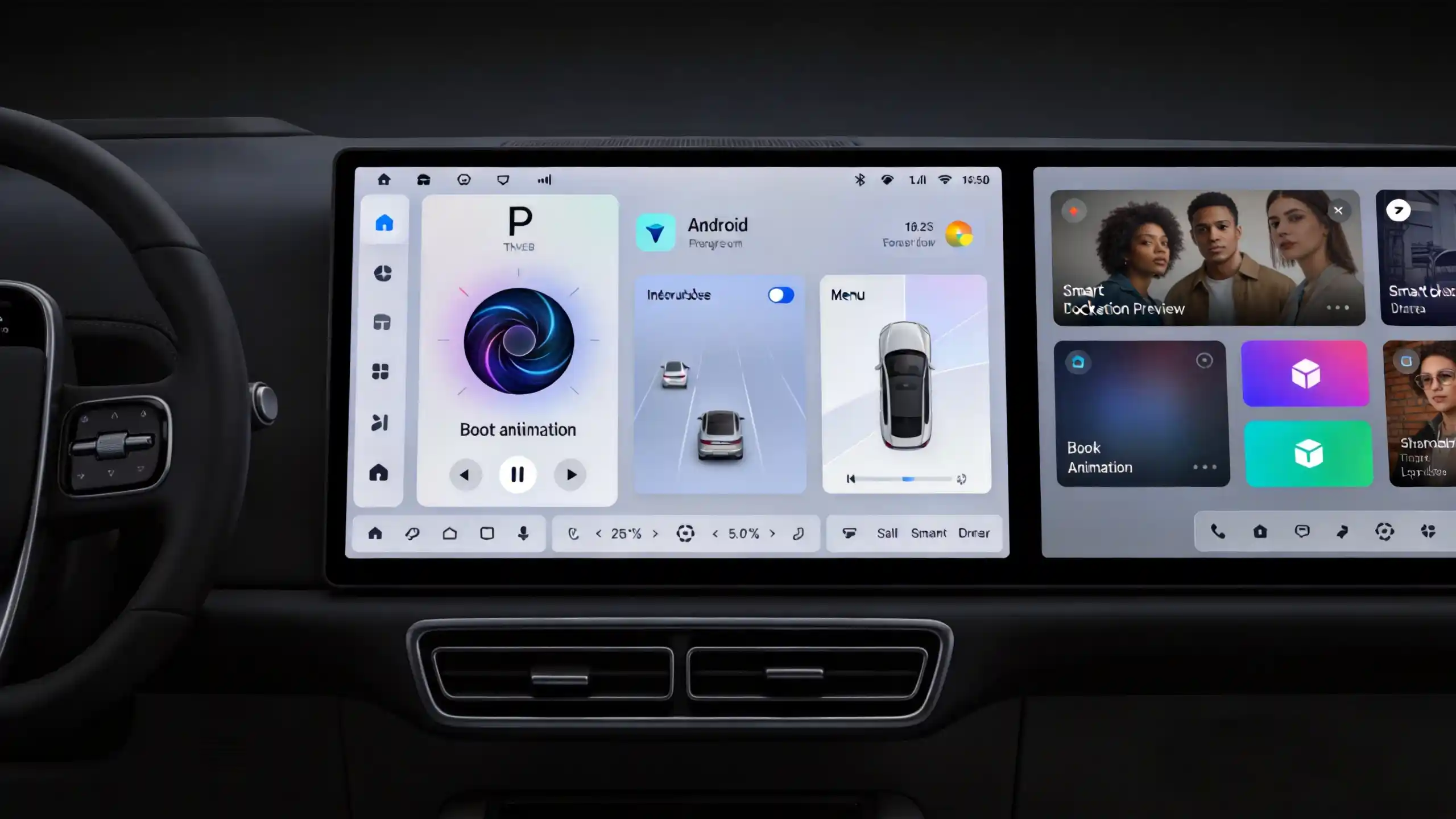
Selecting the right operating system for an automotive infotainment project is a critical decision that affects hardware costs, development timelines, feature sets, and long-term maintenance. For B2B buyers—whether you are a wholesaler, importer, automaker, or 4S dealership—understanding the fundamental differences between Android and Linux helps you match the OS to your specific vehicle project requirements. For a complete guide on Android head unit operating systems, see our Android head unit operating system guide.
This guide provides a practical comparison of Android and Linux as embedded automotive infotainment operating systems, covering performance, stability, security, customization, development complexity, and total project cost. For a technical overview of the hardware platform, see our What Is an Android Head Unit guide. By the end, you will have a clear framework for selecting the OS that best fits your target market and commercial constraints.
Android vs Linux: Fundamentals for Automotive Infotainment
When deployed in vehicle infotainment systems, Android and Linux serve fundamentally different roles.
Android is a full-stack operating system built on the Linux kernel. It includes a Java-based application framework, pre-defined APIs, and an extensive app runtime environment. In the automotive context, Android is optimized for consumer-like user experiences, touchscreen interfaces, and rich app ecosystems. Major automakers such as Volvo, Ford, Nissan, and Honda have adopted Android for their infotainment systems. For more on the complete system, see our in-vehicle infotainment system guide.
Linux, by contrast, is a lightweight, modular operating system kernel that requires additional custom development to build a complete application environment. In automotive deployments, Linux is often used for cost-optimized systems with limited feature sets, dedicated-function infotainment, or instrument cluster applications.
Fundamental Differences
The core difference is that Android provides a complete software stack with built-in APIs and app runtime, while Linux is a kernel that needs more custom development to create a full application environment. This distinction has significant implications:
- Deployment models: Android is typically used for feature-rich infotainment systems; Linux is used for cost-optimized systems with limited feature sets
- Development approach: Android offers faster development cycles with pre-built frameworks; Linux requires more custom development from the ground up
Car OS Performance Comparison: Responsiveness & Resource Footprint
Performance characteristics differ significantly between Android and Linux, particularly regarding hardware requirements and system responsiveness.
Resource Footprint
Linux has a much smaller memory footprint. It requires less RAM and storage, making it suitable for cost-optimized hardware designs. Android, on the other hand, typically requires at least 4GB of RAM and 64GB of storage for smooth operation. Android’s Java framework and app runtime introduce overhead that Linux-based applications do not have.
Responsiveness and Latency
Linux-based systems can be more responsive with lower-latency applications due to simpler architecture and less overhead. Android is optimized for user experience—smooth UI transitions and multitasking—but the Java framework introduces some latency. For real-time or near-real-time applications (such as instrument clusters), Linux is generally better suited due to lower scheduling overhead .
Multitasking Performance
Android handles multitasking well when sufficient RAM is available. Linux multitasking capability depends on the application architecture and how the system is configured.
Commercial Implications
Linux can run on lower-cost hardware with less RAM and storage. Android requires more expensive hardware but delivers richer features and a more polished user experience.
| Performance Dimension | Android | Linux |
|---|---|---|
| Memory Footprint | Higher (4GB+ RAM required) | Lower (can run on minimal hardware) |
| Storage Requirement | 64GB+ recommended | Minimal |
| Responsiveness | Good, but with some framework overhead | Excellent, lower latency |
| Multitasking | Handles well with sufficient RAM | Depends on application architecture |
| Real-Time Capability | Limited | Better suited for near-real-time applications |
| Hardware Cost | Higher BOM | Lower BOM |
Car Infotainment OS Stability & Reliability
Stability is a critical concern for automotive applications where system failures can create safety issues or poor user experiences.
Android Stability
Android is designed for consumer devices that can tolerate occasional reboots. For automotive use, Android requires robust memory management and watchdog timers to prevent freezes or crashes. Well-optimized Android can be stable, but stability depends heavily on implementation quality. In practice, many automotive Android systems experience performance degradation over time as the hardware ages . The processor driving this performance is covered in our best car stereo processor guide.
Linux Stability
Linux-based systems are generally more stable in embedded applications due to simpler application architectures and the absence of Java runtime overhead. With fewer background processes, there are fewer potential failure points. Linux systems also tend to boot faster because fewer services need to start .
Crash Recovery
Both operating systems can implement watchdog timers for automatic recovery, but Linux tends to have simpler recovery paths. The microkernel architecture of some Linux-based automotive systems provides better fault isolation—a driver crash does not necessarily bring down the entire system .
Commercial Relevance
Linux is often the preferred choice for applications requiring extreme reliability, such as instrument clusters or safety-critical systems. Android reliability depends heavily on software optimization and hardware capability.
Automotive OS Security Features & Update Management
Security and update capabilities are essential for modern automotive infotainment systems.
Android Security
Android provides a comprehensive security framework that includes:
- App sandbox and permission model
- Verified boot and secure boot
- Frequent security patches (monthly updates from Google)
- Regular security updates through the Android update framework
Linux Security
Linux is more modular, and security depends on the specific implementation. While Linux supports security features like SELinux, AppArmor, and firewalls, fewer built-in security features exist compared to Android. However, Linux offers more flexibility for custom security implementations and can be hardened by removing unnecessary services, reducing the attack surface.
Update Management
- Android: Supports OTA (over-the-air) updates via Android’s update framework, making it easier for manufacturers to deliver updates
- Linux: OTA is possible but requires custom implementation or third-party solutions, requiring more development effort
Commercial Implication
Android provides a more complete security and update framework out-of-the-box, reducing long-term maintenance costs. Linux requires more custom development but offers more control over security implementations.
Customization, App Support & Hardware Compatibility
The application ecosystem and customization flexibility differ greatly between Android and Linux.
App Ecosystem
Android offers an extensive app ecosystem with access to a wide selection of navigation, media, communication, and custom apps through APK installation or Google Play. This rich ecosystem is a primary reason why Android has captured approximately 67% of the new vehicle infotainment market .
Linux has a limited third-party app ecosystem. Applications are typically custom-developed or drawn from open-source options. There are far fewer off-the-shelf options available.
UI Customization
Android is highly customizable with relatively low development effort. UI themes, boot animations, icon styles, and menu layouts can be modified efficiently. Linux is fully customizable but requires significant development effort using custom UI frameworks like Qt or GTK.
Hardware Compatibility
Android has well-defined hardware compatibility guidelines (Android Compatibility Definition Document) and supports a wide range of SoCs. Linux is highly flexible and supports almost any hardware architecture, but custom driver development may be required.
Commercial Implication
Android offers faster development for feature-rich products. Linux provides more control for specialized applications but requires more development effort and specialized expertise.
Embedded Car OS Cost Analysis: Development Complexity & Total Project Cost
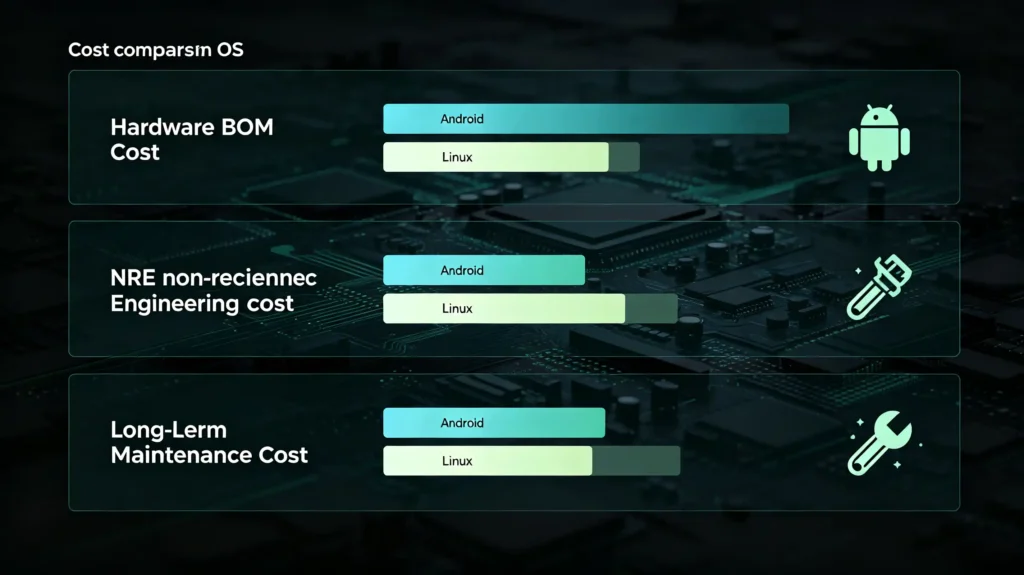
Understanding the cost implications of each OS helps buyers make informed decisions.
Hardware BOM Cost
Linux-based systems can run on lower-cost hardware with less RAM, less storage, and lower-end SoCs. Android requires more expensive hardware—at least 4GB of RAM, 64GB of storage, and mid-to-high-end SoCs for acceptable performance.
Development Cost (NRE)
Android benefits from a large developer community and pre-built frameworks, resulting in lower development costs for feature-rich applications. Linux requires more custom development for UI, app frameworks, and OTA updates, leading to higher development costs.
Per-Unit Cost (Mass Production)
Linux systems have lower per-unit costs due to lower hardware requirements. Android systems have higher per-unit costs but offer richer features and shorter time-to-market.
Maintenance and Support Cost
Android’s comprehensive security and update framework reduces long-term maintenance costs. Linux requires custom update infrastructure, which increases long-term costs.
Total Project Cost
Android typically has higher hardware costs but lower development costs. Linux has lower hardware costs but higher development costs. The right choice depends on volume, feature requirements, and development timeline.
Best-Fit Use-Cases: Matching OS to Vehicle-Project Requirements
Use this guidance to match each OS to your specific project needs.
Android Is Best Suited For:
- Feature-rich infotainment systems with app ecosystems
- High-end 4S dealership upgrades
- Premium vehicle segments
- Projects requiring fast development and rich user experience
- Markets where customers expect modern, smartphone-like interfaces
Linux Is Best Suited For:
- Cost-sensitive projects (budget fleets, entry-level vehicles)
- Dedicated-function systems (navigation-only, instrument clusters)
- Classic vehicle retrofits with limited space and power
- Projects requiring high reliability and low latency
- Markets where price is the primary purchasing factor
Decision Factors
Evaluate feature requirements, budget, target market, development timeline, and technical support capability before making an OS selection. Consider long-term support costs and the availability of development resources.
Frequently Asked Questions
For cost-sensitive aftermarket projects, what are the main trade-offs choosing Linux instead of Android infotainment?
The primary trade-offs are feature richness versus hardware cost. Linux can run on lower-cost hardware with less RAM and storage, reducing per-unit costs. However, development costs are higher because custom UI and application development is required. Android has higher hardware costs but lower development costs and faster time-to-market. For high-volume, low-cost projects, Linux may be more economical despite higher NRE costs.
How much extra RAM/flash hardware overhead is generally required for Android-based versus Linux-based car infotainment units?
Android typically requires at least 4GB of RAM and 64GB of storage for smooth operation. Linux can run effectively on much less—often 1GB of RAM or less and minimal storage. This difference in hardware requirements directly affects BOM costs and can be substantial for high-volume projects.
Can Linux-based infotainment systems support third-party navigation and streaming applications the same as Android systems?
Generally, no. Android has an extensive app ecosystem with access to numerous third-party navigation and streaming applications. Linux has a much more limited third-party app ecosystem—applications are typically custom-developed or open-source. If app variety is important for your target market, Android is the clear choice .
What are the practical obstacles to delivering over-the-air system updates on Linux automotive infotainment hardware?
Unlike Android, which has a built-in OTA update framework, Linux requires custom OTA infrastructure development. This includes creating update packages, implementing secure delivery mechanisms, ensuring reliable installation, and providing rollback capabilities. These are significant development tasks that add to project costs and timeline.
When evaluating samples, what practical test cases can B2B buyers run to compare real-world latency and stability between Android and Linux units?
Test boot time from cold start. Measure touchscreen responsiveness during navigation and media playback. Perform multitasking tests by running navigation, media, and phone projection simultaneously. Conduct continuous operation tests (24-48 hours) to check for freezes or crashes. Compare app launch times. If possible, test at elevated temperatures (50-60°C) to simulate summer vehicle conditions.
Choose the Right OS for Your Automotive Project
Whether you need an Android-based infotainment system with rich app support and fast development, or a Linux-based solution for cost-sensitive, dedicated-function applications, the right operating system choice depends on your specific requirements. Both solutions can deliver reliable performance when properly implemented.
Contact our team to discuss your customized automotive infotainment requirements. Our OEM/ODM solutions support both Android and Linux platforms, and our R&D expertise is ready to support your next project.


