
A dash camera is one of the easier upsells in this industry. Customers already understand what it does. Most want one. It is also one of the easier products to source badly. The difference between a unit that reliably captures footage for years and one that corrupts files after three months rarely shows up until it is already in a customer’s car.
This guide covers what a dash camera actually is. It covers how recording and storage management work. It covers common hardware configurations, parking monitoring, and specifications worth prioritizing. It also covers integration considerations for bulk projects. For a full view of all hardware decisions, see our car stereo hardware components overview.
What Is a Dash Camera? Definition & Core Vehicle-Use Functions
Definition
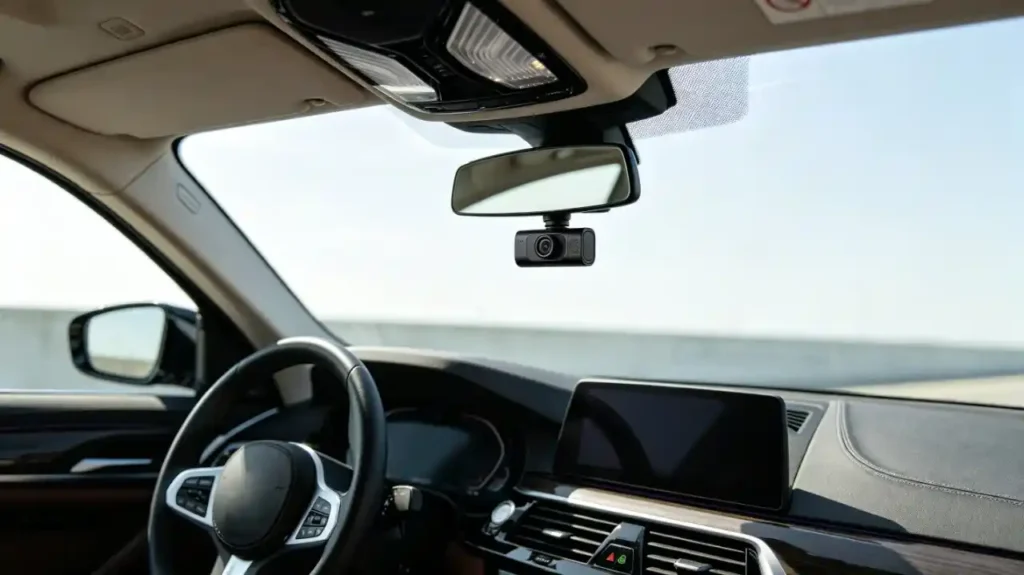
A dash camera — dash cam or driving recorder — is a compact camera mounted on a vehicle’s dashboard or windshield. It continuously records the road ahead. It often records the rear view too while the vehicle is in use.
Four Core Functions
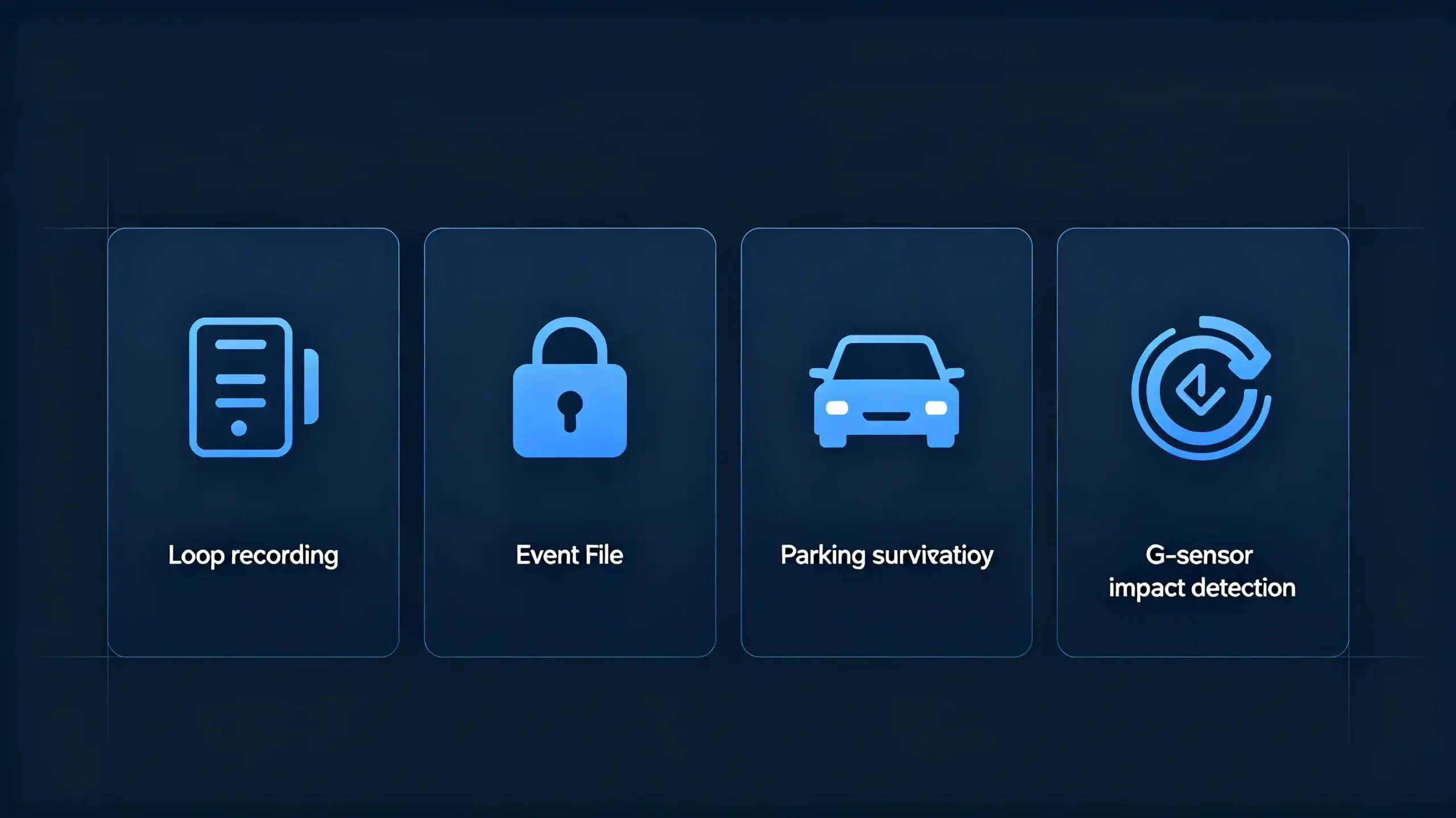
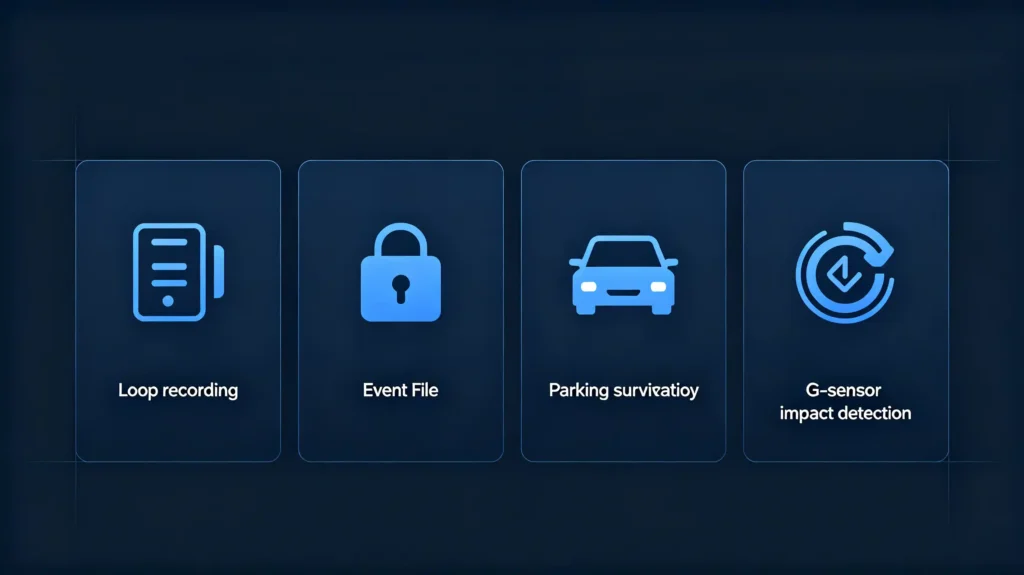
Four core functions define what it actually does:
- Continuous video recording while driving
- Loop recording — automatically overwrites the oldest footage once storage fills up
- Event or emergency recording — triggered by a G-sensor detecting sudden impact or deceleration
- Parking monitoring — through motion detection while the vehicle sits idle
Primary Purpose
The primary purpose is straightforward. It provides video evidence in the event of an accident, a dispute, or any incident where “what actually happened” matters. It effectively serves as an impartial witness for the driver.
Commercial Value
Commercially, dash cameras have become one of the higher-volume aftermarket accessory categories. Customers increasingly expect dash cam integration as a standard option alongside a head unit purchase. It is not an unusual add-on. For dealers and wholesalers, bundling a dash camera with a head unit is a clean way to raise order value and customer satisfaction at the same time. It is a low-friction upsell that both sides genuinely benefit from.
How Dash Cameras Record & Store Driving Footage
The Recording Workflow
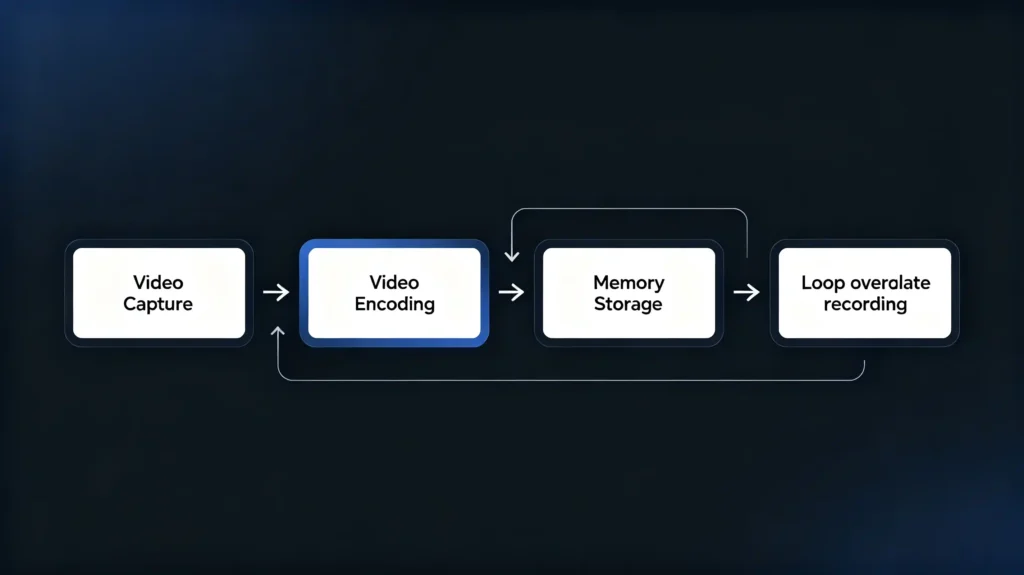
The recording workflow runs a straightforward sequence. The camera captures video. A processor encodes and compresses it. The resulting data writes to storage media — typically a microSD card.
Loop Recording
Loop recording is what keeps that process running indefinitely without manual intervention. Once storage fills up, the camera automatically overwrites the oldest, unprotected footage. A driver never has to manually clear space or worry about the camera simply stopping.
Event Recording
Event recording works alongside that as a safeguard. When the G-sensor detects a sudden impact or hard deceleration, the current file gets locked. It is protected from being overwritten and saved to a separate folder. This ensures an accident is not accidentally erased days later.
Manual Event Locking
Manual event locking gives drivers the same protection on demand. They can press a button to preserve footage of something worth keeping even without a triggering impact.
File Format
On format, H.264 or H.265 compressed video in an MP4 container is the standard. It balances file size against video quality.
Recording Time Factors
Actual recording time depends on three things working together: card capacity, resolution, and compression bitrate. 32GB to 256GB cards cover most commercial applications.
What to Test
For B2B buyers, this is worth testing rather than assuming. Loop recording reliability and event-lock functionality both need verification during sample evaluation. A unit that fails to overwrite correctly, or fails to protect an event file when it matters, generates exactly the kind of customer complaint this whole feature exists to prevent.
Common Dash Camera Configurations: Front, Rear and Multi-Camera Setups
Four Configurations
Four configurations cover nearly the entire dash camera market. Picking the right one for your product line comes down to matching coverage against cost and target use case.
Front-Only (Single-Channel)
Front-only, single-channel setups are the most basic and cost-effective option. One camera faces forward, recording the road ahead and nothing else.
Front-and-Rear (Dual-Channel)
Front-and-rear, dual-channel setups add a second camera mounted on the rear window. They deliver meaningfully more comprehensive coverage. This is the most popular configuration in aftermarket sales by a wide margin.
Front, Rear, and Interior (Triple-Channel)
Front, rear, and interior triple-channel setups add a cabin-facing camera on top of that. They are built specifically for ride-sharing, taxi, and fleet applications. Recording driver and passenger activity inside the vehicle actually matters there.
Surround-View (Multi-Camera)
Surround-view, multi-camera setups deliver full 360-degree coverage through several cameras working together. For guidance on single-camera systems, see our backup camera guide. They are more complex, higher cost, and considerably less common in standard dash cam products than the other three.
Comparison Summary
The comparison ultimately comes down to coverage area, cost, installation complexity, and target use case. Commercially, dual-channel front-rear units drive the bulk of aftermarket volume. Triple-channel serves the commercial and fleet segment specifically. This is a smaller but distinct market worth stocking separately. Do not assume one configuration fits every buyer.
Parking Monitoring Function for Dash Cameras
What Parking Monitoring Does
Parking monitoring keeps a dash camera watching. It either continues to record or enters a motion-triggered standby state. This happens even after the ignition is off and the vehicle is parked.
Three Trigger Modes
Three trigger modes cover how this actually works.
Motion detection — starts recording when something moves within the camera’s field of view.
G-sensor impact detection — triggers recording specifically when a physical impact is detected. A parking lot bump is the classic scenario.
Continuous low-bitrate recording — records constantly at reduced quality. This conserves storage space over a long idle period.
Power Constraint
Power is the real constraint underneath all of this. Parking monitoring needs constant power. It is typically delivered through a hardwire kit connected to the vehicle’s fuse box. This is different from the ignition-switched circuit a cigarette lighter adapter uses. For foundational context on vehicle electrical systems, see our what is CAN BUS guide.
Battery Drain Risk
Battery drain is the risk that follows directly. A camera drawing power while parked can drain the vehicle’s battery without protection in place. Voltage cutoff settings in a proper hardwire kit are built to prevent this. They shut the camera down once battery voltage drops to a safe threshold.
Power Consumption Variation
Power consumption varies meaningfully between camera models. Lower-power units are simply better suited to parking monitoring duty than power-hungry ones.
What to Verify
For B2B buyers, verifying parking monitoring capability, actual voltage cutoff functionality, and power consumption specifications directly is worth doing before a bulk order. Do not wait until after a customer’s battery goes flat.
Key Dash Camera Specifications & Performance Factors
Six Key Specifications
Six specifications determine whether a dash camera actually performs well. This is more than whether it technically records video.
Resolution
Resolution sets the floor at 1080p (Full HD) for anything worth stocking commercially. 1440p (2K) and 2160p (4K) are available for premium product lines. Higher resolution captures more detail. The cost is more storage consumed per minute of footage.
Frame Rate
Frame rate matters alongside resolution. 30fps is standard. 60fps delivers smoother video. This is particularly useful for capturing fast-moving detail like a license plate clearly.
Image Sensor Quality
Image sensor quality determines low-light performance specifically. A better CMOS sensor — generally a larger one — performs meaningfully better after dark. A cheap sensor squeezed into a cost-driven design will not.
Field of View
Field of view typically runs 120 to 170 degrees. A wider FOV captures more of the scene. The cost is some fisheye distortion around the edges.
Storage Media
Storage media should mean microSD support across the 32GB to 256GB range. Endurance-rated cards — High Endurance or Pro Endurance tiers — are specifically recommended for continuous recording. Standard consumer-grade cards are not built for that duty cycle.
Operating Temperature
Operating temperature rounds out the list. A dash cam needs to function reliably across real cabin temperatures. This is roughly 0°C to 50°C-plus. Capacitor-based power systems hold up better under that heat than battery-based designs. Batteries degrade faster in a hot parked car. The processor driving this performance is covered in our best car stereo processor guide.
Commercial Advice
The commercial advice across all six: request actual specifications. Verify them through sample testing. Do not take a listing at face value.
Dash Camera Installation & Vehicle Integration Considerations
Power Supply Options
Power supply choice shapes what a dash camera can actually do once installed.
Cigarette lighter adapter — runs on 12V. It is plug-and-play and easy to install. But it offers no parking monitoring since power cuts with the ignition.
Hardwire kit — tied into the fuse box. Enables permanent installation and parking monitoring. The cost is requiring professional installation rather than a five-minute plug-in job.
OBD-II adapter — plugs into the vehicle’s diagnostic port. Offers an easier middle ground. May provide parking monitoring depending on the specific kit.
Head-Unit Integration
Head-unit integration is worth confirming directly rather than assuming. Some dash cams output video to an Android head unit through an AV input or Wi-Fi connection. Many offer a smartphone app for settings and file viewing over Wi-Fi or Bluetooth. Compatibility genuinely needs verifying. Confirm the head unit actually supports camera input and the dash cam’s specific output format. Do not assume that both products existing in the same catalog means they work together.
Installation Basics
For bulk projects specifically, a few installation basics are worth standardizing. Front camera placement should be behind the rearview mirror for minimal driver obstruction. Rear camera mounting should be on the rear window for dual-channel systems. Cable routing should be clean along the headliner and door trim. Avoid a visible mess of wire.
Regional Preferences
Regionally, hardwire installation tends to be more common in markets where customers actively expect parking monitoring. Cigarette lighter adapters remain preferred wherever plug-and-play simplicity matters more than that extra capability.
FAQ
What storage-card endurance requirements should B2B buyers specify for dash-camera bulk-orders?
Endurance-rated microSD cards — High Endurance or Pro Endurance tiers — are worth specifying over standard consumer cards for any dash camera doing continuous or parking-mode recording. Standard cards wear out faster under that duty cycle. They are a common source of file corruption complaints. Requesting a specific endurance rating from suppliers is more reliable than accepting a generic “32GB card included” offer.
What are the primary vehicle-power-related risks for dash-camera parking-monitoring function?
Battery drain is the main risk. A camera drawing power continuously while parked can leave a customer with a dead battery. This happens if the hardwire kit lacks a functioning voltage cutoff. Verify that a supplier’s hardwire kits include genuine, adjustable voltage cutoff settings. Confirm the camera’s actual power consumption. Do not trust a general “parking monitoring supported” claim.
What practical differences exist between front-only versus front-rear dash-camera configurations for aftermarket sales?
Front-only configurations cost less and cover only the road ahead. Front-rear dual-channel setups add meaningfully more comprehensive coverage at a higher price point. Dual-channel is the higher-volume configuration in most aftermarket markets today. For most wholesale product lines, stocking dual-channel as the primary offering with front-only as a budget option tends to match actual customer demand better than leading with the cheaper single-channel unit.
Can dash-camera footage be displayed on main Android head-unit screens reliably?
Yes, provided the dash camera and head unit are actually compatible. Check that the head unit supports camera input — AV or Wi-Fi, depending on the camera. Confirm that the output format matches. This is not universal across every product combination. Confirm compatibility directly with both suppliers. Do not assume any dash camera works with any head unit. This avoids a mismatch discovered only after bulk units have shipped.
Why do some low-cost dash-cameras suffer file-corruption issues after long-duration continuous recording?
Low-quality or non-endurance-rated storage cards are the most common cause. They were not built for the constant write cycles continuous recording demands. They degrade faster than cards rated for that use. Poor firmware handling of loop recording and file management is the second common cause. Verifying both card quality specifications and loop recording reliability during sample testing matters more than it might seem for a “simple” accessory product.
Conclusion
A dash camera looks simple on the surface. But reliability comes down to details easy to overlook in a bulk order. Endurance-rated storage, genuine loop recording and event-lock functionality, proper voltage cutoff for parking monitoring, and specifications actually matched to your target market all matter. Verifying these directly through sample testing, rather than trusting a spec sheet, is what turns a high-volume accessory category into a genuine upsell instead of an after-sales liability.


