
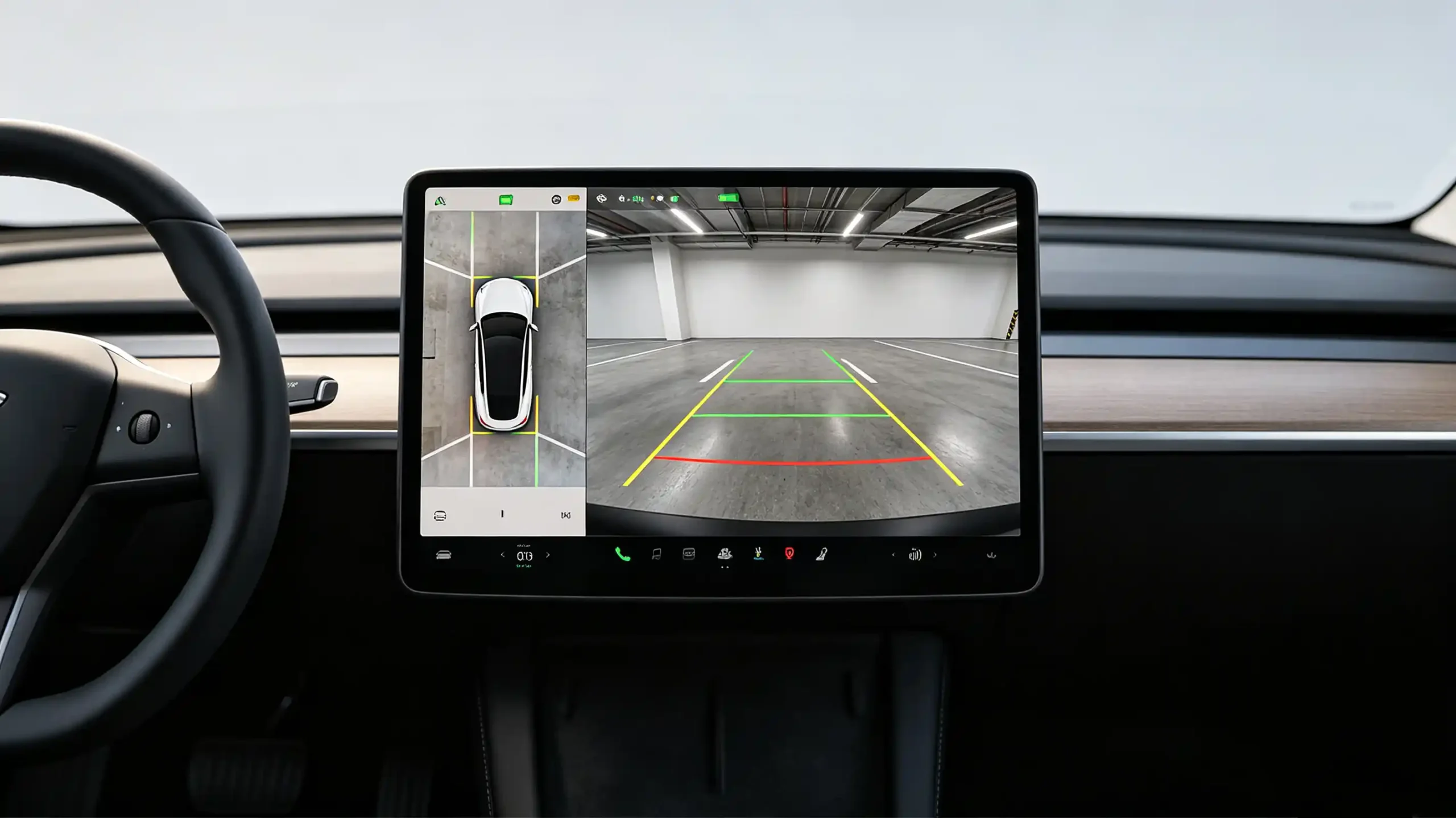
Backup cameras have gone from an optional upgrade to something customers expect on nearly every head unit sold. For dealers, wholesalers, and importers, that shift means understanding this hardware well enough to source it correctly. Camera type, signal format, wiring, and head-unit compatibility all affect whether the finished installation works the way a customer expects.
This guide covers how backup cameras work. It also covers what to evaluate before placing a bulk order. For a full view of all hardware decisions, see our car stereo hardware components overview.
What Is a Backup Camera? Definition and Core Vehicle-Safety Purpose
Definition
A backup camera — also called a reverse camera or rear-view camera — is a video camera mounted at the rear of the vehicle. It displays the area behind the vehicle on the head unit screen when the vehicle shifts into reverse.
Core Function
Its core function is safety. It gives the driver a clear view of obstacles, pedestrians, and other vehicles in an area mirrors alone cannot fully cover. This meaningfully reduces the risk of backing accidents.
Regulatory Impact
Regulatory mandates in markets like the US and EU have made backup cameras standard on new vehicles. This has pushed expectations across the aftermarket too.
Commercial Reality
Backup cameras are close to a must-have accessory on aftermarket head units now. Customers expect the feature. Units without it read as incomplete.
They are a high-volume accessory category for dealers and wholesalers. Bundling a camera with a head unit is a straightforward way to increase average order value.
Demand is not limited to new-vehicle buyers. Plenty of older vehicles get retrofitted specifically for this feature.
How a Backup Camera Works: End-to-End Video Signal Flow
Five Stages
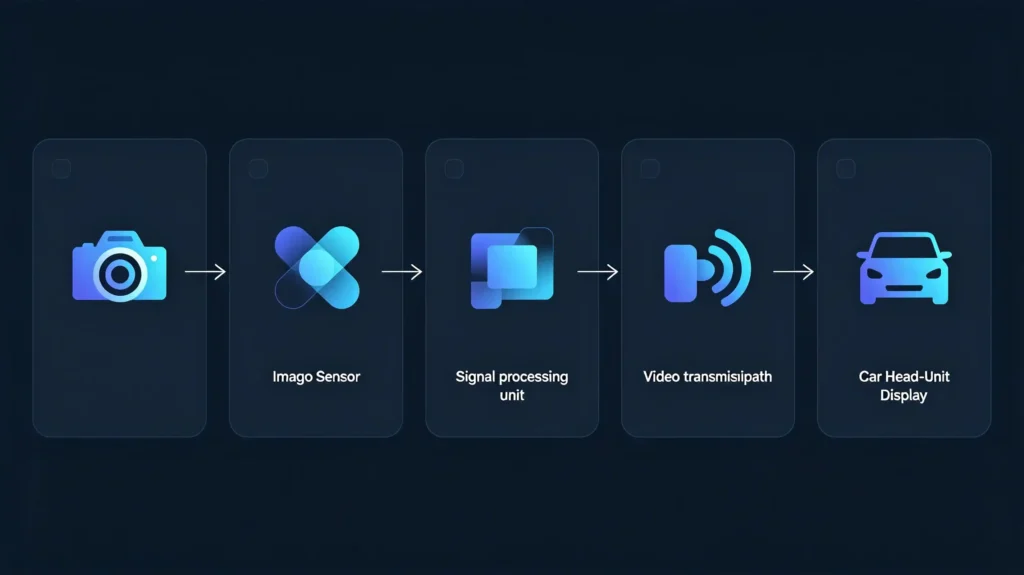
The path from the camera lens to the screen runs through five stages.
Stage 1: Image Capture
The camera lens captures the rear-view scene. An image sensor (CMOS or CCD) converts light into an electronic signal.
Stage 2: Signal Processing
The camera module adjusts brightness, contrast, and white balance on the raw signal.
Stage 3: Video Signal Transmission
The processed video travels to the head unit. This happens over an analog connection (CVBS/composite) or a digital one (LVDS, AHD).
Stage 4: Trigger Activation
Shifting into reverse sends a trigger signal. This typically comes through the reverse light circuit or CAN bus. It tells the head unit to switch to the camera feed. For foundational context on CAN bus, see our what is CAN BUS guide.
Stage 5: Display Rendering
The head unit receives and displays the video. Sometimes it adds overlays like parking guidelines or distance warnings.
Core Hardware
The core hardware involved is the camera module, the video cable, the trigger wire, and a head unit with a compatible camera input.
Why Understanding This Matters
Understanding this chain matters practically. When a camera does not work after installation, the fault usually traces back to one specific stage. This makes diagnosis considerably faster.
Main Backup Camera Types and Form-Factor Comparison
License Plate Mount
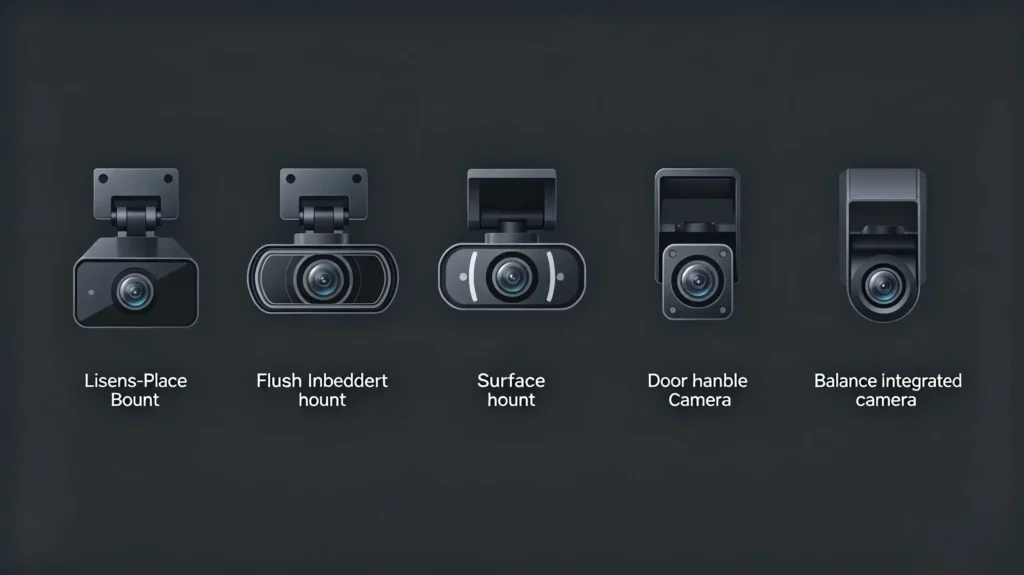
License plate mount cameras attach to the license plate bracket. They offer universal fit and straightforward installation. They are by far the most common aftermarket type.
Flush Mount
Flush mount cameras sit flush with the vehicle body through a drilled hole. They give a cleaner, more vehicle-specific appearance.
Surface Mount
Surface mount cameras attach directly to a bumper or trunk surface. They offer a compact option where flush or license plate mounting is not practical.
OEM Replacement
OEM replacement cameras install in the factory camera location. This is usually the trunk lid or tailgate. They deliver the best integration since they are built for a specific vehicle.
Handle Mount
Handle mount cameras fit into the tailgate handle assembly. They are common on SUVs and trucks. They give a factory-like finish.
Inventory Planning
For inventory planning, universal types — particularly license plate mount — represent the higher-volume category. Vehicle-specific types like OEM replacement and flush mount serve customers looking for a more integrated result.
Connect Backup Camera: Connection Methods and Vehicle-System Matching
RCA (Composite Video)
RCA is the most common analog connection method. The familiar yellow RCA connector is used. It is supported by most aftermarket head units on the market.
AHD (Analog High Definition)
AHD delivers higher-resolution video than standard composite. It requires a head unit built with AHD input support.
LVDS (Low-Voltage Differential Signaling)
LVDS is a digital connection. It is used in OEM and higher-end aftermarket systems. It demands specific head-unit compatibility.
Wireless (Wi-Fi)
Wireless camera connections exist too. They are less common. They can introduce latency or interference. They are a poor fit for high-volume commercial sourcing.
Trigger Method
Alongside the video connection, the trigger method matters just as much. A 12V signal from the reverse light circuit or a CAN bus signal tells the head unit when to switch to the camera feed.
Before Sourcing
Confirm the head unit has a compatible camera input. Options include RCA, AHD, or LVDS. Also confirm it supports the trigger method you are planning to use. For guidance on choosing the right head unit, see our how to choose an Android head unit guide.
Backup Camera Wiring: Video-Signal Specifications and Wiring Requirements
Video Signal Standards
Video signal standards break down into three tiers.
Composite (CVBS) — the standard analog format. Supports resolution up to 480p. Remains the most common choice across the aftermarket.
AHD — steps up to 720p or 1080p. Offers noticeably better image quality. Only works with a compatible head unit.
LVDS — a digital format. Delivers the highest image quality. Generally reserved for premium OEM-level systems.
Power Requirements
Power comes from a stable 12V DC source. This is typically the reverse light circuit or a constant-power line paired with a separate trigger. Instability here is a common cause of image flicker.
Cable Quality
The video cable needs to be shielded. This prevents electromagnetic interference from the vehicle’s electrical system. Unshielded cables introduce visible noise.
Cable Length
Longer cable runs can degrade signal quality. Cameras with built-in signal amplifiers are worth considering for longer installations.
Most Frequent Wiring Problems
The most frequent wiring problems in the field are:
- Poor ground connections causing flickering
- Loose connections causing an intermittent signal
- Unshielded cabling introducing noise
- Incorrect polarity resulting in no power at all
Key Backup Camera Specifications and Compatibility Factors
Image Sensor Type
A handful of specifications separate a reliable camera from one that generates after-sales complaints. Image sensor type matters first. CMOS is the aftermarket standard with decent low-light performance. CCD offers better low-light results at a higher cost.
Resolution
Resolution should sit at 720p (HD) as a baseline. 1080p (FHD) is available for buyers targeting a premium positioning. The head unit needs to support the higher resolution for it to matter.
Night Vision
Night vision is essential. This is typically through infrared LEDs or strong low-light sensitivity. Verify it directly during sample testing. Do not trust a spec sheet claim alone.
Waterproof Rating
Waterproof rating is non-negotiable for exterior-mounted hardware. IP67 (dust-tight, waterproof to one meter) should be treated as the minimum standard. IP68 is available for buyers needing extra protection.
Viewing Angle
Viewing angle typically runs 120 to 170 degrees. Wider coverage helps visibility. But it can introduce fish-eye distortion at the extremes.
Parking Guidelines
Parking guideline overlays come in dynamic (moving with steering angle) or static (fixed) formats. Dynamic guidelines are generally positioned as a premium feature.
Compatibility Check
Whatever the specification profile, confirm the camera’s video input and trigger method actually match the target head unit. Do this before finalizing an order. For more on display technology, see our IPS vs QLED display technology guide.
B2B Selection Considerations for Vehicle-Integration Projects
Target Vehicle Types
Universal cameras (license plate, surface mount) cover broad compatibility. Vehicle-specific cameras suit OEM-level integration.
Head-Unit Compatibility
Confirm the camera’s video input (RCA/AHD/LVDS) and trigger method (wired/CAN bus) match your head unit lineup.
Image Quality
720p minimum. 1080p for premium positioning. Night vision verified directly.
Durability
IP67/IP68 waterproof rating. Temperature range suited to your target market’s climate.
Supplier Verification
Request samples. Test image quality and night vision directly. Confirm IP rating compliance rather than relying on documentation alone.
Quality Control
Prioritize suppliers who can demonstrate automotive-grade quality control. Burn-in aging, temperature testing, and vibration testing are key. These are the checks that catch hardware problems before they reach a customer’s vehicle.
FAQ
What is the difference between analog and digital signal backup cameras for aftermarket bulk-use?
Analog cameras (CVBS, AHD) are simpler and cheaper. They work with most aftermarket head units. AHD offers meaningfully better resolution than standard composite. Digital cameras (LVDS) deliver the highest image quality. They require specific head-unit compatibility. This narrows their practical use mostly to premium or OEM-aligned product lines.
What IP waterproof rating should B2B buyers require for exterior-mounted backup cameras?
IP67 should be treated as the minimum standard for any exterior-mounted camera. It confirms the camera is dust-tight and can withstand brief submersion up to one meter. For buyers targeting markets with heavy rain or frequent car washing, IP68 offers additional protection worth the marginal cost difference.
Why does a backup camera produce flickering or noisy video output in some vehicle installations?
Flickering is most often caused by an unstable power supply or a poor ground connection. Visible noise typically points to an unshielded video cable picking up electromagnetic interference from the vehicle’s electrical system. Loose connectors and incorrect polarity are the other common culprits worth checking first.
Can a backup-camera feed display on a digital gauge cluster instead of the main head-unit screen?
Yes, in vehicles or systems designed to support it. The camera feed can route to a digital instrument cluster in addition to, or instead of, the head unit display. This depends on the vehicle’s architecture. It is more common in newer platforms with digital cluster support than in typical aftermarket retrofits.
Conclusion
Camera type, signal format, and head-unit compatibility all need to line up for a backup camera system to work the way customers expect. Contact our team to discuss your customized requirements. Request a quotation for backup camera-compatible Android head units built around your target market.


