
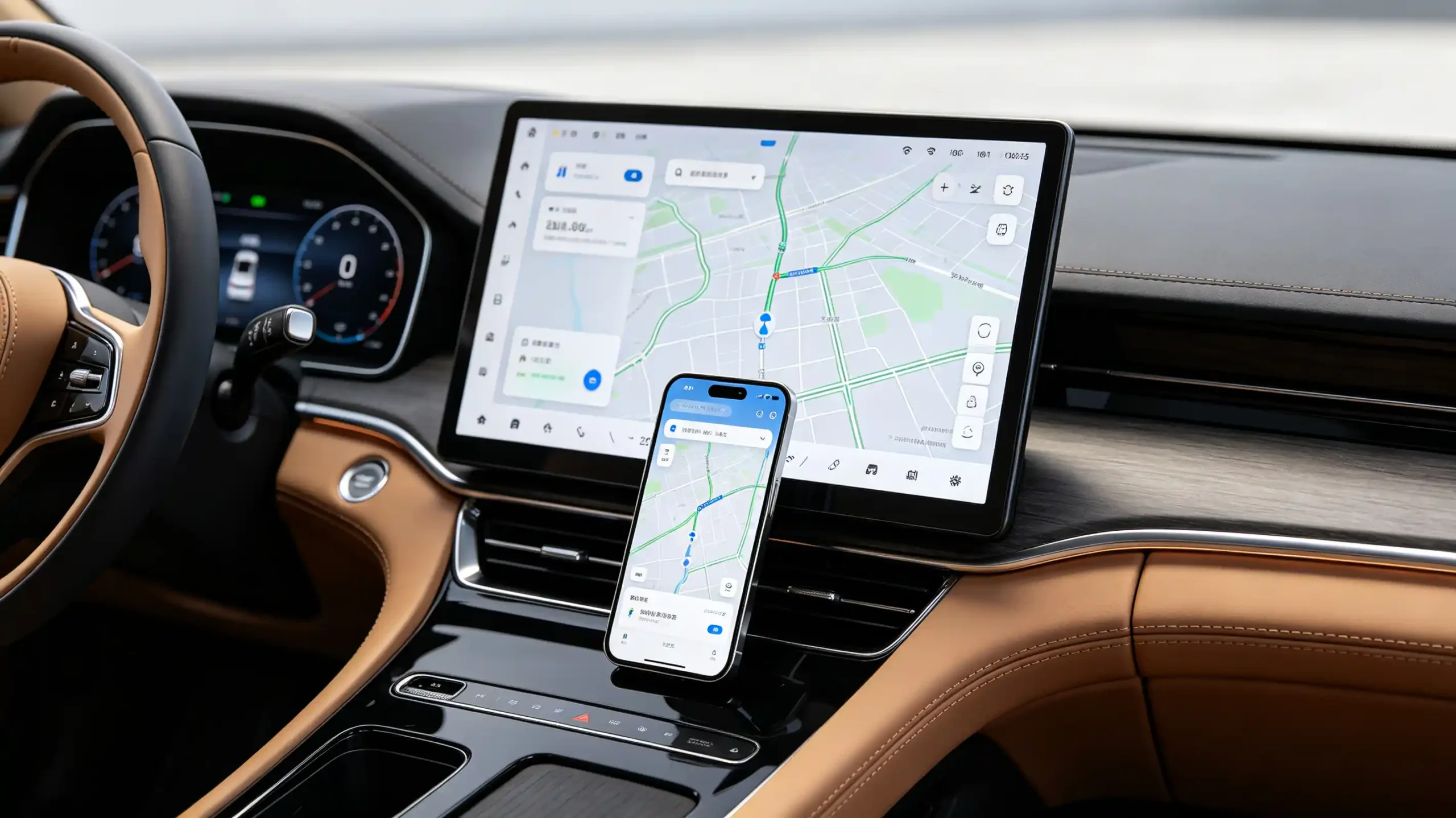
“Wireless mirroring supported” on a spec sheet does not tell a buyer whether that mirroring will actually be usable for navigation. It does not say whether the driver can control anything from the head unit’s touchscreen. It does not even confirm it works with the phone models their customers carry.
Wireless screen mirroring in car infotainment covers a wide range of actual implementation quality. The gap between “connects successfully” and “delivers a usable experience” is exactly where after-sales complaints tend to originate. For dealers, wholesalers, and infotainment sourcing teams, understanding how mirroring actually works — and where it commonly falls short — matters more than a checkbox claim.
This guide covers the mechanics. It covers the connectivity and compatibility requirements. It also covers what to verify before sourcing at volume.
Wireless Screen Mirroring – Core Definition for Car Infotainment
What Is Wireless Screen Mirroring?
Wireless screen mirroring is a feature that replicates a smartphone’s screen content — apps, navigation, media — onto the vehicle’s infotainment display without a physical cable connection. Its core function is straightforward. It lets drivers and passengers view, and in some implementations interact with, phone content on the head unit’s larger screen.
Why It Appeals to End Users
The appeal is easy to understand from an end-user’s perspective. No cable to plug in. A bigger display than the phone itself offers. Access to familiar phone apps like navigation, media, and messaging directly from the car screen.
The Business Risk
The business risk shows up when implementation is only partial. Mirroring can fail outright for certain phone models. Latency can be high enough to make navigation casting genuinely unusable. Missing touch control can leave the driver with a screen they can look at but not interact with. All of that tends to surface later as after-sales support calls and returns rather than at the point of sale.
What to Verify
For B2B buyers, the practical takeaway is to verify actual mirroring capability against specific phone models and use cases. Do not accept a general “mirroring supported” claim at face value.
How Smartphone-to-Car Wireless Screen Mirroring Operates
The End-to-End Process
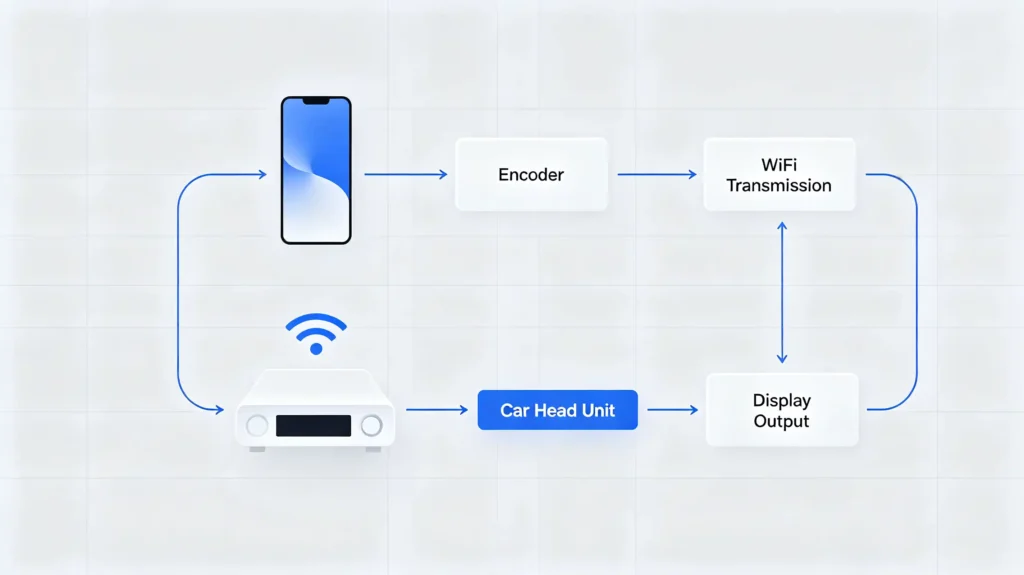
The end-to-end process runs through a consistent sequence regardless of which specific protocol is involved.
Step 1: Screen Capture
The smartphone captures its own screen content as a stream of video frames.
Step 2: Video Encoding
The phone encodes that video stream so it can be transmitted wirelessly.
Step 3: Wireless Transmission
The encoded stream travels to the head unit over Wi-Fi. This typically uses Wi-Fi Direct or a Miracast-based connection.
Step 4: Video Decoding
The head unit decodes the incoming video stream.
Step 5: Display Rendering
The decoded video renders on the infotainment display.
Step 6: Touch Input (If Supported)
In implementations that support it, a sixth step sends touch input from the head unit’s screen back to the phone. This allows genuine bidirectional control rather than a passive video feed.
The Signal Flow
The overall signal flow runs from phone to Wi-Fi transmission to head unit to display.
What the Pipeline Requires
The commercial point worth understanding is that this entire pipeline needs sufficient processing power on both ends. Encoding on the phone. Decoding on the head unit. Plus a genuinely stable wireless connection between them. A weak link anywhere in that chain shows up directly as lag, dropped frames, or a connection that does not hold.
Wireless Connectivity Technologies and Functional Requirements
Wi-Fi Is the Primary Transport
Wi-Fi is the primary transport for wireless mirroring. It typically takes one of two closely related forms.
Miracast
Miracast, built on Wi-Fi Direct, establishes a peer-to-peer connection directly between phone and head unit without needing a router in between.
Dual-Band Wi-Fi
Dual-band Wi-Fi, specifically the 5GHz band where supported, delivers higher throughput and lower latency than 2.4GHz. This matters directly for how smooth the mirrored video feels.
Bluetooth Is Not Suitable
Bluetooth, by contrast, simply is not suitable for this job. Its available bandwidth falls well short of what a real-time video stream requires. Screen mirroring video cannot run over a Bluetooth connection regardless of what other Bluetooth features a unit supports. For more on Bluetooth profiles, see our Android head unit Bluetooth profiles guide.
Hardware Requirements
On the hardware side, the head unit needs a Wi-Fi chip that actually supports Miracast or Wi-Fi Direct. It needs sufficient processor capability to handle video decoding without lag. It needs a display capable of rendering the mirrored content cleanly.
Firmware Requirements
Firmware has to support the specific mirroring protocol in use as well. Some units require a dedicated mirroring app rather than having the capability built directly into the system.
The Commercial Takeaway
The commercial takeaway is straightforward. Wi-Fi capability is essential for wireless mirroring. Bluetooth support alone never substitutes for it.
Smartphone and Head-Unit Compatibility Factors for Mirroring
Mobile OS Variance
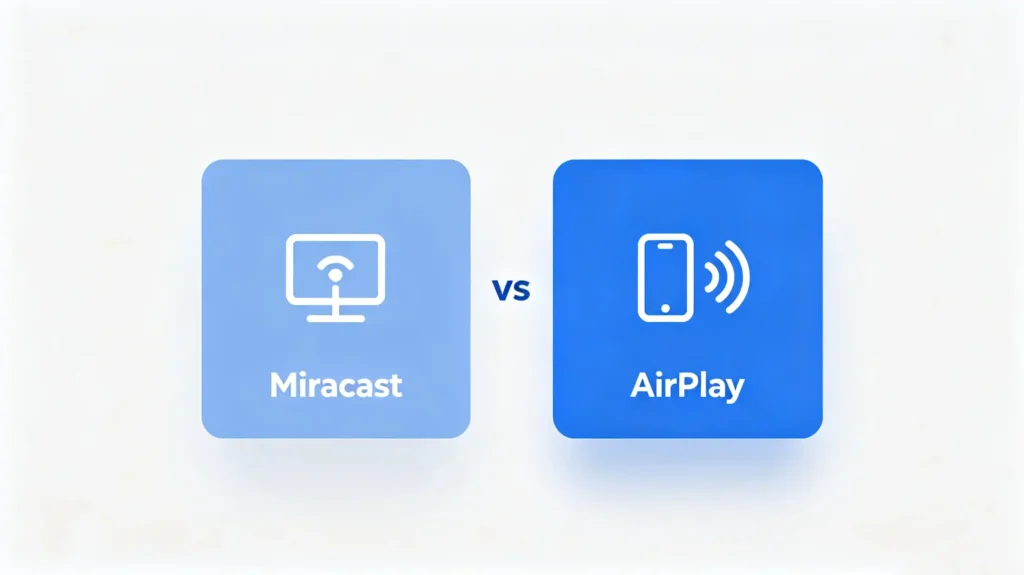
Compatibility issues in wireless mirroring trace back to a handful of recurring sources. Mobile OS variance is the biggest one. Miracast support on Android varies by phone manufacturer and Android version. iOS relies on AirPlay, Apple’s own proprietary mirroring protocol, which is not Miracast-compatible at all. Even within the same OS family, different version releases can implement mirroring protocols with their own quirks.
Head-Unit Firmware Support
Head-unit firmware has to support whichever protocol the phone actually uses. Some units are built to support Android-based mirroring only, without any path for iOS devices. Firmware updates can shift this picture too, sometimes adding support and occasionally removing it.
Protocol Implementation Differences
Protocol implementation itself is not perfectly uniform either. Miracast behaves somewhat differently across phone brands. AirPlay support requires its own separate licensing and implementation work. Cross-OS support sometimes depends on a third-party mirroring app rather than a native protocol handling everything directly.
What to Verify
Given this range of variables, buyers should verify mirroring compatibility against the specific phone models and OS versions their target customers actually use. Do not assume broad compatibility from a general “mirroring supported” claim. For more on connectivity, see our smartphone integration in vehicles guide.
Supported Content and User-Interaction Capabilities
Content Types
What actually mirrors, and how much control the driver has over it, varies meaningfully between implementations. Content types commonly supported include navigation apps, media apps, photos, videos, presentations, and general phone UI like the home screen and installed apps. Some systems restrict video streaming apps while the vehicle is in motion for safety reasons.
One-Way Casting vs Bidirectional Mirroring
The bigger functional distinction is between one-way casting and bidirectional mirroring. One-way cast simply displays the phone’s screen on the head unit as a video feed. No touch input is accepted from the car screen. There is no way to control the content from there. Bidirectional mirroring goes further, sending touch input from the head unit back to the phone so the driver can actually interact with what is displayed. But this requires additional hardware and firmware support beyond basic video display. It is not guaranteed just because a unit can show a mirrored screen.
Practical Limitations
A couple of practical limitations apply broadly. Many systems deliberately disable or restrict mirroring while the vehicle is being driven as a safety measure. DRM-protected content, such as certain streaming video, may not mirror at all regardless of the underlying protocol’s general capability.
What to Confirm
For B2B buyers, confirming whether a unit supports genuine bidirectional touch control — not just passive display — is worth verifying directly rather than assuming from the word “mirroring” alone.
Performance Factors: Latency, Frame Rate and Connection Stability
Latency
Even with compatible protocols and hardware in place, real-world mirroring performance depends on several environmental and technical factors. Latency accumulates across three points in the pipeline. Encoding and decoding delay. Wireless transmission delay. Display rendering delay. All three add up to the total lag a driver actually experiences.
Frame Rate
Frame rate is a related but distinct factor. A lower frame rate produces visibly choppy video. A higher one looks smoother but demands more bandwidth to sustain.
Wireless Interference
Wireless interference is a real constraint inside a vehicle specifically. The metal cabin affects Wi-Fi signal propagation. Other wireless devices — Bluetooth accessories, other Wi-Fi traffic — can interfere with the mirroring connection. The 2.4GHz band tends to be more congested than 5GHz in practice.
Connection Stability
Connection stability adds a further layer. It is shaped by signal strength fluctuations, bandwidth sharing with other connected clients, and firmware bugs that can cause unexpected disconnections.
Real-World Impact
The real-world impact of all this is concrete. Latency above roughly 200 milliseconds makes navigation casting genuinely impractical to use. Frame drops produce visibly choppy video. Outright connection drops interrupt the mirrored session entirely. Performance here depends on hardware, firmware, and the vehicle’s physical environment working together. This is exactly why a spec sheet claim does not substitute for real-world testing. For more on Wi-Fi performance, see our Android head unit Wi-Fi guide.
B2B Evaluation Considerations for Wireless Screen-Mirroring Capabilities
Sourcing Checklist
Turning this into a sourcing checklist, buyers should verify seven things before finalizing an order.
- Mirroring protocols — which ones are actually supported (Miracast, AirPlay, or others)
- OS compatibility — confirming whether Android, iOS, or both are supported
- Bidirectional touch control — whether it is genuinely implemented or the unit only offers one-way casting
- Real-world latency — tested specifically for navigation and video use cases
- Frame rate and video smoothness — under actual use
- Connection stability — tested over an extended session rather than a brief demo
- Sample testing — direct testing with multiple phone models and OS versions before committing to volume
Best Practice
Requesting documented protocol and OS compatibility, and testing with the actual phone models your target customers use, remains the most reliable way to confirm real-world mirroring performance before a bulk order ships.
FAQ
If a datasheet lists “wireless screen mirroring supported,” does it guarantee bidirectional touch control on the car infotainment screen?
No. “Mirroring supported” often refers to one-way video casting. The phone’s screen displays on the head unit, but the touchscreen accepts no input back to the phone. Genuine bidirectional touch control requires additional hardware and firmware support beyond basic display capability. It is not implied automatically by a general mirroring claim. Buyers wanting touch interaction should confirm this specifically rather than assuming it from the word “mirroring” alone.
Why can wireless mirroring connect successfully yet deliver high latency unsuitable for real-time navigation casting?
A successful connection only confirms the wireless link between phone and head unit is established. It says nothing about the encoding, transmission, and decoding delay that determines actual responsiveness. Weak Wi-Fi signal, an underpowered processor on either end, or interference from other wireless devices in the cabin can all push latency high enough that navigation becomes impractical to follow. This happens even while the connection itself remains technically stable and shows no errors.
Can Bluetooth alone support full-video wireless screen mirroring between phone and car head unit?
No. Bluetooth’s available bandwidth is far too limited to carry a real-time video stream, which is what screen mirroring fundamentally requires. Wi-Fi, typically through Wi-Fi Direct or a Miracast-based connection, is the necessary transport for mirroring video. Bluetooth remains useful for other functions like calling and audio streaming. But it cannot substitute for Wi-Fi when it comes to mirroring a phone’s screen.
Why may wireless mirroring work for one mobile operating system but fail completely for another smartphone OS?
Android and iOS use fundamentally different mirroring protocols. Android commonly relies on Miracast. iOS uses Apple’s proprietary AirPlay. The two are not interchangeable. A head unit’s firmware has to specifically support whichever protocol is in use. Many units are built to support only one OS’s mirroring approach. A unit that mirrors flawlessly from an Android phone can fail entirely with an iPhone simply because the underlying protocol is not implemented at all.
Conclusion
Wireless screen mirroring depends on protocol support, OS compatibility, and real-world latency performance holding up together. A basic “mirroring supported” listing does not confirm any of these.


