
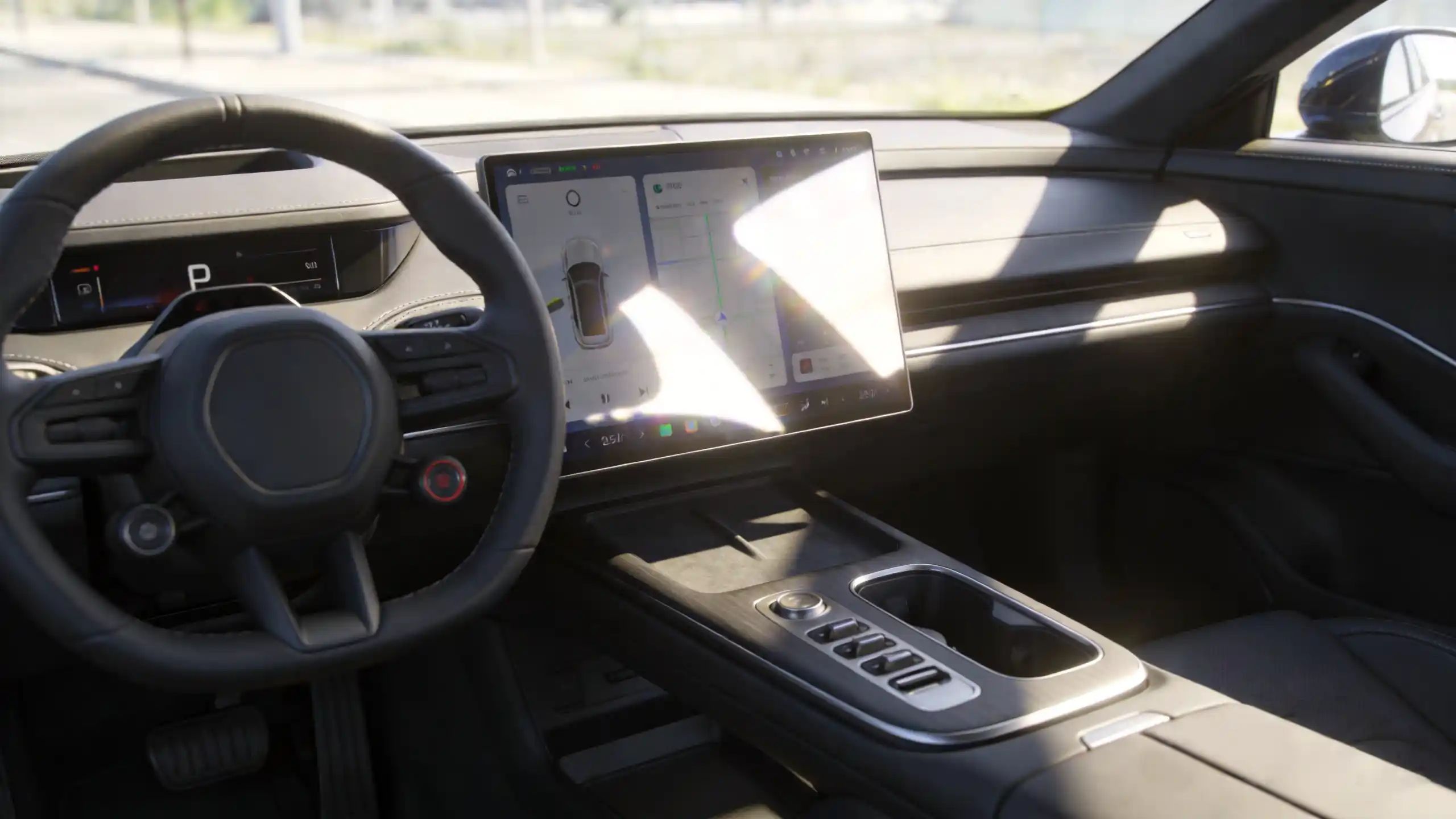
This guide covers the actual technology behind automotive touchscreens. It covers panel types, sensor solutions, interface design, hardware components, and performance standards. It also covers how to evaluate all of it before committing to volume. For a full view of all hardware decisions, see our car stereo hardware components overview.
What Is Automotive Touchscreen Technology? Core Definition & Technical Principles
Core Definition
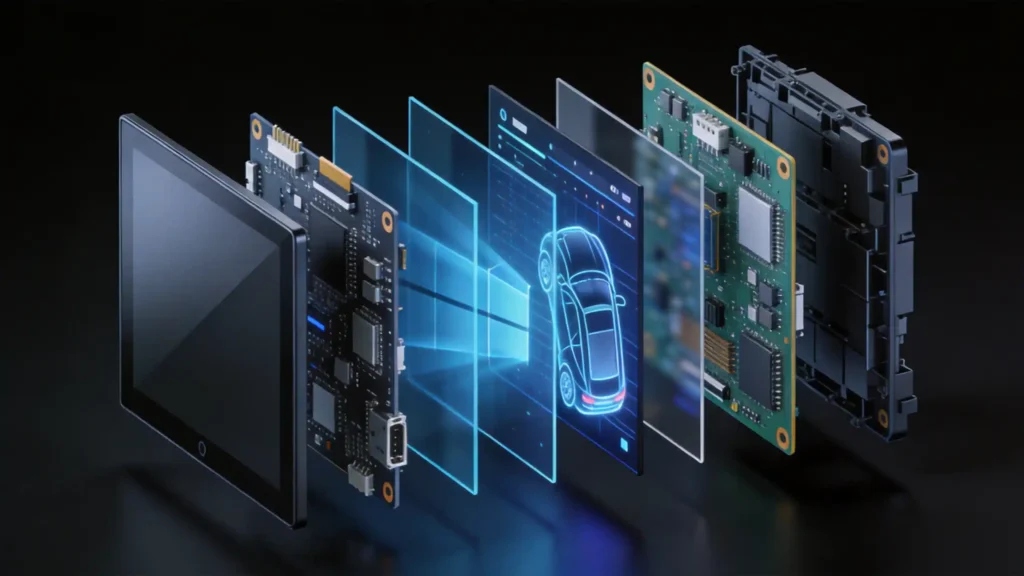
Automotive touchscreen technology is the human-machine interface that combines a display panel with a touch sensor. It lets a driver or passenger actually interact with the system. Touch detection, display output, and controller processing work together as one loop.
The Working Principle
The working principle runs in a straightforward sequence. The touch sensor detects contact, whether a finger or stylus. The controller calculates the exact touch position. It sends those coordinates to the system processor. The processor executes the corresponding action and updates the display. Simple in concept, but the environment it has to run in is anything but.
How Automotive Touchscreens Diverge from Consumer Electronics
That is where automotive touchscreens genuinely diverge from consumer electronics. They need to operate reliably across -40°C to +85°C. They must resist sustained vibration. They need to stay readable in direct sunlight. They must hold up for 10-plus years — well beyond the replacement cycle of a phone or tablet.
Core Characteristics
The core characteristics that follow from those demands:
- Automotive-grade component reliability
- High brightness (400 to 600-plus cd/m² for genuine daylight visibility)
- Anti-glare and anti-reflective coatings
- Ability to register touch through gloves or wet fingers
None of this is a cosmetic upgrade. Touchscreen quality directly shapes end-user satisfaction, product returns, and brand reputation across the wholesale market. The processor driving the touchscreen interface is covered in our best car stereo processor guide.
Automotive Touch Screen Panels: Panel Types & Durability Standards
Two Panel Technologies
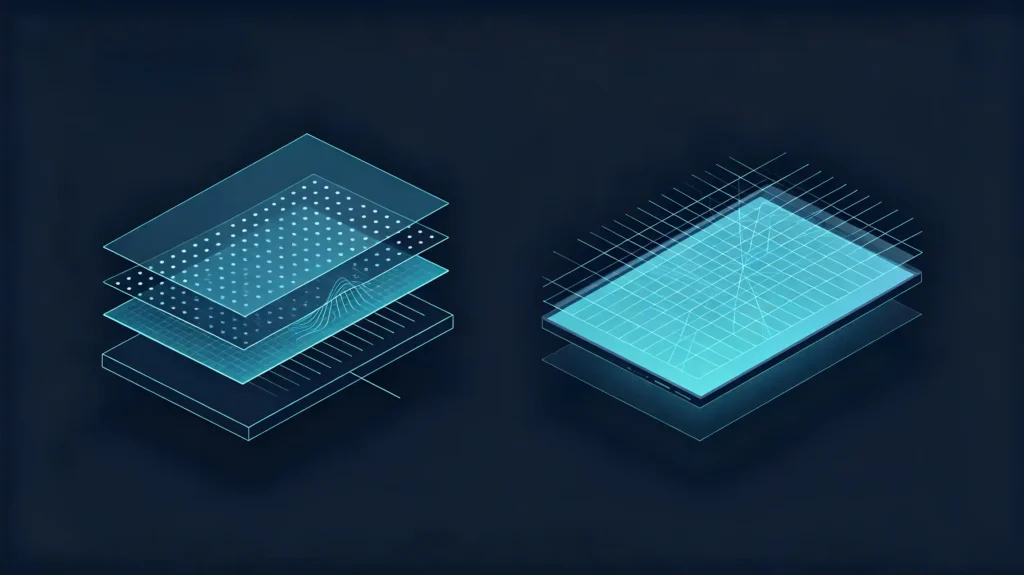
Two panel technologies cover nearly the entire automotive touchscreen market. For a detailed comparison of display panel types, see our IPS vs QLED display technology guide. One has quietly become the default. The other has faded to niche use.
Capacitive Touch
Capacitive touch uses the electrical properties of a human finger to detect contact. It is highly responsive. It supports genuine multi-touch gestures like pinch-to-zoom. It is the industry standard for modern automotive touchscreens for good reason.
Resistive Touch
Resistive touch works differently. It relies on physical pressure to register a touch. It has one real advantage — it works with gloves or a stylus without special tuning. But the lower responsiveness and lack of multi-touch support have pushed it out of most modern premium units.
Optical Bonding
Optical bonding sits on top of either panel type as a manufacturing process. It bonds the cover glass and display panel with optical-grade adhesive. This eliminates the air gap between them. The payoff is real — reduced glare, better brightness and contrast, and protection against internal condensation that a standard air-gap construction is prone to over time.
Durability Standards
Durability standards worth holding any automotive-grade touchscreen to:
- -40°C to +85°C operating range
- Vibration resistance tested to ISO 16750-3
- Scratch resistance at 7H hardness or higher on the glass
- Sunlight readability backed by 400 to 600-plus cd/m² brightness with anti-glare coatings
Car Touch Sensor Solutions: Sensing Technology & Performance Comparison
Sensor Technology Comparison Table
| Sensor Type | Multi-Touch | Glove Operation | Wet-Finger Operation | Environmental Range | Best Use Case |
|---|---|---|---|---|---|
| Projected Capacitive (PCAP) | 10+ points | Supported (specific designs) | Supported (high-sensitivity) | -40°C to +85°C | Modern automotive standard |
| Surface Capacitive | Single-touch only | Limited | Limited | Narrower | Rarely used today |
| Infrared | Varies | Yes | Limited | Sensitive to environment | Rarely used in automotive |
Projected Capacitive (PCAP)
Projected Capacitive (PCAP) has become the default for modern automotive touchscreens for a reason. It offers excellent sensitivity. It provides genuine 10-plus point multi-touch. It supports glove operation when the controller is properly tuned for it. It also functions reliably through a thin protective layer.
Surface Capacitive
Surface Capacitive trails behind on nearly every dimension. It is single-touch only. It has lower sensitivity. It does come in at a lower cost, which is about the only reason it still shows up at all.
Infrared
Infrared sensing detects touch through interrupted beams around the bezel. It sees limited automotive use. Bezel size requirements are a constraint. It is also sensitive to environmental interference.
Performance Benchmarks
On performance specifically, response time under 50ms is the automotive-grade benchmark. PCAP solutions paired with automotive-grade controllers are built to compensate for temperature and humidity variation. They operate across that full -40°C to +85°C range. This is the kind of environmental adaptability the other two sensor types generally cannot match.
Vehicle Touch Interface Design: Usability & Safety-Oriented Layout
Touch Target Size
Touch target size follows an industry standard for a specific reason. A minimum of 15mm × 15mm (roughly 30 to 40 pixels) meaningfully reduces mis-taps. Larger targets are simply easier to hit accurately. This can be done without looking away from the road for long.
Icon and Text Design
Icon and text design follows the same logic. Use simple, recognizable icons. Use clear sans-serif fonts. Maintain high contrast between text and background. All of these support quick reading rather than a careful, sustained look.
Layout Principles
Layout principles place frequently used controls within easy reach. They should be in a driver’s natural field of view. Secondary controls stay accessible without competing for attention or screen space.
Feedback Mechanisms
Feedback mechanisms close the loop on usability. Visual feedback (a button highlight or color change) confirms a touch registered. Optional audio feedback adds a second confirmation channel. Both matter more in a vehicle than they would on a phone. A driver often cannot afford to double-check visually.
The Broader Safety Logic
The broader safety logic threading through all of this:
- Reduce the need for repetitive glances
- Design tasks to be completable within roughly a 2-second glance
- Group related functions so a driver is not hunting across the screen mid-task
This is exactly where automotive UI parts ways with consumer UI. Automotive interfaces prioritize safety and simplicity over visual richness and engagement. Consumer UI is designed to maximize those qualities.
In-Car Touch Display Hardware: Component Composition & Integration
The Five-Component Stack
A touch display module is a stack of five components working together. It is not a single part. Each one is worth understanding on its own before evaluating a finished assembly.
Display Panel
The display panel — LCD, IPS, or QLED — provides the actual visual output. It is characterized by resolution, brightness, contrast, and viewing angle.
Touch Sensor
The touch sensor, capacitive or resistive, is the sensing layer integrated into that stack. It is typically positioned above or below the display panel itself.
Cover Glass
Cover glass protects both from the outside world. It is tempered glass with anti-glare and anti-reflective coatings. It is generally rated 7H hardness or higher for genuine scratch resistance over years of use.
Touch Controller
The touch controller processes raw sensor signals. It communicates touch coordinates to the system processor. Automotive-grade controllers specifically need to support that full -40°C to +85°C operating range without degrading.
Backlight Unit
The backlight unit illuminates LCD panels. Its brightness directly determines daylight visibility. Automotive-grade backlights need both high brightness (400 to 600-plus cd/m²) and a genuinely long service life.
Integration Requirements
Integration requirements tie the whole stack together. Optical bonding eliminates the air gap. Secure mounting provides vibration resistance. EMI shielding protects the automotive electrical environment. Proper thermal management prevents degradation under sustained heat.
Auto Touch Screen Performance: Key Evaluation Metrics & Testing Standards
Response Time
Response time — the gap between touch and system reaction — has a clear automotive-grade target: under 50ms. Anything slower causes real frustration. It also pulls in more visual attention than the interaction actually warranted.
Touch Accuracy
Touch accuracy is the precision between where a finger actually lands and where the system registers it. Automotive-grade panels generally target around ±1mm.
Optical Clarity
Optical clarity covers the transparency of the entire touch stack. This includes cover glass, touch sensor, and optical bonding together. It directly affects readability, particularly in bright sunlight where a hazy stack becomes genuinely hard to read.
Glare Resistance
Glare resistance is delivered through anti-glare and anti-reflective coatings. It reduces reflections and improves visibility in bright conditions specifically. This matters as much for driver safety as for comfort.
Relevant Testing Standards
The relevant testing standards worth knowing:
- AEC-Q100 for automotive electronics reliability
- ISO 16750 for environmental testing (temperature, vibration, humidity)
- IATF 16949 for automotive quality management
- CE, FCC, RoHS for general export compliance
Practical Advice
The practical advice across all of this: request actual test reports from a supplier. Do not settle for a compliance claim on a company profile.
B2B Sourcing Guide: Touchscreen Evaluation & Risk Avoidance
Five Evaluation Dimensions
Five evaluation dimensions cover what actually matters in bulk touchscreen sourcing.
1. Durability Verification
Request AEC-Q100 and ISO 16750 test reports. Confirm temperature, vibration, and humidity testing was genuinely conducted.
2. Touch Responsiveness
Test directly during sample evaluation. Check response time, multi-touch support, and glove or wet-finger operation. Do not assume from a spec sheet.
3. Optical Quality
Assess brightness, contrast, glare resistance, and viewing angles under different lighting conditions. Test in direct sunlight, not just indoor showroom lighting.
4. Optical Bonding Confirmation
Confirm whether a display actually uses optical bonding. It offers glare-reduction and durability advantages. Air-gap construction is inferior and prone to condensation over time.
5. Supplier Capability
In-house display integration and testing capability generally signals stronger quality control. This is better than a supplier reselling third-party assemblies. For audio hardware evaluation alongside touchscreen sourcing, see our DSP amplifier in car stereo guide.
Recurring Risks to Watch
The recurring risks worth watching for:
- Non-automotive-grade panels failing in extreme temperatures
- Delamination in humid environments
- Poor touch responsiveness
- Glare issues that only show up once a unit is actually in daily use
Practical Sourcing Advice
Request samples. Test them under simulated vehicle conditions — sunlight, heat, cold. Verify test documentation directly before committing to volume.
FAQ
What is the difference between automotive-grade and consumer-grade touchscreens?
Automotive-grade panels are built and tested for a much wider operating temperature range (-40°C to +85°C). They offer genuine vibration resistance. They have a service life running 10-plus years. Consumer-grade panels, often adapted from phones or tablets, are not designed to handle any of these conditions. Consumer-grade components may perform well initially. But they carry meaningfully higher risk of failure once exposed to sustained heat, cold, and road vibration.
Which touch sensor type performs best in automotive environments?
Projected Capacitive (PCAP) paired with an automotive-grade controller performs best across both dimensions. It supports reliable operation from -40°C to +85°C. It offers strong multi-touch and glove operation. Surface capacitive and infrared solutions generally trail on environmental adaptability. They are rarely used in current automotive applications for exactly that reason.
What certifications should I look for in an automotive touchscreen?
AEC-Q100 covers automotive electronics reliability broadly. ISO 16750 addresses environmental testing specifically — temperature, vibration, and humidity. IATF 16949 covers automotive quality management systems. CE, FCC, and RoHS handle general export compliance. Request actual test reports from any supplier. Do not accept a general compliance statement before committing to a bulk order.
Can automotive touchscreens work with gloves or wet fingers?
Yes, with the right controller tuning. High-sensitivity PCAP solutions specifically designed for automotive use can register touch through gloves and wet fingers. Both are common scenarios in real vehicle use. This is not universal across every capacitive touchscreen, though. Confirm this specific capability with a supplier. Test it directly on samples. Do not assume standard capacitive touch covers it.
What are the most common automotive touchscreen failure modes?
Delamination — separation between the display layers, often from heat or humidity exposure — is a common failure. Unresponsive touch in extreme temperatures is another. Glare issues in direct sunlight are also frequent. All three are largely preventable by verifying automotive-grade component certification. Request genuine environmental test documentation before bulk production. Do not discover them after units are already in customers’ vehicles.
Conclusion
Automotive touchscreen technology has to survive conditions consumer electronics were never built for. These include extreme temperatures, sustained vibration, direct sunlight, and a decade or more of daily use. Understanding panel types, sensor solutions, interface design, and the hardware stack underneath is what turns touchscreen sourcing from a spec-sheet guess into an actual evaluation. Verifying real test documentation before a bulk order is what keeps that evaluation from becoming an after-sales problem.


