
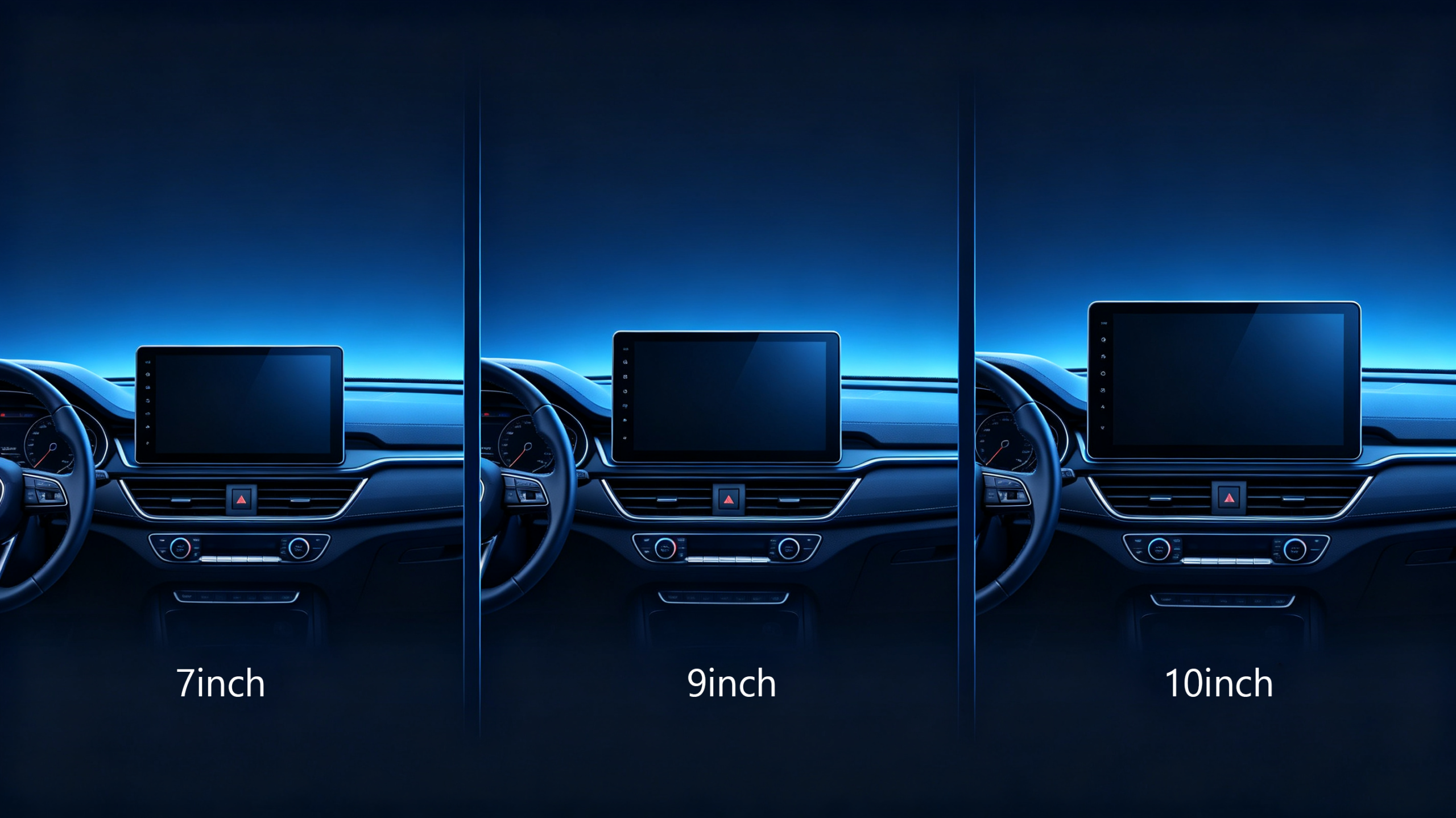
Screen size sounds like the simplest spec on a car navigation system’s datasheet. That is until a shipment arrives. The “9-inch” unit does not fit the dashboard opening the customer expected. For dealers, wholesalers, and automakers sourcing head units across different vehicle types and markets, screen size decisions carry real consequences. Fitment, customer satisfaction, and return rates are all affected.
This guide covers how navigation screen size is actually measured. It covers how the mainstream sizes compare. It also covers what B2B buyers should verify before locking in a spec. For a full view of all hardware decisions, see our car stereo hardware components overview.
Car Navigation Screen Size – Definition & Measurement Basics
How Screen Size Is Measured
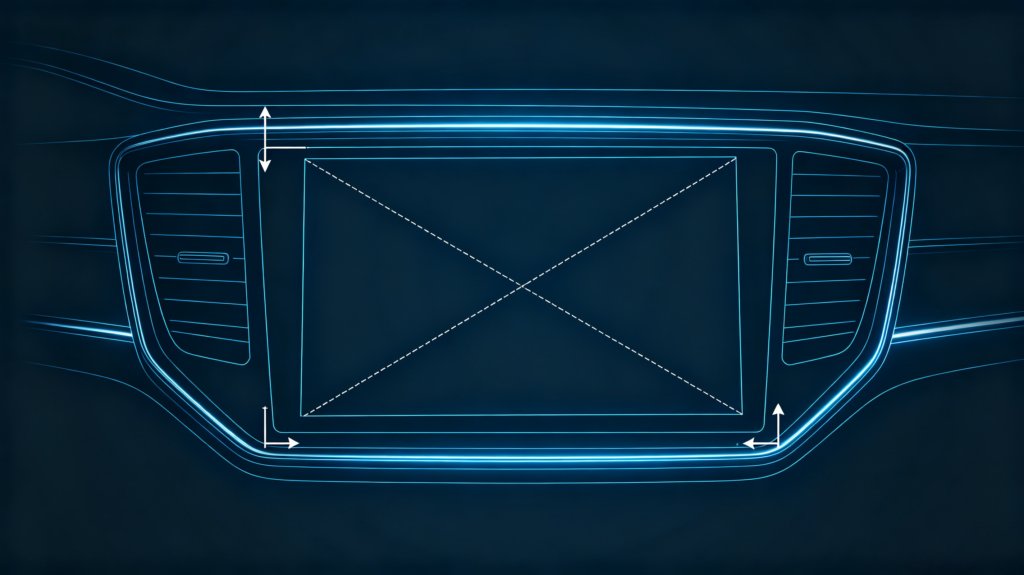
Screen size on a car navigation display refers to the diagonal measurement of the active display area. It is taken from one corner to the opposite corner. It is expressed in inches — 7-inch, 9-inch, 10.1-inch, and so on. This is measured diagonally rather than by width times height. This is standard across the display industry. It is not something specific to automotive electronics.
Active Area vs Physical Panel
It is worth separating two things that often get confused. The active area is the display surface itself. The physical panel includes the surrounding bezel and housing. A 10.1-inch active display can sit inside housings of very different overall dimensions. This depends on bezel design and mounting style.
Why This Distinction Matters Commercially
This distinction matters commercially. A buyer who only checks the advertised screen size and skips the housing dimensions risks a dashboard fitment failure once the unit arrives. This is a costly mistake at container-load volume. Map readability, touch target size, and overall user experience all scale with active display area. But only the physical housing determines whether the unit actually fits the target vehicle.
Mainstream Car Navigation Screen Sizes: 7-inch, 9-inch, 10.1-inch
Three Dominant Sizes
Three sizes dominate the current aftermarket. Each tends to show up in different vehicle categories and price points.
7-Inch
7-inch is the most common size in aftermarket head units. It fits standard Double DIN dashboard openings without modification. It offers a practical balance between visibility and vehicle compatibility. This size suits compact cars, standard sedans, and entry-level upgrade projects. Fitment simplicity matters more than screen real estate in these cases.
9-Inch
9-inch displays step up in viewing area. They typically use a floating or larger-bezel design. They do not sit flush in a standard opening. They improve map readability and media viewing. But they may require a larger dash opening or a floating mount bracket. This size fits well with mid-size vehicles, SUV upgrades, and premium aftermarket positioning.
10.1-Inch
10.1-inch is the largest size in common aftermarket use. It delivers the strongest map readability and media experience of the three. It almost always uses a floating-screen design that sits proud of the dashboard. It does not sit recessed into it. This size targets larger vehicles — SUVs, trucks, RVs — and premium 4S dealership upgrade programs.
The Broader Trend
The broader trend across the aftermarket has been toward larger screens. But “bigger” only helps when the dashboard and the target customer actually support it. This is where the next two sections come in. For more on display technology, see our IPS vs QLED display technology guide.
Screen Size Comparison: Viewing Area, Readability and On-Screen Usability
The Jump Is Not Linear
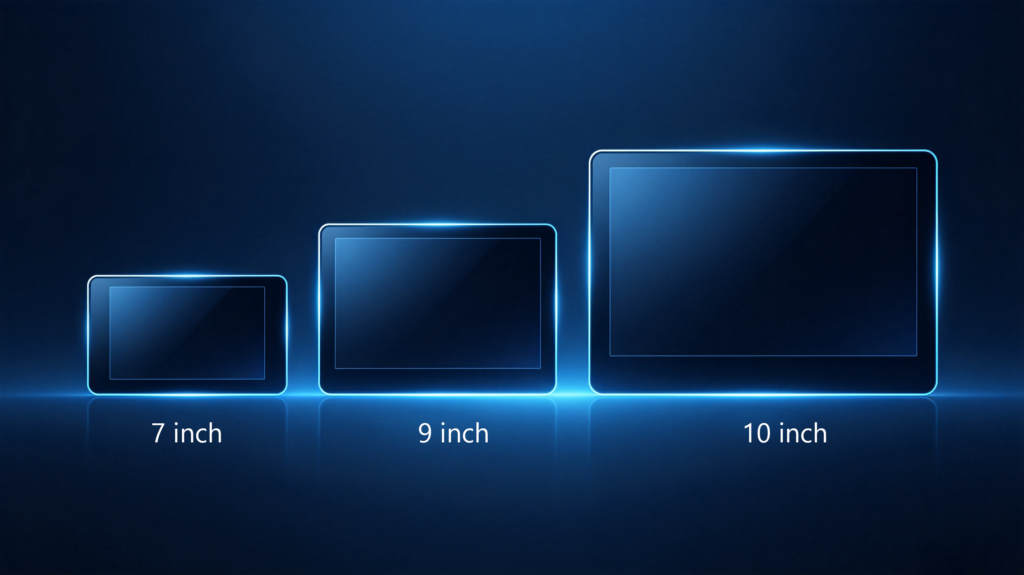
The jump between these three sizes is not linear. The difference in usable screen real estate is bigger than the inch counts suggest.
| Screen Size | Approx. Viewing Area | Area vs 7-inch | Typical Strength |
|---|---|---|---|
| 7-inch | ~26 sq in (6.8″ × 3.8″) | Baseline | Compact fitment, cost-efficient |
| 9-inch | ~43 sq in (8.7″ × 4.9″) | +65% | Balanced map + media view |
| 10.1-inch | ~54 sq in (9.8″ × 5.5″) | +108% | Maximum readability, split-screen use |
Practical Usability
A 9-inch screen offers roughly 65% more viewing area than a 7-inch panel. A 10.1-inch screen more than doubles it. That extra area translates directly into practical usability. More road segments visible at once on the map. Less need to zoom and pan while navigating complex interchanges. Larger touch targets that are easier to hit accurately while driving. Larger screens also make split-screen layouts genuinely usable. Map on one side, media or ETA information on the other — these become practical rather than cramped.
The Trade-Off
The trade-off is straightforward. None of this benefit matters if the dashboard does not have room for it. This is the constraint buyers need to check before choosing a larger display.
Dashboard Space and Vehicle-Compatibility Constraints for Navigation Screens
Physical Accommodation
Screen size selection is ultimately bounded by what the vehicle’s dashboard can physically accommodate.
Double DIN Openings
A standard Double DIN opening is designed around 7-inch screens. Some 9-inch and 10.1-inch units are built on Double DIN chassis. But they ship with larger bezels. Checking the full physical housing dimensions is essential before specifying a fitment. Do not rely on the advertised screen size alone.
Floating-Screen Designs
Floating-screen designs solve part of this problem. The display sits on a stand proud of the dashboard. This allows for a larger screen without requiring a larger cut into the dash itself. That approach still needs enough flat dashboard space to mount the stand or base securely.
Vehicle-Specific Dash Openings
Vehicle-specific dash openings add another layer of complexity. Universal Double DIN remains the most common configuration across compact and mid-size vehicles. But certain models require dedicated fitment kits regardless of screen size.
Dashboard Depth
Dashboard depth is equally important and often overlooked. The head unit’s housing has to fit within the dashboard cavity. Larger screens frequently come with deeper housings to accommodate the additional electronics.
Navigation Screen Size versus Resolution and Overall Display Quality
Independent Specifications
Screen size and resolution are independent specifications. Conflating them is one of the more common sourcing mistakes in this category. A 10.1-inch screen running HD resolution (1280×720) actually has lower pixel density than a 7-inch screen running FHD (1920×1080). Stretch a lower resolution across a larger panel and the image looks noticeably softer or pixelated. Pack a high resolution into a smaller panel and the result is sharp and crisp.
Pixel Density (PPI)
The metric that ties these together is pixel density, or PPI (pixels per inch). It is calculated as resolution divided by screen size. Higher PPI means sharper text and cleaner map rendering. This matters more as screen size increases.
Beyond Resolution
Beyond resolution, overall display quality depends on other factors. Panel type — IPS panels are common in this category for their consistent color and wide viewing angles. Brightness for outdoor visibility in direct sunlight. Contrast for readability.
Practical Guideline
As a practical guideline, screens at 9-inch and above generally need FHD resolution. This maintains acceptable sharpness. Pairing a large panel with a lower-resolution source tends to undercut the visual benefit that a bigger screen is supposed to deliver. For more on resolution, see our car stereo display resolution guide.
Key Factors Influencing Navigation Screen-Size Selection
Weighing Multiple Factors
Choosing the right screen size for a project comes down to weighing several factors together. Do not simply pick the largest option available.
- Dashboard compatibility — confirm the vehicle’s dash opening and depth before specifying a size
- Vehicle type — compact cars generally pair with 7-inch; SUVs and trucks have room for 9-inch or 10.1-inch
- Target market expectations — some markets lean toward larger screens; others prioritize compatibility and cost
- Use case — navigation-heavy applications benefit from a larger display; audio-focused builds may not need one
- Budget — larger screens carry a higher unit cost
- Resolution quality — match resolution to screen size so larger panels do not look soft
- Brand positioning — a larger screen often signals a premium tier within a product lineup
Working Together
None of these factors work in isolation. A 10.1-inch screen might be the technically superior choice for readability. But it is the wrong choice for a cost-sensitive market or a vehicle with a shallow dashboard cavity.
B2B Practical Considerations for Different Vehicle Types and Target Markets
By Vehicle Category
Applying these factors across a real product line usually breaks down by vehicle category and region.
For compact vehicles like sedans and hatchbacks, 7-inch remains the most reliably compatible size. 9-inch floating screens can work if dashboard space allows. SUVs, trucks, and RVs generally have more room to work with. 9-inch or 10.1-inch is a good fit that also strengthens the premium feel of the finished vehicle. Premium and luxury vehicle projects tend to gravitate toward 10.1-inch floating screens paired with higher resolution. Customers in this segment expect both dimensions to align.
Regional Preferences
Regional preferences add another layer worth planning around. Mature markets such as Europe and North America increasingly expect larger screens as standard. Cost-sensitive segments in emerging markets continue to favor 7-inch for its lower price point and broader fitment compatibility. For distributors covering multiple regions, offering more than one screen size in the lineup — rather than standardizing on a single dimension — tends to cover this variation more effectively.
FAQ
Does the advertised screen diagonal-inch size represent the full outer housing dimension of the head unit?
No. The advertised inch figure refers only to the active display area, measured diagonally. The physical housing — including the bezel, mounting frame, and any surrounding trim — is typically larger than the active screen. It varies by manufacturer and design. Before finalizing a dashboard fitment, always request the complete housing dimensions and cutout requirements. Do not rely on the screen size figure alone.
Between 7-inch, 9-inch, and 10.1-inch navigation screens, which one provides the best map readability for driving scenarios?
10.1-inch generally offers the strongest map readability. Its larger viewing area shows more road segments. It reduces the need to zoom or pan in complex urban or interchange navigation. That said, “best” depends on the vehicle and use case. A 10.1-inch floating screen only delivers this benefit if the dashboard has the space to mount it securely. The resolution must also be high enough to keep the larger image sharp.
Can a large-size navigation screen still be low-quality if paired with a low-resolution panel?
Yes, and this is a common oversight in sourcing decisions. Screen size and resolution are separate specifications. A 10.1-inch panel running a low resolution will show a visibly softer, less detailed image than a smaller screen running a higher resolution. Pixel density drops as the same pixel count is spread across a larger surface. Always evaluate resolution alongside screen size. Do not assume a bigger screen automatically means better image quality.
What trade-offs exist when fitting a larger-than-OEM-original-size floating navigation screen into compact vehicles?
The main trade-offs are dashboard space and visual proportion. Floating screens avoid the need to cut a larger dash opening. But they still require enough flat surface area for a stable mount. An oversized screen can look disproportionate on a compact dashboard. There is also a depth consideration. The housing behind the screen needs somewhere to sit. Compact vehicles sometimes have shallower dash cavities than the unit requires.
In OEM/ODM custom navigation projects, can navigation screen physical size be freely custom-selected?
Within reasonable manufacturing constraints, yes. OEM/ODM projects allow buyers to specify screen size, resolution, and housing dimensions. This matches a target vehicle or brand requirement. It is not working from a fixed catalog size. This is typically discussed early in the project scoping stage. It is discussed alongside other hardware customization requirements such as interface layout and mounting style. The manufacturer can confirm feasibility before production begins.
Conclusion
Screen size decisions work best when they start from the vehicle and the customer. They should not start from whichever dimension looks most impressive on a spec sheet.


