
A head unit that looks perfect on paper can still land in a customer’s hands with dead steering wheel controls. A reverse camera that never triggers. A dashboard warning light that was not there before installation. Almost every time, the cause traces back to the same overlooked component. The CAN bus adapter.
For dealers and wholesalers running retrofit projects across multiple vehicle brands, understanding what this hardware does — and where compatibility actually breaks down — is the difference between a clean installation and a return.
This guide covers car stereo CAN Bus adapter. It covers what a CAN decoder does. It covers compatibility factors. It also covers what to check before committing to a supplier. CAN Bus adapter data supports dead reckoning accuracy. See our GPS dead reckoning guide for detailed guidance.
Car Stereo CAN Bus Adapter – Core Definition
What Is a CAN Bus Adapter?
A CAN bus adapter, also called a CAN decoder, is a hardware device that translates vehicle-specific CAN Bus protocol messages into signals an aftermarket head unit can actually understand. Its core role is straightforward. It enables the aftermarket head unit to communicate with the vehicle’s electronic systems. It acts as a translator between two sides that otherwise would not be able to talk to each other.
Why It Exists
This translation layer exists out of necessity. Modern vehicles run essentially all electronic communication over CAN Bus. But aftermarket head units have no native understanding of a given vehicle’s specific CAN message format. Every manufacturer implements the protocol slightly differently. The adapter sits between the two. It reads vehicle messages and converts them into something the head unit’s software can act on.
Business Risk of Getting It Wrong
Getting this component wrong carries real business risk. An incompatible adapter typically means steering wheel controls simply do not work. The wrong protocol match can trigger vehicle error codes or dashboard warning lights that were not present before the installation. A poor-quality adapter often results in intermittent operation — controls that work sometimes and not others. This generates exactly the kind of customer complaint that is hard to diagnose after the fact. Adapter compatibility is not a minor detail. It is often the single factor that determines whether a retrofit installation succeeds.
CAN Bus Decoder and Core Interface Functional Scope
What a Decoder Does and Does Not Do
Understanding exactly what a CAN decoder does — and does not do — sets realistic expectations before a project begins.
Core Functions
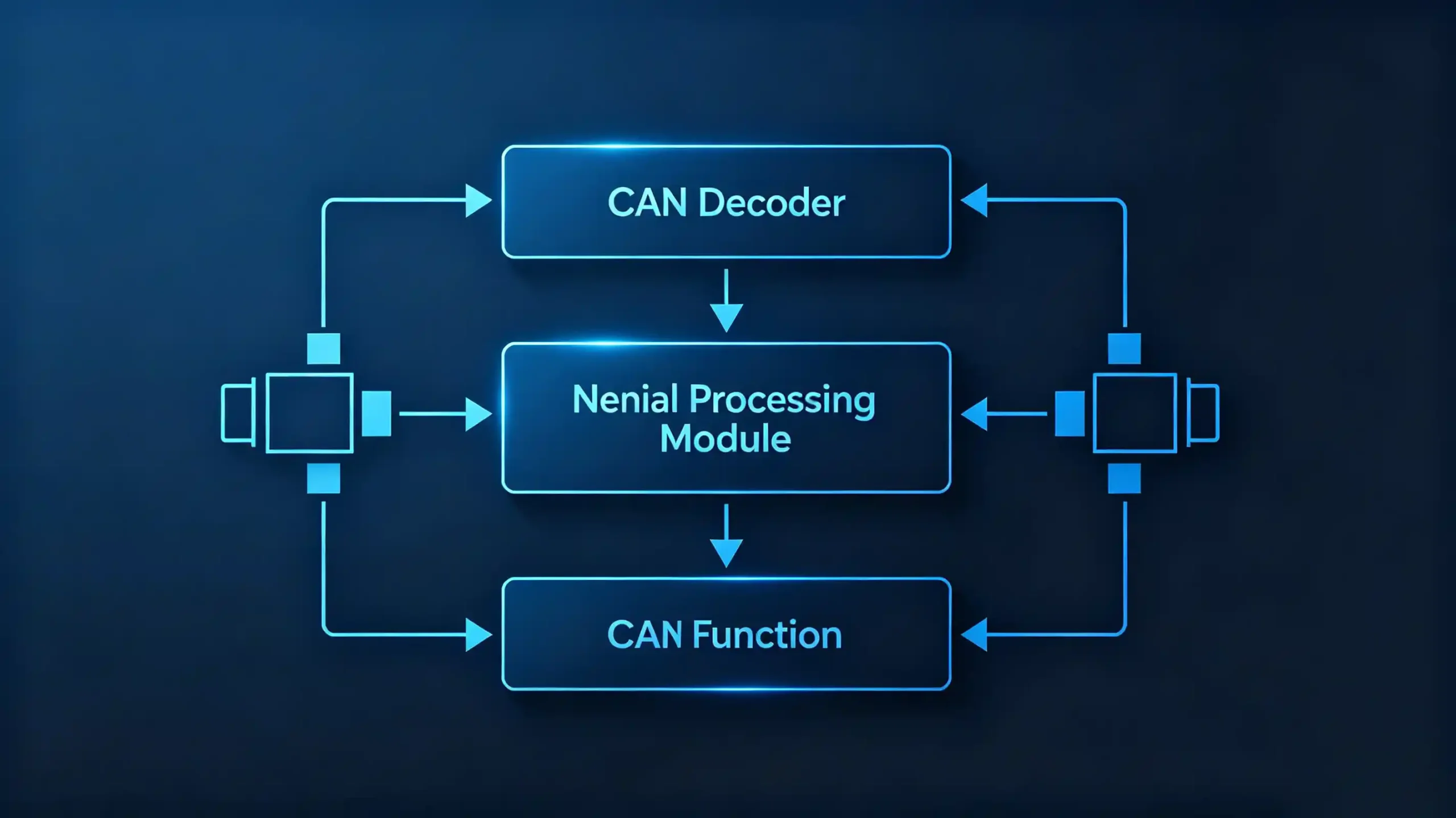
Its core functions break down into three tasks. Protocol translation, converting vehicle-specific CAN messages into signals the head unit can interpret. Signal routing, passing along steering wheel controls, reverse gear signals, speed data, and general vehicle status information. Data interpretation, decoding readings like door status, climate information, and parking sensor data into a usable form.
What It Can Deliver
What a decoder can genuinely deliver includes functioning steering wheel controls. A reverse camera trigger tied to the vehicle’s actual reverse signal. On-screen vehicle data such as speed and climate readouts. Audio or visual feedback from parking sensors.
What It Cannot Do
What it cannot do is just as important to understand. It cannot add vehicle functions that do not already exist in the vehicle’s own electronics. It cannot bypass factory security systems. It does not reprogram or alter the vehicle’s ECUs in any way — it only reads and translates data that is already being broadcast.
Two Broad Categories
Decoders also come in two broad categories worth distinguishing. Vehicle-specific decoders built for a particular make, model, and often model year. Universal decoders designed to cover a broader range of vehicles with more generalized protocol support. For more on decoder types, see our CAN Bus explained guide. Buyers should be clear on which category a given adapter falls into before assuming full feature coverage.
Data-Communication Workflow Between Vehicle CAN-Bus Network and Head Unit
The Signal Path
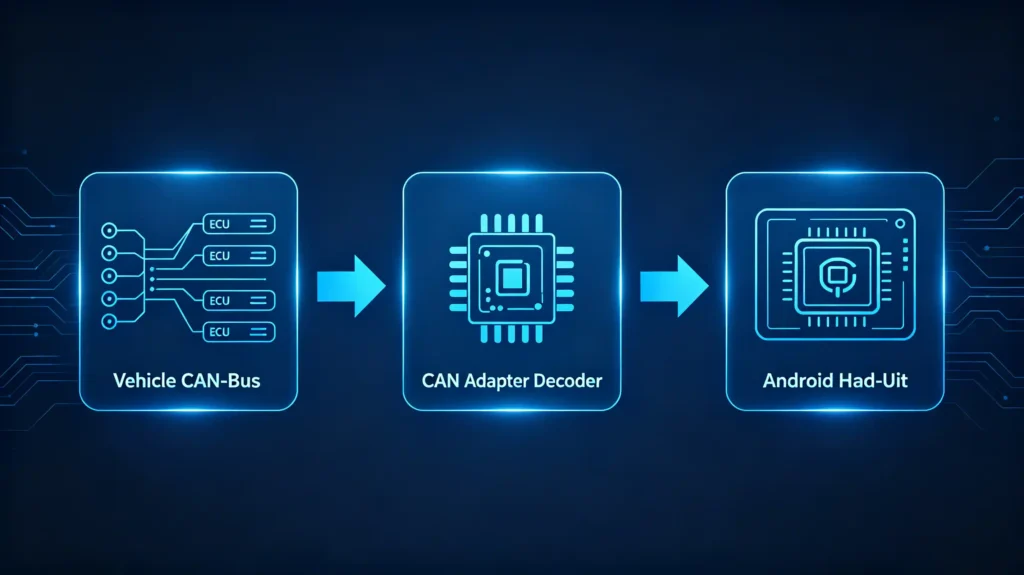
At a functional level, the path from a vehicle’s electronics to what actually appears on a head unit’s screen follows a consistent sequence.
Step 1: CAN Data Transmission
Vehicle ECUs continuously broadcast data on the CAN Bus. This includes speed, steering wheel button presses, and reverse gear status.
Step 2: CAN Adapter Reading
The CAN decoder reads these messages directly off the bus.
Step 3: Protocol Translation
The adapter converts those vehicle-specific messages into a standardized signal format the head unit is built to understand.
Step 4: Data Transmission to Head Unit
The translated data is sent onward. This is typically over UART, I2C, or dedicated wiring, depending on the adapter’s design.
Step 5: Head Unit Processing
The head unit receives that data and acts on it. Displaying vehicle information on screen, or responding to a steering wheel button press.
The Complete Signal Flow
The complete signal flow runs: vehicle CAN Bus → CAN adapter → head unit → HMI display. Translation quality at that middle step directly determines feature reliability further downstream. A decoder that mistranslates or drops signals intermittently produces exactly the kind of unreliable steering wheel control behavior that generates support calls. This happens even when the head unit itself is functioning correctly. For more on steering wheel controls, see our steering wheel control integration guide.
Common Vehicle-Side Functions Supported by CAN-Bus Adapter Integration
Practical Value
The practical value of a CAN adapter shows up in the specific vehicle functions it makes available to the head unit.
Steering Wheel Controls
Steering wheel controls are usually the headline feature. Volume up and down. Track skip. Source selection. Answering or ending a call. Triggering voice commands. All routed through the decoder rather than requiring separate physical wiring.
Vehicle Status Data
Vehicle status data covers the speed signal, useful for improving navigation accuracy during GPS signal loss. The reverse gear signal triggers automatic camera activation. Door or trunk open status is also available.
Climate Control Data
Climate control data, where the vehicle supports it, can surface temperature readings, fan speed, and air conditioning status directly on the head unit.
Parking Sensor Data
Parking sensor data enables distance alerts and visual feedback displayed on screen. This avoids relying solely on a separate factory display.
Advanced Functions
Some more advanced decoder implementations also expose broader vehicle information. Trip computer data like fuel consumption and range. In some cases battery voltage or tire pressure readings.
Feature Availability
It is worth being upfront that exactly which of these functions are available depends heavily on both the specific vehicle model and the decoder’s firmware. Not every function listed here is universally supported. Buyers should confirm feature availability against the target vehicle rather than assuming full coverage.
CAN Bus Adapter Application Scenarios for Android Head-Unit Deployments
When It Is Required
Whether a CAN adapter is genuinely mandatory or simply optional depends entirely on the target vehicle’s electrical architecture.
A CAN adapter is generally required in five scenarios. Retaining steering wheel control functionality on vehicles where those controls communicate over CAN Bus rather than analog wiring. Integrating with a factory-amplified audio system. Activating a reverse camera on vehicles where the reverse signal is CAN-based rather than a dedicated physical wire. Displaying vehicle data like speed, climate, or door status on the head unit. Integrating with parking sensors that report through CAN Bus rather than a separate wiring harness.
When It Is Not Required
On the other hand, a CAN adapter is not necessary for older vehicles built before CAN Bus became standard. It is also not needed for vehicles using simpler analog wiring — resistor-based steering wheel controls or a dedicated reverse-trigger wire, for instance.
For B2B Buyers
For B2B buyers running retrofit projects across a mixed vehicle fleet or multiple markets, identifying which category each target vehicle falls into upfront avoids both underspecifying a project that genuinely needs a decoder and overspending on adapter hardware for vehicles that do not.
Vehicle-Protocol and CAN-Adapter Compatibility Factors
Four Overlapping Factors
Compatibility risk in this category comes down to four overlapping factors. Missing any one of them can produce a project that looks fine on paper but fails in the field.
Vehicle Protocol Variant
Vehicle protocol variant is the most fundamental factor. Different vehicle brands and even different models within the same brand implement CAN messages differently. An adapter genuinely needs to support the specific target vehicle rather than “CAN Bus” as a generic category.
Adapter Firmware Version
Adapter firmware version matters just as much. Firmware needs to match the target vehicle model and year. Newer firmware often adds support for additional features or newer model years. Outdated firmware may simply lack support for a vehicle released after that firmware was last updated.
Head Unit Software Support
Head unit software support is a separate consideration. Some head units only process basic steering wheel control signals. More capable units can display a broader range of decoded vehicle data. The adapter’s output needs to match what the head unit software actually knows how to interpret.
Model Year Variation
Model year variation adds a final wrinkle. The same vehicle model can shift its CAN protocol implementation across production years. “Supports this model” is not automatically the same as “supports every year of this model.”
Compatibility Verification
Given all four factors, compatibility verification is not optional. It is a step buyers should confirm directly with the supplier for each target vehicle. Do not assume from a general product description.
B2B Selection and Specification Requirements for CAN-Bus Adapters
RFQ and Sample-Validation Framework
Turning this into a practical RFQ and sample-validation framework.
- Vehicle protocol support — confirm the adapter explicitly supports the target vehicle brands and models
- Firmware version — verify firmware matches the specific model years in scope
- Feature support — confirm steering wheel controls, reverse trigger, speed signal, and any climate data are actually included
- Compatibility documentation — request a written vehicle compatibility list from the supplier
- Head unit compatibility — verify the adapter and target head unit model are confirmed to work together
- Sample testing — test the adapter on an actual sample of the target vehicle before approving mass production
- Documentation — request protocol support details alongside the compatibility list, not a compatibility list alone
FAQ
Does a “universal” CAN bus adapter guarantee full feature compatibility across all vehicle makes and models?
No. “Universal” typically means the adapter is designed to cover a broader range of vehicles with more generalized protocol support. It does not mean every feature works identically across every brand and model. Steering wheel control mapping, climate data availability, and other functions can still vary significantly by vehicle. This happens even with a universal adapter installed. Buyers should confirm specific feature support against the actual target vehicle. Do not assume “universal” means comprehensive coverage everywhere.
What happens if a CAN bus adapter uses the wrong firmware version for a target vehicle platform?
Mismatched firmware can result in several failure modes. Steering wheel controls that do not respond at all. Features that work intermittently. In more serious cases, the vehicle registering unrecognized CAN messages and triggering a warning light or error code on the dashboard. CAN protocols can shift even within model years of the same vehicle. Firmware needs to be verified against the exact vehicle year and trim. Not just the general model name, before installation.
Can a CAN bus adapter add vehicle functions that the original vehicle hardware does not natively support?
No. A CAN adapter only reads and translates data the vehicle’s own electronics are already broadcasting on the CAN Bus. It cannot create functionality the vehicle was not originally built to provide. If a vehicle does not have factory parking sensors, for instance, no adapter can generate parking sensor data out of nothing. This is a common point of confusion worth clarifying with customers before a retrofit project begins. It avoids promising features the vehicle simply cannot support.
Why can two identical-model CAN bus adapters deliver different steering-wheel-control behavior on similar vehicle models?
The most common explanation is a model-year protocol difference. The same vehicle model can implement slightly different CAN message formats across production years. This happens even when the exterior design and trim level look identical. A firmware version tuned for one year’s protocol implementation may not fully translate a different year’s variant correctly. Confirming the exact model year alongside the model name is the most reliable way to avoid this inconsistency. Do not assume uniformity across a vehicle’s production run.
What practical sample-validation steps should wholesalers run before approving mass production for CAN-bus-adapter-bundled head-unit orders?
Start by installing a sample unit in an actual example of the target vehicle. Not just a bench test. Confirm every expected function — steering wheel controls, reverse camera trigger, any climate or vehicle data display — actually works as intended. Test across a couple of different production years if the order spans multiple years of the same model. Protocol variation can appear even within a single model line. Only after these real-vehicle checks pass does it make sense to commit to a full production run.
Conclusion
CAN bus adapter mismatches are among the most preventable causes of failed retrofit installations. Nearly all of them are caught by verifying protocol, firmware, and feature support against the exact target vehicle before mass production.


