
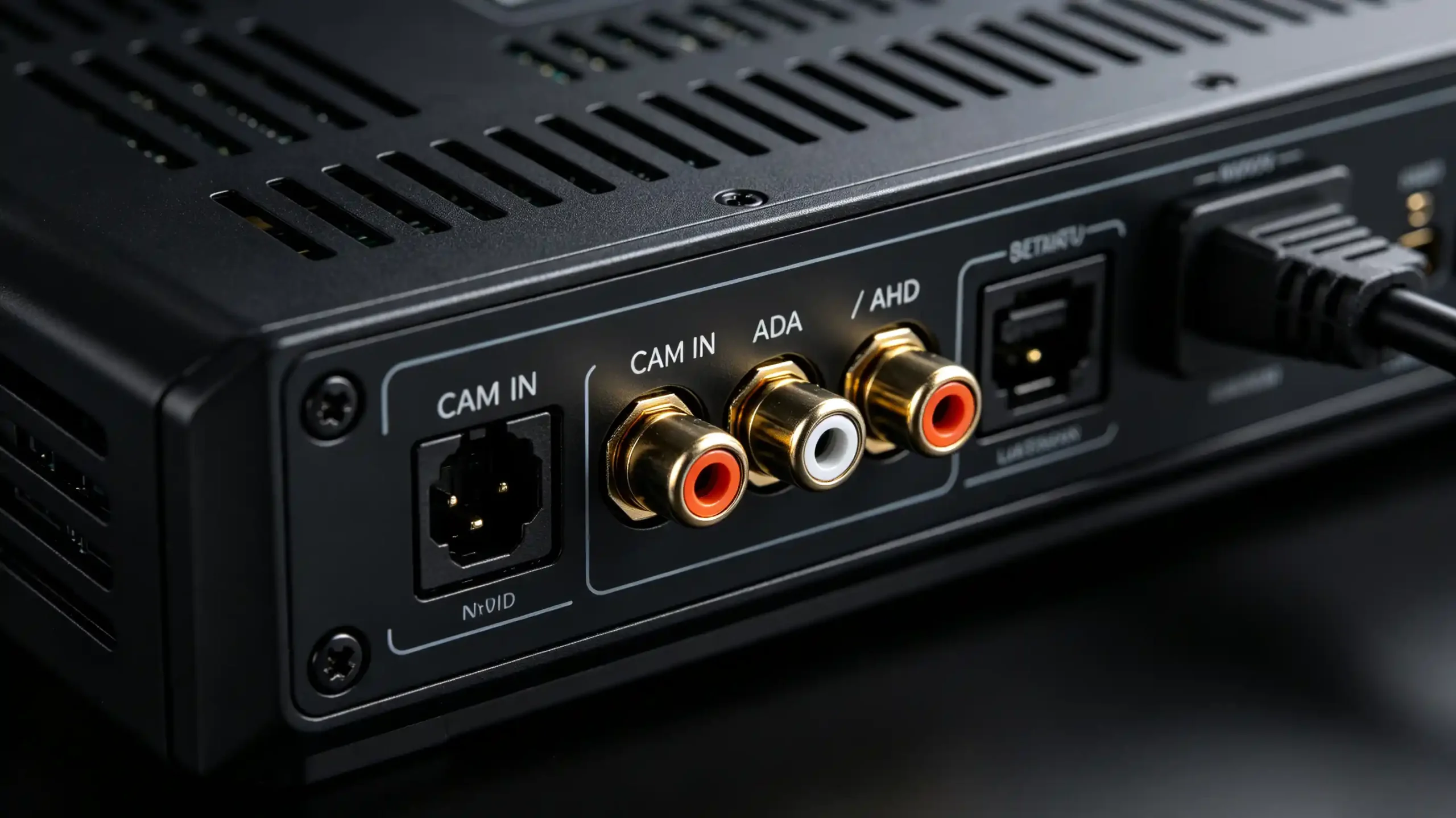
When a retail customer asks for a “backup camera ready” head unit, that phrase says very little about what is behind the rear panel. Reverse camera input Android head unit specifications differ between suppliers. For dealers, wholesalers, and OEM/ODM partners running retrofit programs, that difference shows up later. A blank screen. A camera that never triggers. A support ticket that should not exist.
This guide covers what reverse-camera input means on an Android head unit. It covers how the signal travels from camera to display. It also covers what a sourcing team should verify before a bulk order. For a complete guide on camera hardware, see our backup camera guide.
Reverse Camera Input – Core Definition
What Is Reverse Camera Input?
Reverse camera input is the dedicated video port on an Android head unit. It is built to receive a live feed from a backup or reverse camera. This is separate from any general-purpose AV input. The function is simple. Once the vehicle shifts into reverse, the head unit switches its display away from navigation or media. It shows the rear-view feed instead.
Why This Matters
This dedicated head unit camera interface matters for reasons buyers already recognize from field experience. A clear rear view reduces low-speed collisions. Automatic activation removes any need for the driver to select a source manually. In many export markets, a working backup camera is close to a regulatory expectation.
The Commercial Risk
The commercial risk appears when this interface is treated as a checkbox rather than a specification. Mismatched signal types produce a blank or distorted image on an otherwise working camera. Missing trigger support means the feed exists but never appears automatically when reversing. Low image quality generates complaints that reach dealers long after the sale. For a retrofit fleet, backup camera input reliability is a direct driver of end-user satisfaction.
Android Head-Unit Reverse-Camera Input and Hardware Interface Overview
Physical Port Types
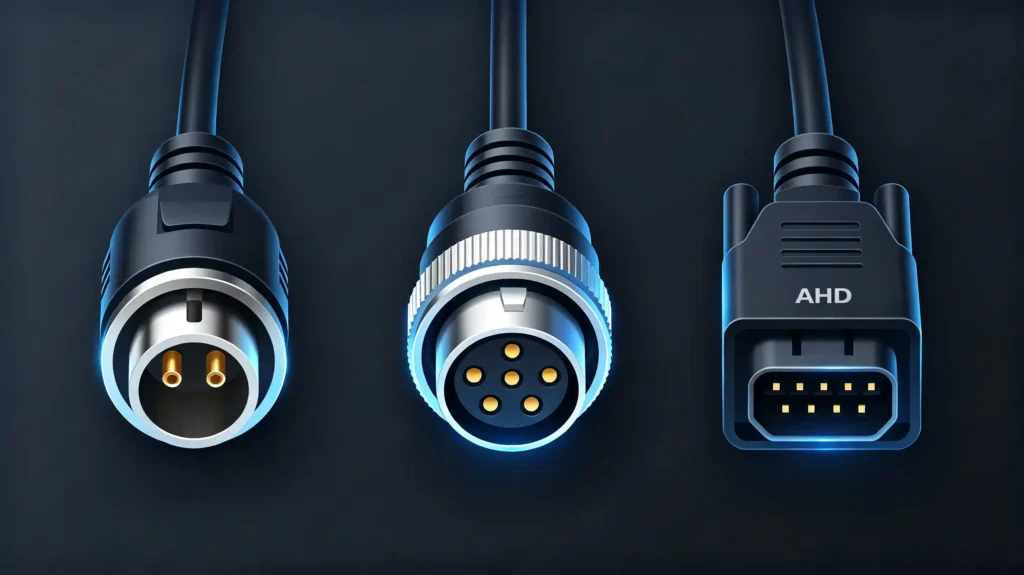
Before comparing signal standards, a buyer needs to know what the physical port actually looks like on the rear panel. A camera with the right specification is still useless if the connector does not match. Three interface types show up most often on aftermarket units.
RCA (composite video) — the familiar yellow RCA connector. Still the most common camera input across aftermarket head units.
4-pin or 6-pin connector — a proprietary connector used by some manufacturers. Typically requires a matching adapter cable if the camera and head unit come from different suppliers.
AHD connector — a dedicated port carrying high-definition analog video. Distinct from standard composite RCA.
Distinguishing from Other Ports
It is worth separating this port from other rear-panel connections that look similar but behave differently. Reverse camera input is trigger-aware — tied to the reverse-gear signal and switching automatically. A general AV-in port accepts video from any source but has no auto-trigger logic. HDMI, where present, is not typically used for backup cameras at all.
Labeling
On most units, the camera input sits on the rear panel labelled “CAM IN,” “REAR CAM,” “R-CAM,” or “BACKUP.” Buyers sourcing at scale should confirm the exact port type and label against the camera model. Do not assume compatibility from the product name alone.
Reverse Camera Connection and End-to-End Signal Flow
The Signal Path
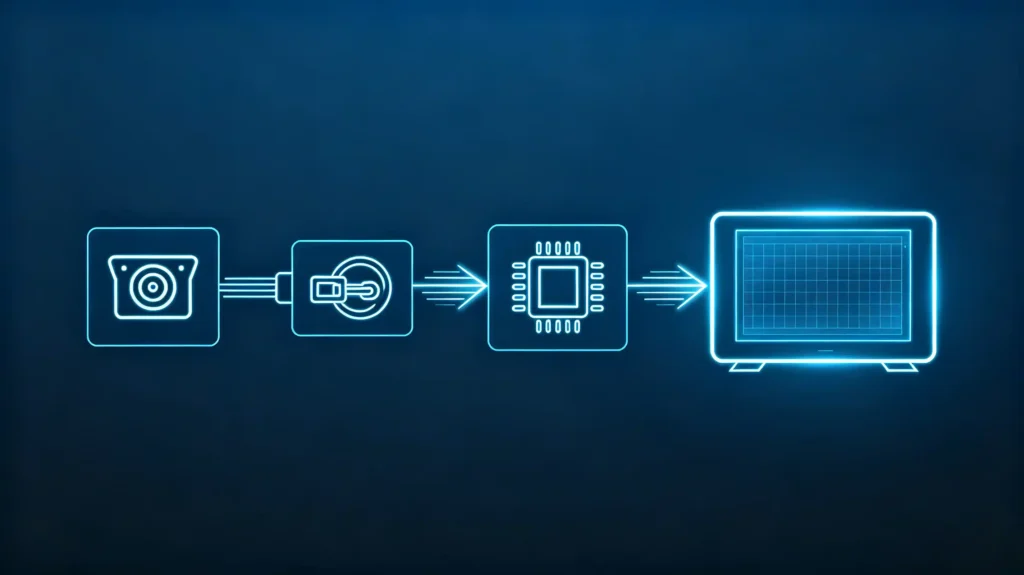
Understanding the full signal path helps a sourcing or technical team diagnose issues without guessing. The process runs in four steps.
Step 1: Camera Captures Video
The reverse camera captures the rear-view image as soon as it receives power.
Step 2: Video Signal Transmission
That signal travels through the camera cable — typically bundled with the wiring harness — to the head unit’s camera input.
Step 3: Reverse Trigger Activation
Separately, a reverse signal, delivered either as a wired connection or over CAN Bus, tells the head unit to switch its display to the camera input.
Step 4: Head Unit Displays Video
With both the video feed and the trigger signal received, the head unit renders the camera image on screen.
Two Parallel Paths
The video path runs from camera to video cable to head unit camera input to the processor to the display. The trigger path runs separately, from reverse gear engagement to the reverse light or CAN Bus, into the head unit’s trigger input. Both paths need to work at the same time. A working image with no trigger, or a working trigger with no image, produces the same result for the driver — no usable rear view. For more on trigger signals, see our backup camera vs reverse camera guide.
Common Reverse Camera Input Signal Types
Four Signal Standards
Camera input compatibility ultimately comes down to matching signal standards. Four show up in automotive backup-camera deployments, though not all at the same frequency.
CVBS (Composite Video Baseband Signal) — standard-definition analog video at 480i. Supported by nearly every head unit on the market. Image quality is adequate for reversing. Resolution is limited compared to newer standards.
AHD (Analog High Definition) — high-definition analog video at 720p or 1080p. Offers noticeably sharper image quality than CVBS. Requires a head unit with AHD-compatible input. Becoming more common in premium aftermarket cameras.
LVDS (Low-Voltage Differential Signaling) — a digital video signal typically found in OEM systems rather than the aftermarket. Rarely supported on retrofit head units.
HDMI — digital video with limited relevance here. It is not a typical backup-camera signal type.
The Takeaway
For sourcing purposes, the takeaway is simple. The camera’s output standard has to match the head unit’s input standard. A high-definition AHD camera paired with a CVBS-only input will not display correctly. This happens regardless of how well either component is built.
Reverse Trigger Signal and Automatic Camera-Screen Switching Logic
Two Trigger Methods
The trigger signal is what turns a passive camera input into an automatic safety feature. Two methods are common on Android head units.
Wired Trigger
A wired trigger draws on the vehicle’s reverse light circuit. When the driver shifts into reverse, the reverse light activates. It sends a 12V signal that the head unit reads directly.
CAN-Bus Trigger
A CAN-Bus trigger works differently. The reverse signal arrives as a message over the vehicle’s CAN Bus. It is usually relayed through a CAN Bus adapter connected to the head unit. It does not come through a dedicated physical wire.
The Switching Logic
Either way, the logic that follows is the same. Once the trigger is detected, the head unit automatically switches its display to the camera input. Once reverse is disengaged, it switches back to whatever screen was showing before. Some units add a configurable delay, keeping the camera view on screen for a few extra seconds after the vehicle shifts out of reverse. This is useful for slow parking maneuvers.
The Commercial Point
The commercial point for buyers is that the trigger method has to match how the target vehicle is actually wired. A unit expecting a CAN-Bus signal will not respond to a wired reverse-light connection without the right adapter. The reverse is also true. For foundational context on CAN Bus, see our what is CAN BUS guide.
Key Reverse-Camera Compatibility Factors
Six Variables
Reverse camera compatibility is rarely a single yes-or-no answer. It is a combination of six variables that all need to line up.
- Signal standard — the camera’s output (CVBS, AHD, or LVDS) has to match the head unit’s supported input.
- Trigger method — wired reverse-light trigger or CAN-Bus trigger, matched to how the vehicle is configured.
- Physical connector — RCA versus a proprietary connector. A mismatch here blocks the connection regardless of signal compatibility.
- Voltage compatibility — the camera typically needs a stable 12V supply from the head unit or harness.
- Head unit firmware — the firmware has to actually support the camera’s signal type and trigger mode. Not just have the physical port present.
- Resolution support — the head unit needs to correctly render the camera’s output resolution, whether that is 480i, 720p, or 1080p.
Verification
Verifying compatibility on paper is a starting point, not a guarantee. Buyers evaluating a new supplier or camera model should plan to test samples before committing to volume.
B2B Specification Considerations for Evaluating Head-Unit Reverse-Camera Input
Sourcing Checklist
Turning the technical factors above into an actual sourcing checklist, buyers evaluating reverse-camera input on Android head units should assess seven dimensions.
- Signal type support — CVBS, AHD, or LVDS
- Physical connector type — RCA or proprietary
- Trigger method — wired, CAN-Bus, or both
- Resolution support — matched to the intended camera
- Image quality — under real-world lighting and latency conditions
- Automatic switching behavior — when the vehicle is put into reverse
- Sample testing — with the actual camera models intended for the target vehicle line, not just a datasheet comparison
Best Practice
Requesting camera input specifications in writing from a supplier before placing a bulk order remains the most reliable way to catch a mismatch. Testing with sample units is equally important. Both should happen before the mismatch reaches a container of finished vehicles.
FAQ
Does “reverse-camera-supported” marketing guarantee compatibility with AHD or HD backup cameras?
No. That phrase usually confirms only that a camera input port exists. It does not specify which signal standard it accepts. Many units advertised this way support CVBS only. They will not correctly display an AHD or other high-definition feed. Buyers should request the exact signal type supported. Do not rely on general marketing language. This is especially important when sourcing for higher-resolution cameras.
What practical difference exists between wired reverse-trigger versus CAN-Bus reverse-trigger on Android head units?
A wired trigger reads a 12V signal directly from the reverse light circuit. It is simple to wire but requires physical access to that circuit. A CAN-Bus trigger reads a reverse message over the vehicle’s CAN Bus, usually via an adapter. It suits newer vehicles but depends on correct protocol matching. Neither is universally better. It depends on the target vehicle’s wiring.
Why may camera hardware work standalone but produce a blank image when plugged into a head unit’s reverse-camera input?
This usually points to a signal standard or connector mismatch. It is not a faulty camera. An AHD camera plugged into a CVBS-only input may show a faint or garbled image rather than a clean feed. Loose RCA connections, a mismatched proprietary connector, or firmware that does not recognize the camera’s signal type can produce the same symptom.
Can an Android head unit simultaneously accept multiple reverse-camera video-input sources?
Most units are built with a single dedicated reverse-camera input. The design assumes one rear-view camera per vehicle. Some models offer an additional general AV-in port for a second feed, such as a front or side camera. That port typically lacks automatic reverse-trigger behavior. Buyers needing multiple trigger-aware inputs should confirm this explicitly. Do not assume it.
What risks appear when mixing cameras and head units with mismatched video-signal standards?
Beyond a blank or distorted screen, mismatches create inconsistent results across a fleet. Some units may show a degraded image while others show nothing. This depends on hardware tolerance. It creates uneven customer experience. It increases support volume. It complicates after-sales diagnosis, since the camera itself works fine and the issue is purely a signal-standard mismatch.
Conclusion
Reverse-camera input looks like a simple checkbox on a spec sheet. But signal type, connector, trigger method, and firmware support all need to line up correctly before it works reliably in the field.


