
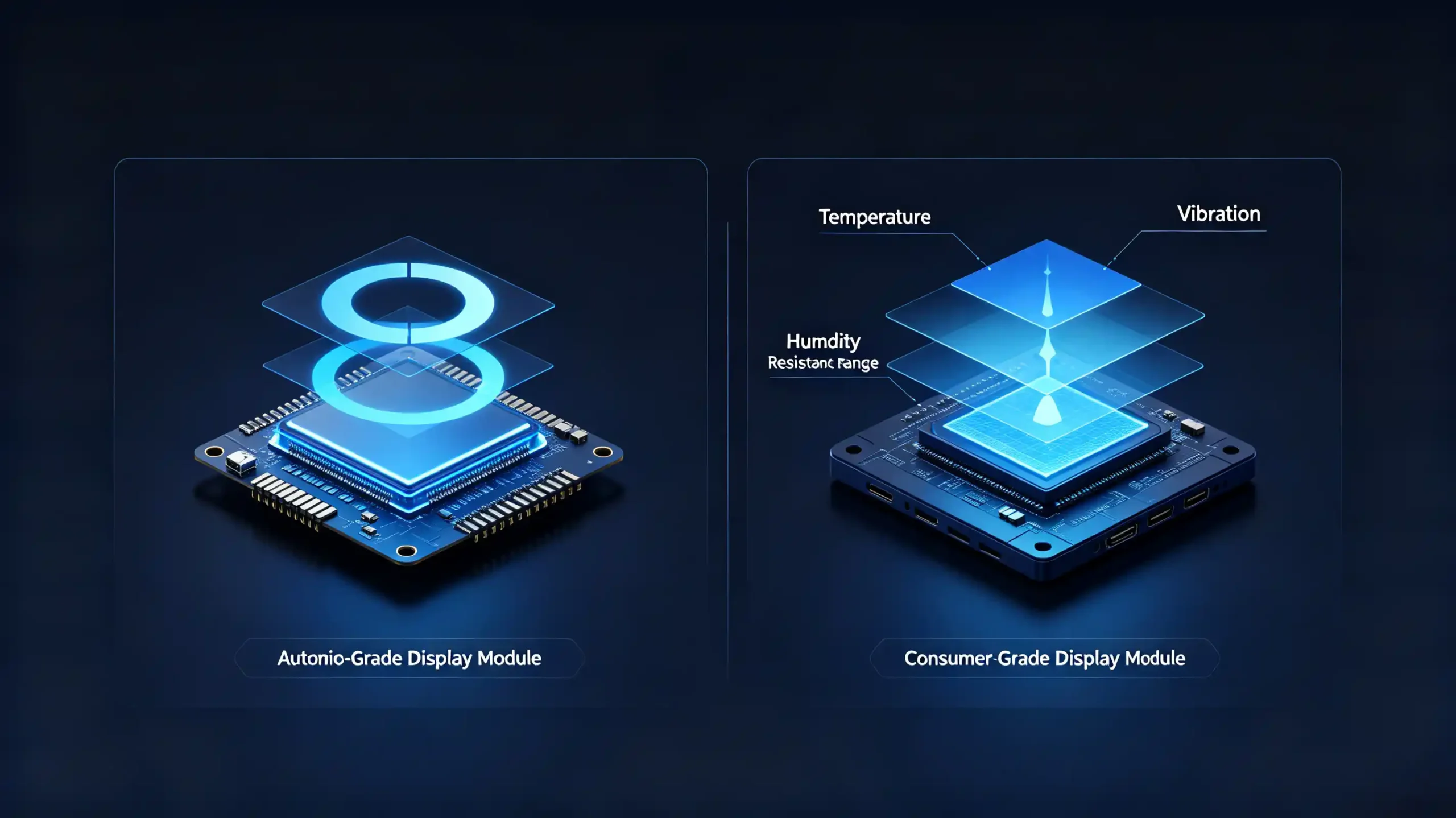
The display is the one part of an infotainment system every customer judges within the first five seconds of getting in the vehicle. It is also where a surprising number of sourcing mistakes originate. A “9-inch FHD screen” line item on a quote can hide meaningful differences in brightness, touch quality, and interface compatibility once the unit is actually mounted in a dashboard.
This guide breaks the IVI display system down into its component parts. B2B buyers can evaluate it properly. They do not need to take a single spec line at face value. For a full view of all hardware decisions, see our car stereo hardware components overview.
This guide covers the definition and role of an IVI display system. It covers the main hardware components. It covers specifications, touch hardware, performance constraints, and interfaces. It also covers what to check before committing to a supplier.
IVI Display System – Definition and Role Within Infotainment
What Is an IVI Display System?
An IVI display system is the complete display subsystem within the infotainment hardware stack. It includes the display panel, touchscreen, display controller, and the interface hardware connecting them all together. It is the primary visual output and interaction surface of the entire system. It is responsible for showing navigation maps, media, vehicle data, and the user interface. It simultaneously receives touch input from the driver or passenger.
Where It Sits in the Hardware Stack
Within the broader hardware stack, the display system sits at the user-facing end. It is connected back to the main IVI processor through display interfaces like LVDS or HDMI. Everything the processor calculates or renders has to pass through this subsystem before a person ever sees it.
Commercial Consequences of Getting It Wrong
Getting this subsystem wrong carries real commercial consequences. Poor sunlight readability generates customer complaints almost immediately. Touch malfunction — missed taps, lag, or dead zones — creates ongoing user frustration. This shows up in reviews and return requests. Low durability leads to premature failure and warranty claims that eat into margin long after the sale. Display quality is not a cosmetic detail. It is one of the more direct drivers of how competitive a finished product feels.
Main Hardware Components of an IVI Display System
Six Distinct Components
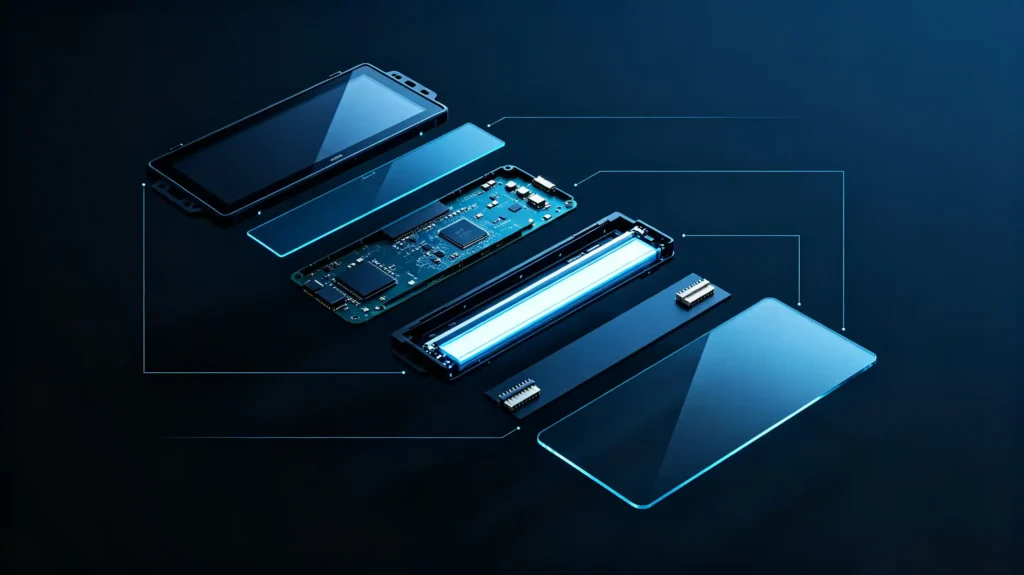
A complete display system is built from six distinct hardware components. Each does a specific job.
- Display panel — the screen itself (LCD, IPS, QLED, or OLED). Provides the actual visual output. Characterized by size, resolution, brightness, and contrast.
- Touchscreen / touch unit — a capacitive or resistive touch sensor providing input capability. Usually bonded to the display panel as a single assembly.
- Display controller — drives the panel through timing control and image processing. Converts video signals from the IVI processor into usable display output.
- Backlight unit — illuminates LCD-type panels. Brightness directly affects outdoor visibility.
- Interface hardware — connectors and signal interfaces (LVDS, HDMI, MIPI) along with power supply connections.
- Cover glass — protects the display and touch sensor. Often treated with anti-glare or anti-reflective coatings.
Each Component Needs Automotive-Grade Quality
Each of these components needs to meet automotive-grade requirements independently. A strong panel paired with a weak touch sensor still produces a compromised final product. A good display paired with a consumer-grade cover glass also falls short. Buyers comparing quotes should ask what standard each individual component is built to. Do not just ask what the overall unit claims.
Common IVI Display Specifications: Size, Resolution and Aspect Ratio
Three Interactive Specifications
Three specifications interact to determine how a display actually performs once it is installed. Treating any one in isolation tends to produce a mismatched result.
Screen Size
Screen size across the mainstream aftermarket runs 7-inch, 9-inch, and 10.1-inch. Larger screens improve map readability. They give the interface more room to work with. The cost is tighter dashboard fitment constraints.
Resolution
Resolution generally follows screen size. HD (1280×720) holds up well on 7-inch screens. FHD (1920×1080) is the better match once screens reach 9-inch and larger. Higher resolution translates directly into sharper images and cleaner text.
Aspect Ratio
Aspect ratio rounds out the picture. 16:9 widescreen is the standard and offers the best app compatibility. 16:10 provides more vertical space but can introduce app scaling issues. 4:3 is far less common with limited modern app support.
When Specs Are Mismatched
The trade-offs compound when these specs are mismatched. A large screen running HD resolution ends up with low pixel density and a visibly pixelated image. FHD on a 7-inch panel looks excellent but adds cost that may not be justified at that size. A non-standard aspect ratio risks UI scaling problems regardless of how good the resolution is. As a practical rule, matching specs to the intended screen size and prioritizing 16:9 for compatibility avoids most of these issues before they reach a customer. For more on screen size, see our car navigation screen size guide.
Touch-Interaction Hardware and HMI Integration for IVI Displays
A Single Functional Chain
Touch hardware and the HMI software layer above it work as a single functional chain. They are built and sourced separately, but they must work together.
Touch Hardware Components
On the hardware side, the touch sensor — capacitive as the modern standard, resistive as an older and less common alternative — detects physical contact. A touch controller processes that raw signal and converts it into coordinate data. The cover glass sits on top protecting the sensor while often carrying anti-glare treatment.
The Signal Path
The signal path runs in a clear sequence. The touch sensor detects contact. The touch controller processes it and sends coordinates to the main processor. The HMI software running there responds with a UI update or an executed action.
Touch Capability Variations
Touch capability itself varies too. Multi-touch support enables gestures like pinch-to-zoom and swipe navigation on the map. Single-touch hardware handles only basic tap-and-drag interaction. For more on touchscreen technology, see our automotive touchscreen technology guide.
HMI Software Must Support the Hardware
None of this hardware matters much if the HMI software is not built around it. Touch targets need to be sized for finger input rather than a mouse cursor. Responses need to feel immediate. Any perceptible lag between a tap and a screen response reads as poor build quality. This happens even when the underlying hardware is capable.
IVI Display-System Performance and Vehicle-Environmental Constraints
Test Bench vs Vehicle Cabin
A display that performs well on a test bench can still fail once it is living in an actual vehicle cabin. Conditions there are far less forgiving than an office or showroom.
Temperature Range
Temperature range is the clearest example. Automotive-grade displays are built to operate across roughly -40°C to +85°C. Consumer-grade panels are typically rated for something closer to 0°C to +50°C. They can fail outright in a hot parked car or a cold winter start. High temperatures in particular tend to cause brightness loss, color shift, or permanent panel damage over time.
Brightness
Brightness matters just as much for daily usability. Automotive displays generally need 400–600+ cd/m² (nits) to stay readable in direct sunlight. Anti-glare or anti-reflective coatings help close the gap further.
Vibration Resistance
Vibration resistance is another factor easy to overlook on a spec sheet. Displays need to withstand continuous road vibration. This puts real demands on mounting and connector robustness.
Humidity and Condensation
Humidity and condensation round out the list. Optical bonding and properly sealed construction prevent moisture from working its way into the display assembly over years of use.
The Commercial Takeaway
The commercial takeaway is straightforward. Automotive-grade displays cost more for a reason. Consumer-grade panels dropped into a vehicle application tend to fail faster than the price difference would suggest.
IVI Display-System Interfaces and Connection With Main IVI Processor
Not a Standalone Unit
The display subsystem does not operate as a standalone unit. It connects back to the main processor through a specific set of signal interfaces. Mismatches here are a common integration failure point.
Video Interfaces
LVDS (Low-Voltage Differential Signaling) is the most common interface for automotive displays. It transmits video data from the processor to the display controller. For more on display technology, see our IPS vs QLED display technology guide. HDMI shows up less often in automotive applications, mostly in certain aftermarket designs. MIPI DSI — originally developed for smartphone displays — appears on some higher-resolution automotive panels.
Touch Interfaces
On the touch side, I2C is the common interface for touch controller communication. USB is used in some implementations. SPI handles higher-speed touch data transfer where needed.
Power Delivery
Power delivery runs separately. It converts the vehicle’s 12V supply down to whatever voltage the display panel actually requires.
Two-Way Signal Flow
Put together, the signal flow runs in two directions at once. Video data moves from the IVI processor over LVDS to the display controller and then to the panel. Touch data moves the opposite way. From the touch sensor through the touch controller and over I2C or USB back to the processor. Interface mismatches on either path are a straightforward but consequential integration risk. Confirm them before parts are ordered at volume.
B2B Selection and Integration Requirements for IVI Display Systems
Sourcing Framework
Turning these technical details into a sourcing framework comes down to checking each of these dimensions directly.
- Display quality — verify resolution, brightness, and panel type together rather than any single figure
- Touch performance — confirm capacitive multi-touch support and, where relevant, glove-operation usability
- Size and fitment — verify physical dimensions actually match the target dashboard opening
- Aspect ratio — confirm 16:9 where possible, and check app compatibility for anything non-standard
- Interface compatibility — verify LVDS, I2C, and power interfaces match the intended IVI processor
- Automotive-grade qualification — verify temperature range, vibration resistance, and construction quality
- Sample testing — test brightness, touch response, and interface behavior under vehicle-like conditions
- Documentation — request specifications and any available qualification documentation from the supplier
FAQ
Can I freely swap a third-party display module into an existing IVI main-processor unit?
Not without confirming compatibility first. The replacement display needs to match the original’s interface type (typically LVDS). It also needs to match resolution and physical connector layout. The display controller needs to be compatible with what the processor expects to send. Even displays that look similar on paper can use different signal timing or connector pinouts. A swap without verification risks a display that simply will not initialize. It will not just look slightly different.
Why do two IVI display modules with identical advertised size and resolution deliver different real-world sunlight readability?
Advertised size and resolution say nothing about brightness, anti-glare coating quality, or panel technology. All of these directly affect outdoor visibility. A module rated at 300 cd/m² will struggle in direct sunlight compared to one rated at 500+ cd/m². Both could carry the same “9-inch FHD” label on a spec sheet. Cover glass treatment matters too. A panel without proper anti-reflective coating can wash out in bright conditions regardless of its raw brightness rating.
What risks arise when selecting consumer-grade display modules for in-vehicle IVI deployments?
Consumer-grade panels are not built for the temperature extremes, vibration, or humidity a vehicle cabin experiences over time. This means shortened lifespan. It also means a higher likelihood of failures like dimming, color shift, or touch degradation. These failures occur well before a comparable automotive-grade panel would show similar wear. These failures tend to surface after the warranty period begins accumulating claims rather than immediately. The cost difference is easy to underestimate during initial sourcing.
How does aspect-ratio choice constrain HMI layout for aftermarket and OEM IVI display systems?
Most navigation and media apps are designed and tested around the 16:9 standard. A non-standard aspect ratio can force compromises. Cropped content. Black bars. UI elements that do not scale correctly to fill the available space. OEM projects have more flexibility here since the HMI layer can sometimes be built specifically around a custom aspect ratio. Aftermarket units relying on standard app compatibility generally see fewer integration issues by sticking with 16:9.
Conclusion
A display module is only as good as its weakest component. Screen size or resolution alone will not reveal issues in touch quality, brightness, or interface compatibility.


