

A navigation system that routed perfectly on day one can send a driver down a road that’s been closed for eight months if nobody kept the map data current. That gap between “the hardware works fine” and “the navigation is actually useful” is exactly what map updates close — and for B2B buyers, it’s one of the more overlooked factors in a sourcing decision that otherwise gets plenty of scrutiny on processor and display specs.
This guide covers what a map update actually is, what data changes during one, the common delivery methods, where map data comes from and how often it should be refreshed, compatibility requirements, the risks worth planning around, and how to evaluate map-update support before sourcing a navigation system. For a full view of all hardware decisions, see our car stereo hardware components overview.
Car Navigation Map Update Fundamentals
What Is a Map Update?
A car navigation map update is the process of replacing or supplementing the map data already stored in a navigation system with newer, more accurate data — reflecting changes in road networks, points of interest, and other navigation-relevant information since the last update.
What Actually Changes
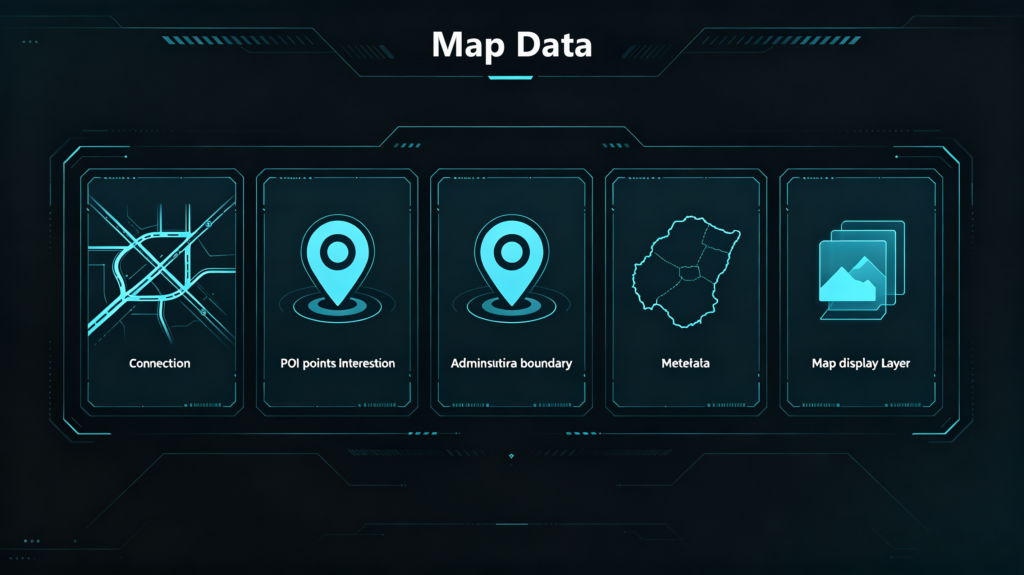
What actually changes: new roads and highways, closed roads, updated speed limits, new points of interest, changed addresses, updated turn restrictions, and improved lane guidance data.
Why This Is Not Optional
None of that is optional maintenance — outdated maps cause incorrect routes, missed turns, wasted time, and the kind of frustration that turns into a support call or a bad review, regardless of how good the underlying hardware is. For a foundational overview of navigation systems, see our what is a car navigation system guide.
Commercial Weight for B2B Buyers
For B2B buyers, this has direct commercial weight: map-update capability affects product competitiveness, customer satisfaction, and after-sales support workload all at once, which is exactly why it’s worth evaluating before sourcing rather than treating it as an afterthought. Navigation systems without a clear update path are a genuinely risky investment — end-users expect regular updates as a baseline, not a premium feature, and a product that can’t deliver them ages out of usefulness faster than its hardware would otherwise suggest.
What Map Data Gets Modified During a Navigation Map Update
More Than Just New Roads
Map updates touch more categories of data than “new roads” suggests, and understanding that scope helps buyers judge whether a supplier’s update service is actually comprehensive.
Road Network Data
Road network data covers the most obvious changes: new roads, highways, bridges, tunnels, roundabouts, and lane additions get added; road geometry, speed limits, turn restrictions, one-way directions, and lane configurations get modified; closed roads, demolished infrastructure, and decommissioned routes get removed.
Points of Interest Data
Points of interest data covers new businesses — gas stations, restaurants, hotels — along with updated addresses, changed phone numbers, and closed businesses getting pulled from the database.
Administrative Data
Administrative data covers updated borders, postal codes, city and region names, and changed street names, while navigation metadata adds lane guidance data for lane-level navigation, traffic sign information, speed camera locations, and toll road information.
Map Display Data
Map display data rounds this out — road coloring, map labels, 3D building data where supported, and terrain data.
Commercial Takeaway
The commercial takeaway: a map update isn’t just “new roads” — it spans a genuinely wide range of data types, and buyers evaluating a supplier’s update service should understand exactly which of these categories that service actually covers rather than assuming full scope by default.
Common Car GPS Map Update Methods & Data-Delivery Workflows
| Method | Convenience | Connectivity Required | Best Use Case |
|---|---|---|---|
| USB/SD card | Manual, requires user action | None | Poor-connectivity regions, budget products |
| OTA (Wi-Fi/4G) | High, can be scheduled | Required | Modern connected head units |
| Online streaming | Very high, always current | Constant | Premium, always-connected products |
| Hybrid (local + OTA) | High, balanced | Intermittent OK | Mainstream aftermarket systems |
USB or SD Card Updates
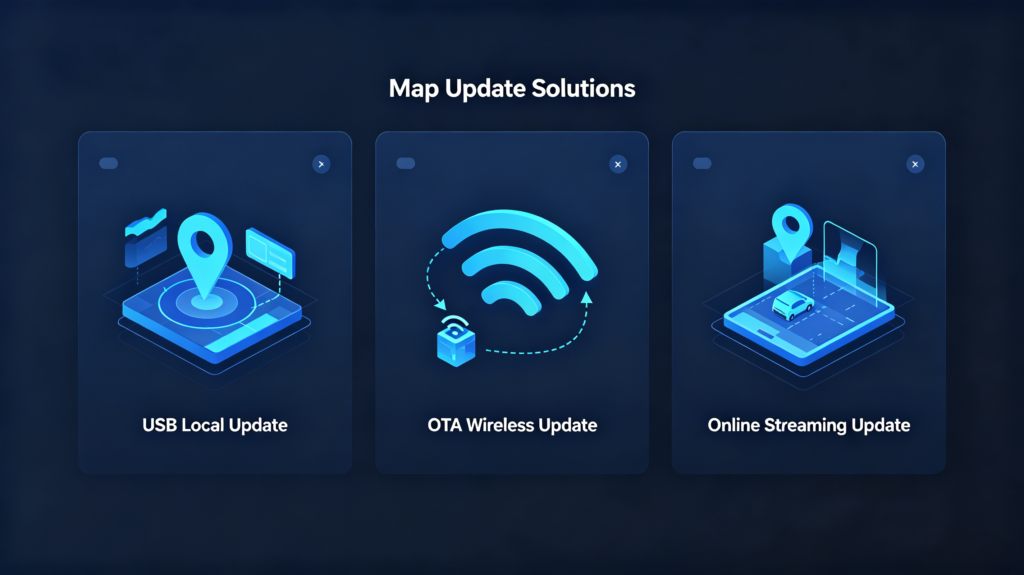
USB or SD card updates work by downloading map data to a drive from a computer, then manually inserting it into the head unit to install — no internet connection required, which makes this the reliable fallback for poor-connectivity regions, though it’s a manual process carrying real risk of user error.
OTA Updates
OTA updates deliver map data directly to the head unit over Wi-Fi or cellular, either automatically or user-initiated — genuinely convenient and schedulable, but dependent on connectivity, with larger updates taking real time and data allowance to complete.
Online Streaming
Online streaming takes a different approach entirely: maps get streamed on-demand rather than stored locally, staying continuously current with no local storage concerns, but requiring constant connectivity and simply not working in areas with poor coverage.
Hybrid Approaches
Hybrid approaches split the difference — local base maps combined with OTA incremental updates — balancing storage needs against connectivity dependence, and this middle path is where a meaningful share of mainstream aftermarket systems actually land.
B2B Recommendation
USB support as a baseline, paired with OTA capability on Wi-Fi or 4G-enabled models, covers the widest range of connectivity scenarios a B2B buyer’s target market is likely to need. For more on connectivity, see our smartphone integration in vehicles guide.
Navigation Map-Data Sources & Recommended Update Frequency
Where Map Data Comes From
Map data originates from specialized mapping companies — Here Technologies, TomTom, Google Maps, OpenStreetMap, and various regional providers — collected through satellite imagery, street-level survey vehicles, user-contributed data, and government or transport authority records.
Commercial vs Open-Source Data
Commercial map data, licensed from established providers like Here or TomTom, tends to be more accurate and consistently maintained, and it’s what typically ends up in commercial-grade navigation products. Open-source data, OpenStreetMap being the main example, costs nothing to license but generally trails behind on consistency, which is why it tends to show up more in budget-tier products than premium ones.
Update Frequency
On frequency: OEM systems typically see 1 to 2 updates per year, tied to the automaker’s own release schedule. Aftermarket Android systems vary more by provider, with some offering quarterly updates and others sticking to annual cycles. Online streaming systems update continuously by design, since nothing gets stored locally to go stale in the first place.
Regional Differences
Regional differences matter too — fast-growing regions with heavy new road construction genuinely benefit from more frequent updates, while stable, slow-changing regions can get by on a longer cycle without much practical downside.
Commercial Takeaway
The commercial takeaway: verify both update frequency and how long that update service actually continues for the specific product you’re sourcing, since a fast initial update cadence that stops after a year isn’t the same commitment as one that runs for five.
Map Update Hardware & Software Compatibility Requirements
Storage Constraints
Storage is the first practical constraint: a map update package commonly needs 2 to 8GB of free space depending on region and provider, and some systems require a specific storage format — internal eMMC storage versus external microSD or USB — that isn’t always interchangeable.
System Version Compatibility
System version compatibility matters just as much: map updates are built for a specific navigation software version, and older software may simply not support newer map data without a firmware update installed first. For guidance on system-level compatibility, see our automotive Android system guide.
Map-Engine Compatibility
Map-engine compatibility adds another layer — map data is tied to the specific software that renders maps and calculates routes, and an update built for one map engine genuinely cannot be used on another, regardless of how similar the products look from the outside.
Vehicle-Specific Compatibility
Vehicle-specific compatibility closes the list, and it works differently depending on system type: OEM systems tie map data to the specific vehicle model, and using the wrong data can break navigation functions outright; aftermarket systems tie compatibility to the head unit and map provider combination instead.
Commercial Stakes
The commercial stakes here are real — a mismatched update doesn’t just fail quietly, it can brick the navigation system or leave it running with incomplete functionality, which is exactly why compatibility verification belongs before installation, not after a customer complaint.
Navigation Map Update Risks & Practical Precautions
Six Common Risks
Six risks account for most map-update failures. Each one has a straightforward precaution attached to it.
Insufficient Storage
Insufficient storage causes an update to simply fail partway through. Verify available storage before starting. Free up space if needed.
Power Interruption
Power interruption during installation can corrupt the update entirely. Ensure a stable power supply. Keep the vehicle running or use a battery charger. Do not risk a mid-update shutdown.
Incompatible Map Data
Incompatible map data lets an update apply but function incorrectly afterward. Missing roads or wrong POIs are common symptoms. Verify map data version and compatibility before installation. This matters more than it might seem for a “just install it” task.
File Corruption
File corruption from a bad download or transfer causes installation failure outright. Verify file integrity where checksums are available. Use reliable storage media. Both reduce this risk directly.
Software Version Mismatch
Software version mismatch happens when an update needs newer firmware that is not installed yet. Check system version requirements before starting. This avoids a failed install partway through.
Region Mismatch
Region mismatch involves installing the wrong region’s map data. Verify region selection before installation. Do not assume it is correct by default.
Commercial Implication
The commercial implication ties all six together. Update failures generate customer complaints and support requests. This happens regardless of whose fault they technically were. Proactive verification at each of these points reduces failures. These would otherwise land on a dealer’s or wholesaler’s after-sales desk.
Evaluating Map-Update Support When Sourcing Navigation Systems
Seven Evaluation Dimensions
Seven evaluation dimensions turn this from background knowledge into an actual sourcing checklist.
Update Method
Confirm what is actually available (USB, OTA, or streaming). OTA is generally preferred for convenience where connectivity supports it.
Update Frequency
Verify the real release cadence (annual, bi-annual, or quarterly). More frequent updates generally serve end-users better.
Update Duration
Confirm how long the manufacturer commits to providing updates at all. This is typically somewhere in a 3 to 5-year window after product release. Do not assume indefinite support. For guidance on choosing the right manufacturer, see our how to choose a car navigation system supplier guide.
Storage Requirements
Verify the unit actually has sufficient storage for map updates. Insufficient storage is a common and entirely preventable limitation.
Map Data Source
Identify the actual provider. Reputable sources like Here or TomTom generally deliver more reliable data than unnamed or budget alternatives.
Update Cost
Confirm whether updates are free or paid. Clarify who bears that cost: manufacturer, supplier, or end-user. This affects both pricing and customer expectations down the line.
Compatibility
Verify system version and firmware requirements for updates. Confirm map-engine compatibility specifically before committing.
Sourcing Advice
The sourcing advice across all seven: request map-update service details in writing. Verify actual storage capacity. Test the update process directly on samples. For OEM/ODM projects specifically, requesting written details on method, frequency, duration, and cost before ordering is worth treating as standard practice rather than an optional extra.
FAQ
What hardware-storage requirements must be met to support full car-navigation map-updates?
Most map update packages require 2 to 8GB of free storage, depending on the region and map provider, and some systems require that space in a specific format — internal eMMC versus external microSD or USB. Verifying actual available storage before starting an update, rather than assuming a unit has “enough,” is one of the simplest ways to avoid a failed installation.
What is the practical difference between local-storage map-update and OTA remote-map-update for aftermarket bulk-products?
Local storage updates (USB or SD card) work without any internet connection but require manual user action and carry more risk of user error. OTA updates deliver data directly over Wi-Fi or cellular, which is more convenient and schedulable, but depends entirely on connectivity being available. Many aftermarket systems support both, letting the update method match whatever connectivity a given market or customer actually has.
Can navigation-map-data from one vendor be directly applied to another brand’s navigation-hardware?
No. Map data is tied to a specific map engine — the software that renders maps and calculates routes — and data built for one engine won’t work correctly on another, regardless of how similar the head units look. Attempting to apply mismatched map data risks incomplete functionality or a bricked navigation system, which is why verifying map-engine compatibility matters before any update, not just for OEM-specific systems.
For bulk-order projects, who bears responsibility for ongoing map-update services: manufacturer, supplier or end-user?
This varies by supplier agreement and needs to be clarified upfront rather than assumed. Some manufacturers include a set update period as part of the original purchase, some charge for updates after an initial free period, and some pass that responsibility to the distributor or end-user entirely. Requesting these terms in writing before finalizing a bulk order avoids disputes once customers start asking about updates.
Conclusion
A navigation system is only as useful as its map data is current, and map-update capability — method, frequency, duration, storage requirements, data source, and cost — deserves the same scrutiny buyers already give to processor and display specs. Verifying these details in writing and testing the update process on samples before a bulk order is what keeps outdated maps from becoming an after-sales problem months down the line.
[Internal Link Opportunity: Link to contact page or product inquiry page]
Sourcing navigation systems with reliable map-update support? Contact our team to discuss update method, frequency, and service duration for your target market, or explore our current navigation system product lineup.


