Two head units can share nearly identical hardware specs. They can still behave completely differently once installed. One feels smooth and customizable. The other feels locked down and clunky. The difference usually comes down to software architecture. This is the layered system running on top of the hardware. Most spec sheets barely touch on it.
For dealers, wholesalers, and automakers evaluating Android head units and IVI platforms, understanding this layered structure is what makes an OEM/ODM requirements conversation productive. It is not guesswork.
This guide covers IVI software architecture. It covers the layers that turn raw processing power into an actual infotainment experience. It also covers what to evaluate before committing to a supplier. For a full view of all software and hardware decisions, see our car stereo hardware components overview.
IVI Software Architecture – Definition and Overall Software-Stack Structure
What Is IVI Software Architecture?
IVI software architecture refers to the complete software system running on top of the hardware platform. These are the layers that work together to turn raw processing power into an actual infotainment experience. It is a distinct concept from hardware architecture. Hardware is the physical components. Software architecture is the logical structure organizing how those components get used.
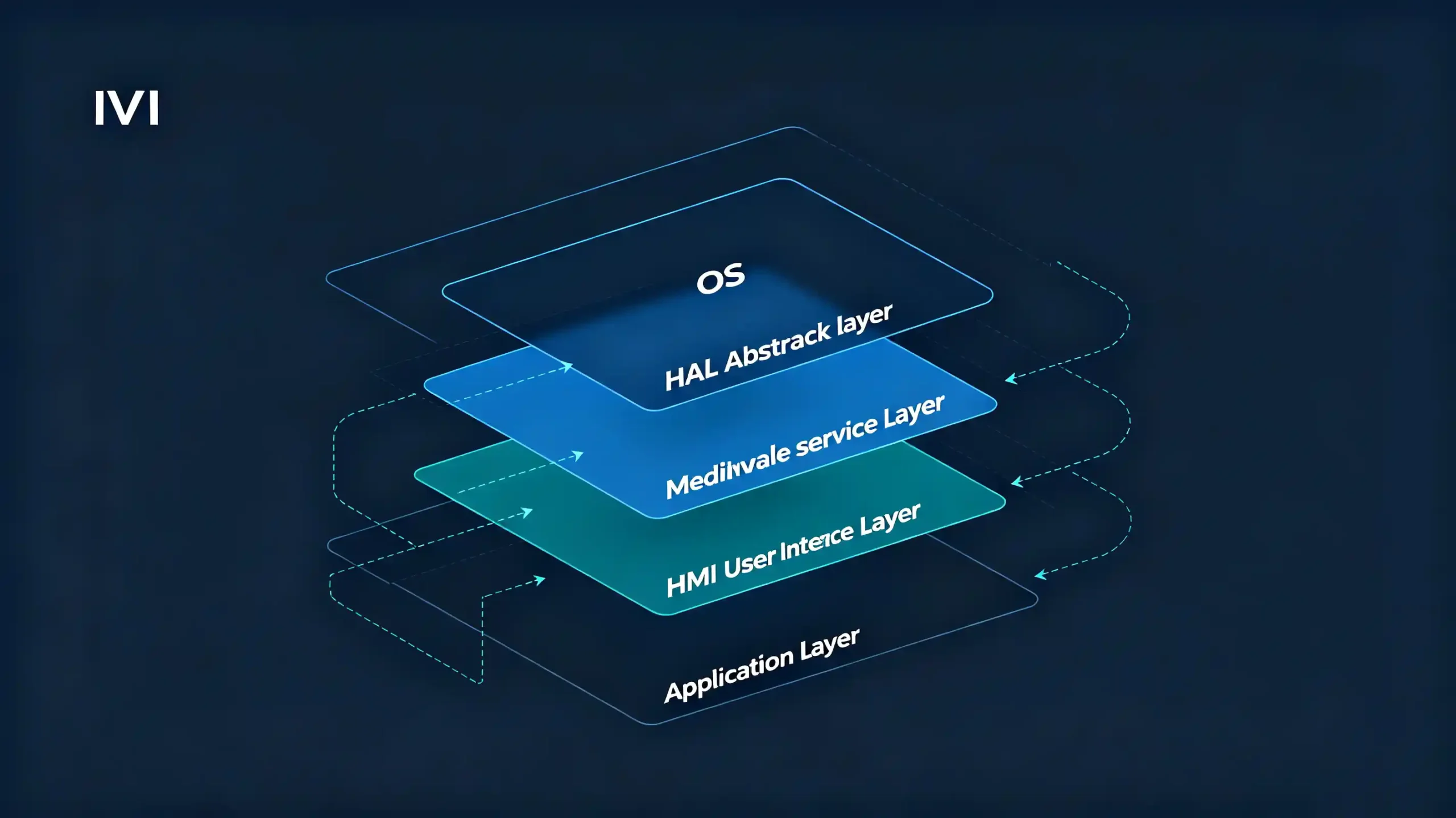
The Layered Structure
Most IVI software stacks share a similar layered structure. Implementation details vary between suppliers.
- OS and HAL — the operating system and hardware abstraction layer that manage the platform and connect it to physical hardware
- Middleware — system services and communication frameworks that tie components together
- HMI — the human-machine interface layer users actually see and touch
- Applications — end-user features like navigation, media, and settings
Why This Matters for Customization
Understanding these layers gives B2B buyers a real vocabulary for scoping customization requests. A request to “change the boot screen” touches a different layer than a request to “add a new vehicle data field.” Knowing the difference helps set realistic expectations with a supplier before a project starts. It avoids discovering the scope mismatch mid-development.
IVI Operating System and Hardware Abstraction Layer (HAL)
The Operating System
The operating system sits at the base of the software stack. It manages CPU and memory resources. It schedules processes. It handles security. It coordinates device drivers.
Android vs Linux
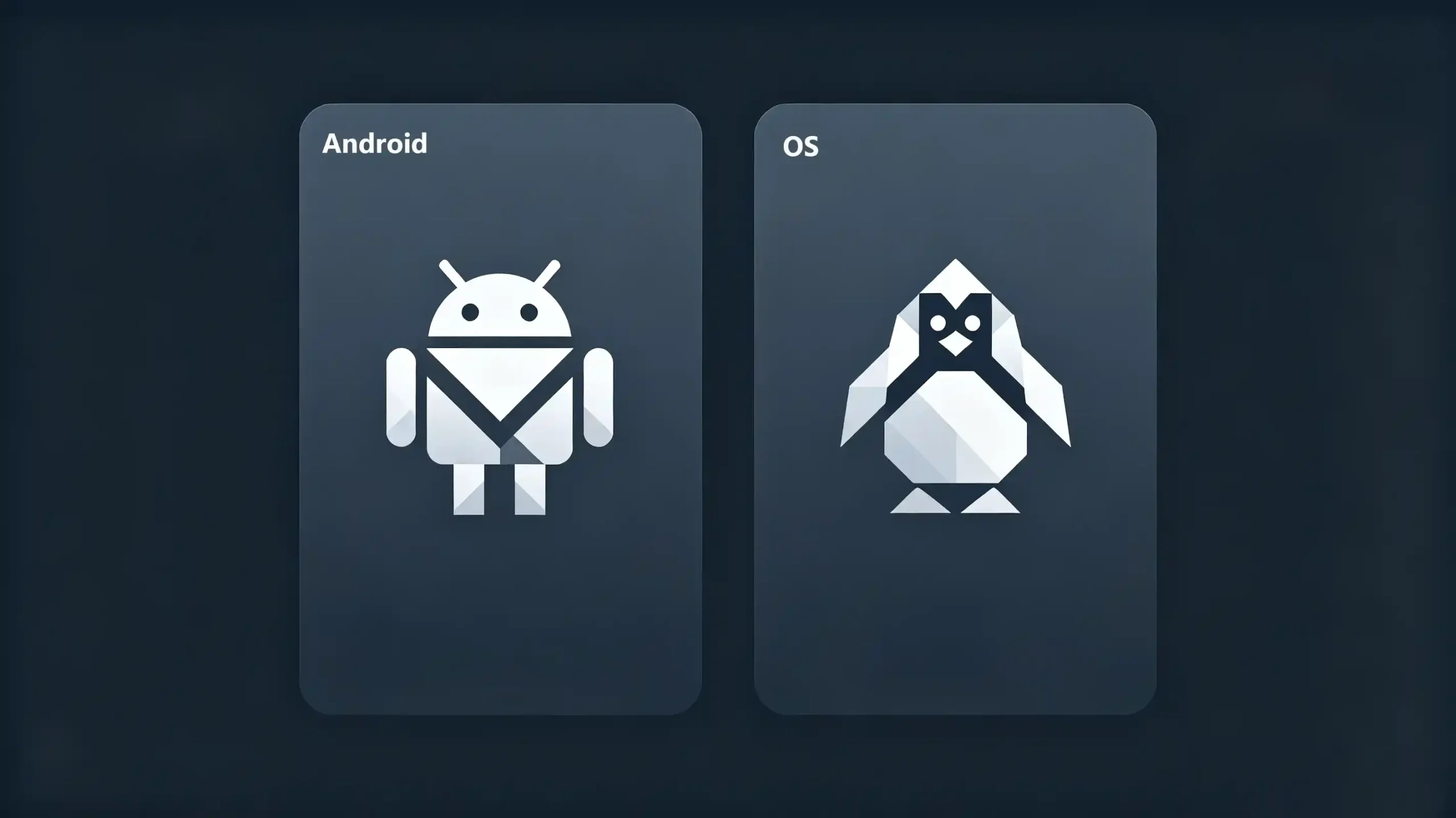
Android is the dominant platform in this category by a wide margin. It is valued for its broad app ecosystem and familiar interface. Linux shows up as a lighter, more stable alternative in some designs. This is particularly true where a simpler, more controlled feature set is preferred over app flexibility. For a detailed comparison, see our Android vs Linux for automotive infotainment guide.
The Hardware Abstraction Layer (HAL)
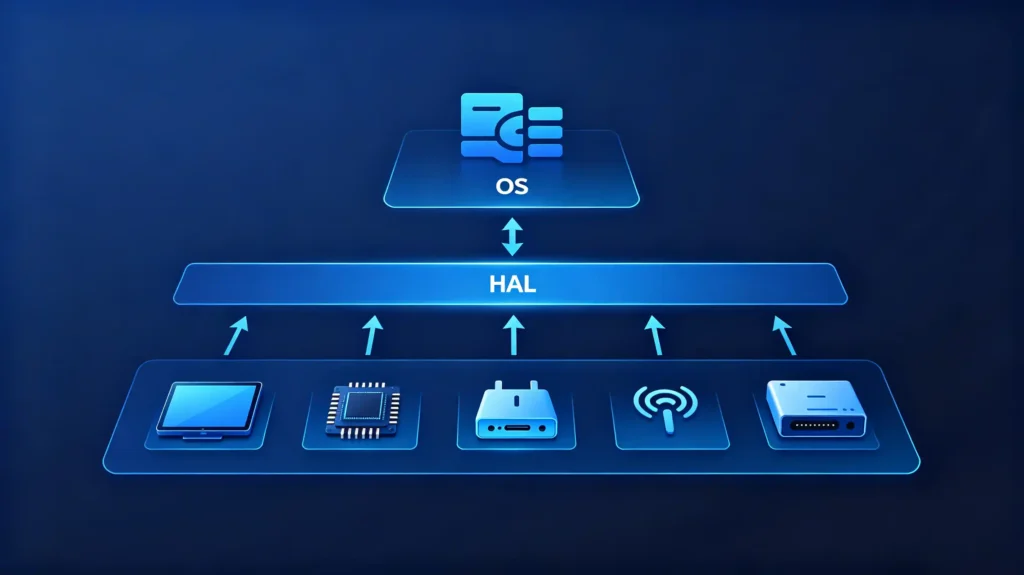
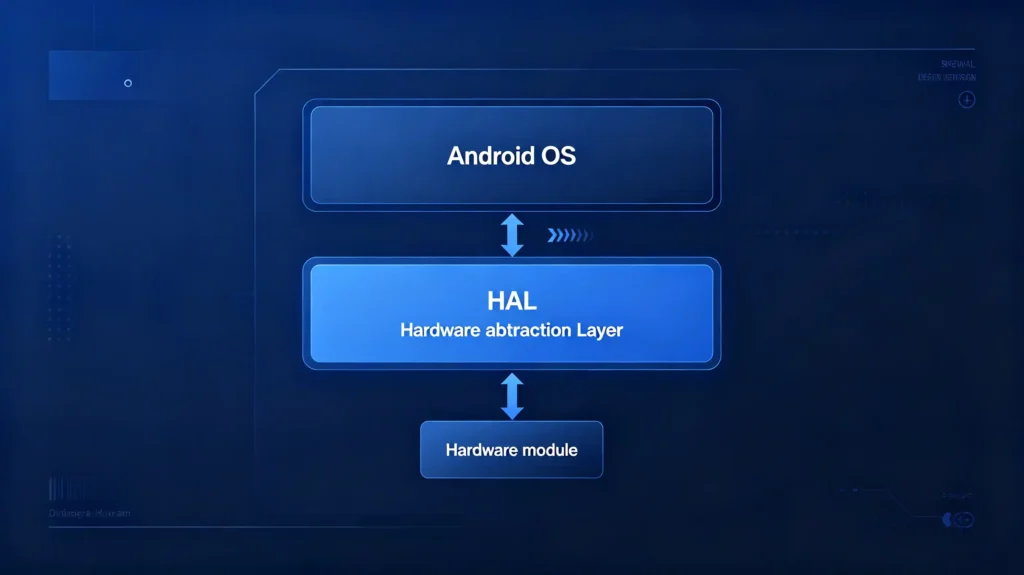
Sitting just above the OS, the HAL does a quieter but equally important job. It decouples the operating system from the specifics of the physical hardware underneath it. The HAL provides standardized interfaces for components like the display, touchscreen, GPS module, audio hardware, Bluetooth, Wi-Fi, and CAN Bus. The OS and everything above it can call a consistent interface. They do not need to know the exact hardware implementation. When the OS needs something from hardware, it calls the HAL. The HAL translates that request into hardware-specific driver instructions.
Why the HAL Matters
This layer matters more than its low profile suggests. A well-built HAL means the software stack ports cleanly across different hardware revisions. A poorly built one means every hardware change risks breaking something further up the stack.
IVI Middleware, System Services and Inter-Component Communication Frameworks
What Is Middleware?
Middleware occupies the space between the OS/HAL layer and everything the user actually sees. It is the connective tissue that lets separate software components talk to each other. They do not need direct knowledge of each other.
Middleware Services
On the services side, middleware typically handles several functions. Audio routing between different sound sources. Notification management. Power state handling. Providing vehicle data to whatever application needs it.
Communication Management
On the communication side, it manages inter-process communication (IPC), event distribution, and service discovery. Components can find and use each other reliably.
Specific Manager Modules
In practice, this often takes the shape of specific manager modules. An audio manager controls routing and mixing across media and calls. A vehicle data service exposes CAN Bus information to applications that display speed, RPM, or climate data. A connectivity manager coordinates Bluetooth, Wi-Fi, and cellular connections behind the scenes.
Commercial Weight of This Layer
This layer has real commercial weight. A rigid, closed middleware implementation limits how deeply a supplier can customize a project. A more open, modular middleware gives OEM/ODM buyers meaningfully more room to add features. They do not need to rebuild the stack from scratch. Vehicle data integration in particular — surfacing steering wheel controls, climate readouts, and door status through CAN Bus — depends on how well this layer is built out.
Automotive HMI Software and User-Interface Layer
The User Experience Layer
The HMI (human-machine interface) layer is what users actually experience. It is the visual presentation and interaction model of the entire system. It is distinct from the data and logic running underneath it.
Core Responsibilities
Its core responsibilities include rendering the interface itself. Home screen, settings, navigation view, media controls. Handling user input from the touchscreen, steering wheel buttons, or voice commands. Managing presentation details like screen transitions and layout behavior. Supporting multiple languages so the interface displays correctly for different markets.
The Boundary Between HMI and Applications
A useful way to think about the boundary here: the HMI layer displays data. The application layer beneath it generates that data. A navigation app calculates the route. The HMI layer draws it on screen.
Where Customization Requests Land
This is also where most customization requests land in practice. Boot animation, UI theme and color choices, icon styles, and home screen or menu layout changes all live in the HMI layer. This is precisely why it tends to be the most requested area of customization for OEM/ODM clients. It is where brand identity becomes visible. It does not touch the deeper, more complex layers of the stack. For more on HMI customization, see our Android head unit UI customization guide.
IVI Applications and Feature Integration on Top of the Software Stack
The Top of the Stack
At the top of the stack sit the applications. These are the features a customer actually interacts with day to day. They are built on the layers described above.
Navigation
Navigation combines GPS module data, map data, and a routing engine. It calculates and displays routes.
Media
Media applications draw on audio hardware, local or external storage, and streaming services for playback.
Vehicle Settings
Vehicle settings applications read from the vehicle data service. They expose configuration options tied to CAN Bus information.
Phone Projection
Phone projection features rely on Bluetooth for pairing. They use Wi-Fi for the data connection that carries the mirrored interface.
Vehicle Data Display
Vehicle data display applications pull directly from CAN Bus data. They show speed, RPM, or climate information on screen. For foundational context on CAN Bus, see our what is CAN BUS guide.
Dependencies on Lower Layers
None of these applications operate independently of the layers below. They consume middleware services for functions like audio routing and vehicle data access. They rely on the HMI framework to render anything visible.
Installation Options
Applications can be pre-installed at the factory. They can also be added later through standard Android package installation. This matters for buyers planning to expand feature sets after initial deployment. They do not need to lock everything in at launch.
Software-Architecture Differences Across Aftermarket, OEM and ODM IVI Platforms
Customization Depth Varies
The depth of customization available at each layer varies significantly. It depends on which type of platform a project is built on.
Aftermarket Android Head Units
Aftermarket Android head units generally run a standard Android build. They have limited customization headroom. Middleware tends to be fixed rather than configurable. HMI customization (themes, boot animation) is available but bounded. Additional features get added through standard APK installation.
OEM Production-Grade IVI Platforms
OEM production-grade IVI platforms go considerably deeper. They use a customized Android or Linux stack. They offer full HAL and middleware customization. They have tighter integration with vehicle systems including CAN Bus and climate control. They require a more extensive testing and certification process.
ODM Custom Software Architecture
ODM custom software architecture sits at the most flexible end. It is built from client requirements. It offers full control across every layer. From OS configuration through HMI and application behavior. It is tailored to a specific vehicle platform and brand.
The Practical Trade-Off
The practical trade-off is straightforward. Aftermarket platforms offer speed and lower cost with real but bounded customization. OEM and ODM approaches trade that speed for much deeper control. This comes at a correspondingly higher cost and longer development timeline.
B2B Evaluation Considerations for IVI Software-Architecture and Custom-Project Requirements
RFQ Checklist
Turning this layered understanding into an actionable RFQ checklist.
- OS platform — confirm Android or Linux, and check what version and update support the supplier offers
- HAL quality — ask how hardware compatibility and driver support are handled, particularly for any custom hardware
- Middleware flexibility — determine whether middleware is fixed or configurable, since this bounds how deep customization can go
- HMI customization — verify what is actually available: UI themes, boot animation, layout changes, and multi-language support
- Application ecosystem — confirm support for pre-installed apps and later APK-based additions
- Customization depth — clarify whether the platform supports HMI-only customization or full-stack changes
- Update capability — verify OTA support for both system and application updates. OTA is part of the software architecture. See our IVI OTA software updates guide for detailed guidance.
- Documentation — request architecture documentation and any available API references before committing
FAQ
What practical customization limits arise from fixed middleware layers on many aftermarket IVI software stacks?
Fixed middleware typically restricts how deeply new features can be integrated. Buyers can usually still adjust surface-level elements like themes or icons. But adding genuinely new vehicle data services, communication protocols, or system-level behaviors often is not possible. This requires access to configure the middleware itself. This is why aftermarket customization tends to concentrate on the HMI layer. It does not touch deeper system logic. Buyers with more ambitious customization needs should clarify middleware flexibility upfront. Do not assume HMI-level access implies full-stack access.
What is the key difference between modifying the HMI layer only versus modifying the middleware layer within IVI software architecture?
HMI-layer changes affect what the user sees and how they interact with it. Colors, layouts, animations, icon sets. They do not touch how the underlying system actually functions. Middleware-layer changes go deeper. They alter how services like audio routing, vehicle data access, or connectivity management actually behave. This typically requires more development time, testing, and supplier capability. A boot animation change is an HMI request. Adding a new vehicle data field to the settings screen is usually a middleware-level request. Both might look similar from a project brief, but they are very different.
Can swapping IVI hardware require corresponding changes across multiple software-stack layers?
Often, yes. A hardware swap can require HAL updates to support the new component’s driver interfaces. Depending on the change, it may also touch middleware services that depend on that hardware’s data or behavior. A processor change with different performance characteristics might not require software changes at all. A display or connectivity module swap frequently does. Hardware and software architecture decisions should not be made in isolation from each other.
How does HAL layer quality affect hardware-peripheral compatibility for custom IVI software builds?
A well-built HAL provides clean, standardized interfaces. This makes adding or swapping peripherals relatively straightforward. The layers above it do not need direct knowledge of the specific hardware. A poorly built or narrowly scoped HAL can make even minor hardware changes require deeper software rework. Standardized interfaces were not properly abstracted in the first place. This is a detail worth asking suppliers about directly. It rarely shows up clearly in a standard spec sheet.
Conclusion
Software architecture is where customization requests either become straightforward or run into unexpected walls. This depends on how the underlying layers are actually built.